Introduction to Sketch
Course 2: Shape Styles, Vectors, and Pixels Use: Working with vector shapes
By Samuel Hermoso (Elastic Heads) , UX-UI Designer

Joined August 2014




About the video: Working with vector shapes
Overview
“Now we are going to work with the basic vector design editing tools. We will learn how to modify corners and edge terminations (also editing), and shape points so that they remain open. We will see some examples of this with icons.”
In this video lesson Samuel Hermoso (Elastic Heads) addresses the topic: Working with vector shapes, which is part of the Domestika online course: Course 2: Shape Styles, Vectors, and Pixels Use. Learn how to add edges, color, and effects in your basic shapes.
Partial transcription of the video
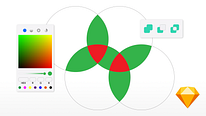
“INTRODUCTION TO SKETCH COURSE 2 LESSON 7 Working with vector shapes In this lesson we will edit points within vector shapes, in this way we will improve our iconography. I'll show it to you. In this exercise we will see how to modify points in a way or a stroke, in this case it is a vector stroke. In this "check" I would like to move the points above and make it longer, as in the example. The way to edit points, as we have seen before, is double click, but I'm going to select this one above or these two. In this mode I double-clicked, and the inspector changes, what I can do is skewer, drag...”
This transcript is automatically generated, so it may contain mistakes.
Course summary for: Course 2: Shape Styles, Vectors, and Pixels Use

Samuel Hermoso (Elastic Heads)
By Samuel Hermoso (Elastic Heads)
Samuel Hermoso has over 20 years of experience working in consulting and digital product design. After working with different studios and agencies, he created the Elastic Heads studio, in Madrid (Spain), where he helps people, companies, and startups adapt to the new changes in the digital world and improve their digital products.
Samuel is also dedicated to teaching, he is a professor of product design, user experience and methodologies, and interactive design tools in schools such as: Ironhack, Mr. Marcel School, IED, Neoland and the European University.
- 0% positive reviews (0)
- 16 students
- 10 lessons (1h 28m)
- 11 additional resources (3 files)
- Online and at your own pace
- Available on the app
- Audio: Spanish
- Spanish · English · Portuguese · German · French · Italian · Polish · Dutch · Turkish · Romanian · Indonesian
- Level: {beginner: "Beginner", intermediate: "Intermediate", advanced: "Advanced"}
- Unlimited access forever