Introduction to ZBrush
Course 6: ZBrush Interaction with other 3D Software: Lookdev with ZBrush and Keyshot
By Luis Alberto Gayoso Berrospi , 3D Artist

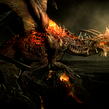

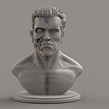

About the video: Lookdev with ZBrush and Keyshot
Overview
“In this practice, I will teach you how to organize your workflow between ZBrush and Keyshot, from modeling, UV creation, textures, export and final rendering. ”
In this video lesson Luis Alberto Gayoso Berrospi addresses the topic: Lookdev with ZBrush and Keyshot, which is part of the Domestika online course: Course 6: ZBrush Interaction with other 3D Software. Learn how to integrate other 3D software in your workflow.
Partial transcription of the video
“ZBRUSH COURSE 6 LESSON 5 Practice: Lookdev with ZBrush and KeyShot In this practice we will render the character that we did in course four for a better presentation. Let's see. As you can see, the character is already completely finished regarding the textures that have been applied to each of the parts, the accessories and the organic part of the character. So what we will do now is export it to KeyShot to be able to render, put lights and assign some materials for the final presentation of our character. In the same way I hope that everyone has taken the necessary time to texturize each ...”
This transcript is automatically generated, so it may contain mistakes.
Course summary for: Course 6: ZBrush Interaction with other 3D Software
Luis Alberto Gayoso Berrospi
By Luis Alberto Gayoso Berrospi
Luis Gayoso has extensive experience producing digital, animated, design, and illustrated content, as well as a proven track record with composition and post-production for diverse digital media, including graphic advertising, digital production for TV, animated short films, and feature films.
He has worked with different agencies, production houses, brands, and companies in the field and has served as instructor of 3D animation and visual effects at different design and digital production training institutions.
- 0% positive reviews (0)
- 8 students
- 5 lessons (57m)
- 2 additional resources (1 files)
- Online and at your own pace
- Available on the app
- Audio: Spanish, Turkish, French, Portuguese
- Spanish · English · Portuguese · German · French · Italian · Polish · Dutch · Turkish · Romanian · Indonesian
- Level: {beginner: "Beginner", intermediate: "Intermediate", advanced: "Advanced"}
- Unlimited access forever