Introduction to ZBrush
Course 1: Fundamentals of digital sculpting and ZBrush interface: Modeling with symmetries
By Luis Alberto Gayoso Berrospi , 3D Artist



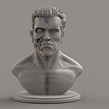

About the video: Modeling with symmetries
Overview
“ZBrush is very useful because it allows you to work with symmetries in X, Y, Z. I will show you the different applications and how to handle this utility correctly.”
In this video lesson Luis Alberto Gayoso Berrospi addresses the topic: Modeling with symmetries, which is part of the Domestika online course: Course 1: Fundamentals of digital sculpting and ZBrush interface. Open the software for the first time and discover the multitude of tools it offers.
Partial transcription of the video
“ZBRUSH COURSE 1 LESSON 7 Modeling with symmetry One of the most useful ZBrush functions is that it allows you to work with symmetries on the X, Y and Z axis, as well as radial symmetries. Now I will show you how to work and apply them. Let's see it. For this we will open a default LightBox model. We will choose for this case this folder called Head Plans, double click and choose any object. All right, we already have a base mesh here with which I will explain the tools of Symmetry. Let's look at the following. if we put the "mouse" in any area of this model, we are seeing that Symmetry is a...”
This transcript is automatically generated, so it may contain mistakes.
Course summary for: Course 1: Fundamentals of digital sculpting and ZBrush interface
Luis Alberto Gayoso Berrospi
By Luis Alberto Gayoso Berrospi
Luis Gayoso has extensive experience producing digital, animated, design, and illustrated content, as well as a proven track record with composition and post-production for diverse digital media, including graphic advertising, digital production for TV, animated short films, and feature films.
He has worked with different agencies, production houses, brands, and companies in the field and has served as instructor of 3D animation and visual effects at different design and digital production training institutions.
- 0% positive reviews (0)
- 13 students
- 17 lessons (3h 21m)
- 7 additional resources (6 files)
- Online and at your own pace
- Available on the app
- Audio: Spanish, Turkish, French, Portuguese
- Spanish · English · Portuguese · German · French · Italian · Polish · Dutch · Turkish · Romanian · Indonesian
- Level: {beginner: "Beginner", intermediate: "Intermediate", advanced: "Advanced"}
- Unlimited access forever