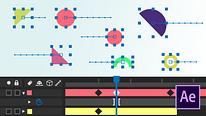
Introduction to After Effects
Course 1 - Basic Concepts: Workflow, Timeline, and Masks: Other ways to import PSD and Illustrator
By Carlos "Zenzuke" Albarrán , Motiongrapher



About the video: Other ways to import PSD and Illustrator
Overview
“ We are going to review the ways to import Photoshop and Illustrator files into After Effects. We will see the different options and how they affect the import.”
In this video lesson Carlos "Zenzuke" Albarrán addresses the topic: Other ways to import PSD and Illustrator, which is part of the Domestika online course: Course 1 - Basic Concepts: Workflow, Timeline, and Masks. An introduction to motion graphics in After Effects.
Partial transcription of the video
“After Effects COURSE 1 LESSON 3 ADDITIONAL RESOURCES Other ways to import PSD and Illustrator As promised, we will take look at all the possible ways to import Photoshop and Illustrator files in After Effects to look at the different options and how they affect the import. I'll start by importing a PSD first. I have three layers in the PSD: a background layer, an ellipse and a background, which isn't doing much. And I have some effects too. The first way we'll import it is as Footage. Footage gives us two options: Merged Layers or Choose Layer I'm going to select Merged Layers. Footage with...”
This transcript is automatically generated, so it may contain mistakes.
Course summary for: Course 1 - Basic Concepts: Workflow, Timeline, and Masks
Carlos "Zenzuke" Albarrán
By Carlos "Zenzuke" Albarrán
Carlos Albarrán (Zenzuke) has more than ten years of experience working as a creative director, a 2D and 3D animator, and a motion graphics artist. As a co-founder of the motion design studio Maaambo, he regularly collaborates with some of the most prestigious producers and agencies in Spain. He also combines his creative work with teaching and has been sharing his knowledge on motion graphics and 3D animation for more than six years at some of the most well-known schools and workshops in Madrid, as well as online with Domestika.
- 7 students
- 20 lessons (4h 42m)
- 17 additional resources (8 files)
- Online and at your own pace
- Available on the app
- Audio: Spanish, Turkish, French, Portuguese, Italian
- Spanish · English · Portuguese · German · French · Italian · Polish · Dutch · Turkish · Romanian · Indonesian
- Level: {beginner: "Beginner", intermediate: "Intermediate", advanced: "Advanced"}
- Unlimited access forever