Introduction to After Effects
Course 1 - Basic Concepts: Workflow, Timeline, and Masks: The workflow in After Effects 3
By Carlos "Zenzuke" Albarrán , Motiongrapher





About the video: The workflow in After Effects 3
Overview
“In this third lesson we will see the keyboard shortcuts in animation, the Keyframe Assistant and how to render our work.”
In this video lesson Carlos "Zenzuke" Albarrán addresses the topic: The workflow in After Effects 3, which is part of the Domestika online course: Course 1 - Basic Concepts: Workflow, Timeline, and Masks. An introduction to motion graphics in After Effects.
Partial transcription of the video
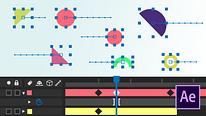
“AFTER EFFECTS COURSE 1 LESSON 3 Workflow if I should want to animate multiple layers at once, for example, make all the objects move in toward the center, but animating at one time all the objects that interest me, activate the animation and animate in the Composition window, without having to activate them one by one, it would be a bit cumbersome going layer by layer, opening up the transformations and activating the position. For that, After Effects has plenty of keyboard shortcuts to extract the properties of a layer that we need. For example if I want to extract the Position property of...”
This transcript is automatically generated, so it may contain mistakes.
Course summary for: Course 1 - Basic Concepts: Workflow, Timeline, and Masks
Carlos "Zenzuke" Albarrán
By Carlos "Zenzuke" Albarrán
Carlos Albarrán (Zenzuke) has more than ten years of experience working as a creative director, a 2D and 3D animator, and a motion graphics artist. As a co-founder of the motion design studio Maaambo, he regularly collaborates with some of the most prestigious producers and agencies in Spain. He also combines his creative work with teaching and has been sharing his knowledge on motion graphics and 3D animation for more than six years at some of the most well-known schools and workshops in Madrid, as well as online with Domestika.
- 7 students
- 20 lessons (4h 42m)
- 17 additional resources (8 files)
- Online and at your own pace
- Available on the app
- Audio: Spanish, Turkish, French, Portuguese, Italian
- Spanish · English · Portuguese · German · French · Italian · Polish · Dutch · Turkish · Romanian · Indonesian
- Level: {beginner: "Beginner", intermediate: "Intermediate", advanced: "Advanced"}
- Unlimited access forever