Introduction to Avid Media Composer
Course 4 - Image Editing: Welcome
By Raúl Barreras, Film Editor



About the video: Welcome
Overview
“All the most interesting possibilities that distinguish Avid from other editing systems are visible when we start editing. At first we can find it difficult to maintain the synchrony on the tracks, but as we practice more and more, we will end up editing in an organic way. There are multiple ways to edit and we will see some so that each one finds the way that works best for them. I feel that the logic of the program is mainly designed to be selected from the source monitor, marking inputs and outputs, and sending our selection to an open sequence in the timeline. This way of working has a very different methodology to drag all clips in their totality and eliminate material as progress is made. In any case, it is always convenient that we duplicate sequences as significant changes are made. To make adjustments in our cuts there is the trim tool that we will also learn to use throughout this course. It allows us to adjust frames and change the view of the monitors to one that facilitates it. ”
In this video lesson Raúl Barreras addresses the topic: Welcome, which is part of the Domestika online course: Course 4 - Image Editing. Editing your first Avid sequence.
Partial transcription of the video
“The moment we begin editing is when we uncover the vast possibilities Avid provides. distinguishing it from other software. At first. editing might appear somewhat daunting. However. with increased practice. you will become more adept and comfortable with the process. enhancing your skills. you will end up doing it organically as you get more comfortable with the process. There are multiple ways edit into a routine. I will show you several options so you can choose which one fits your style best. In my experience. the program's logic seems designed for editing from the source monitor. where...”
This transcript is automatically generated, so it may contain mistakes.
Course summary for: Course 4 - Image Editing
Raúl Barreras
By Raúl Barreras
Raúl Barreras is a professional film editor from Bilbao, Spain. He is passionate about cinema and whenever he had to make decisions as a student, he directed himself towards where he believes the heart of movies beat—the editing. After studying at the Cuban film school EITCV, he has worked on the edition of 11 fiction and documentary films between Spain, Mexico, and the Dominican Republic.
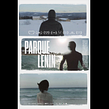
He has edited fiction films including Los tontos y los estúpidos, selected for the San Sebastián International Film Festival, and documentaries such as Parque LENIN, winner of the Best Film Award at the Moscow International Film Festival, all of them put together with Avid Media Composer, one of the software with the greatest possibilities for editing any audiovisual project.
- 0% positive reviews (0)
- 15 students
- 6 lessons (46m)
- 2 additional resources (1 files)
- Online and at your own pace
- Available on the app
- Audio: Spanish
- Spanish · English · Portuguese · German · French · Italian · Polish · Dutch · Turkish · Indonesian · Romanian
- Level: {beginner: "Beginner", intermediate: "Intermediate", advanced: "Advanced"}
- Unlimited access forever