Introduction to Avid Media Composer
Course 1 - Introduction to Avid: I interface
By Raúl Barreras, Film Editor


About the video: I interface
Overview
“In this lesson we will enter the visible areas of the program and its own structure. In this first part we will know those parts of the Avid with which we will have more contact: the project window, the monitors and the timeline.”
In this video lesson Raúl Barreras addresses the topic: I interface, which is part of the Domestika online course: Course 1 - Introduction to Avid. Basic concepts and interface.
Partial transcription of the video
“In this lesson. i'm going to teach you the visible areas of the program. On one hand. you'll see the window. also the input and output monitors. as well as the timeline. Understanding the interface logic will help us so that if at any moment we get lost. we can easily and quickly locate things. Let's dive into it and explore the interface together Let's begin by examining how the habit functions and its operational framework. For this purpose. i have the project we developed. specifically the Domestika test project. which we will focus on. Understanding this open that. but instead. i'll ope...”
This transcript is automatically generated, so it may contain mistakes.
Course summary for: Course 1 - Introduction to Avid
Raúl Barreras
By Raúl Barreras
Raúl Barreras is a professional film editor from Bilbao, Spain. He is passionate about cinema and whenever he had to make decisions as a student, he directed himself towards where he believes the heart of movies beat—the editing. After studying at the Cuban film school EITCV, he has worked on the edition of 11 fiction and documentary films between Spain, Mexico, and the Dominican Republic.
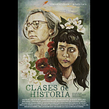
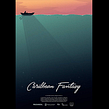
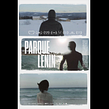
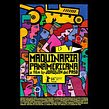
He has edited fiction films including Los tontos y los estúpidos, selected for the San Sebastián International Film Festival, and documentaries such as Parque LENIN, winner of the Best Film Award at the Moscow International Film Festival, all of them put together with Avid Media Composer, one of the software with the greatest possibilities for editing any audiovisual project.
- 0% positive reviews (0)
- 12 students
- 6 lessons (33m)
- 6 additional resources (3 files)
- Online and at your own pace
- Available on the app
- Audio: Spanish, English
- Spanish · English · Portuguese · German · French · Italian · Polish · Dutch · Turkish · Romanian · Indonesian
- Level: {beginner: "Beginner", intermediate: "Intermediate", advanced: "Advanced"}
- Unlimited access forever