DaVinci Resolve for Professional Color Correction in Cinema
A course by Luis Dengó, Editor and Colorist


Learn different techniques to create images and transmit emotions through color

Color correction is so much more than just tweaking aesthetics, it has the power to transmit emotions, feelings, and personal experiences. Editor and colorist Luis Dengó is well aware of that fact. Join him and give a unique and professional touch to your images using DaVinci Resolve.
In this course, learn how to manage primary color correction tools such as noise reduction, color wheels, and luminance curves to have your material perfect primed for color grading.
What will you learn in this online course?
18 lessons & 25 downloads
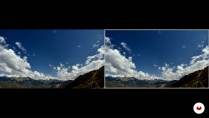
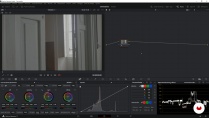
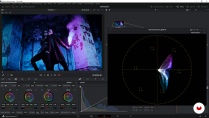
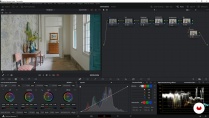
- 98% positive reviews (164)
- 7,546 students
- 18 lessons (3h 54m)
- 25 additional resources (4 files)
- Online and at your own pace
- Available on the app
- Audio: Spanish, English, French, Italian, Portuguese, Turkish
- Spanish · English · Portuguese · German · French · Italian · Polish · Dutch · Turkish
- Level: Beginner
- Unlimited access forever
Recommended software & tools for this course
 DaVinci Resolve
What is this course's project?
Create cinematic looks for different scenes through color correction with DaVinci Resolve.

Projects by course students


Who is this online course for?
Anyone who knows the basics of DaVinci Resolve and wants to increase their color grading and correction knowledge.
Requirements and materials
You need very basic knowledge of DaVinci Resolve to complete this course. As for materials, you need a computer with the free version of DaVinci Resolve downloaded.

Reviews

Luis Dengó
A course by Luis Dengó
Luis Dengó is a teacher, editor, and professional colorist. He was born and currently lives in Las Palmas, Gran Canaria. He studied at the School of Art and Design in Gran Canaria.
Over time, he's become more and more immersed in the world of color retouching and for many years has taught classes on color grading and video editing at the Escuela Canaria de Fotografía e Imagen.
Content
-
U1
Introduction
-
Presentation
-
Influences
-
-
U2
Digital imaging and techniques for using color
-
Digital image and pixel
-
Techniques for using color
-
Primary fixes 1
-
Primary fixes 2
-
Primary fixes 3
-
-
U3
Cinematic looks
-
Clean Gray Hollywood
-
Day for Night
-
Teal & Orange
-
Sci-fi
-
Bleach Bypass
-
Commercial TV 1
-
Commercial TV 2
-
-
U4
Creating your own look: final adjustments
-
Creating your look
-
Final details
-
Export 1
-
Export 2
-
-
FP
Final project
-
DaVinci Resolve for Professional Color Correction in Cinema
-
What to expect from a Domestika course
-
Learn at your own pace
Enjoy learning from home without a set schedule and with an easy-to-follow method. You set your own pace.
-
Learn from the best professionals
Learn valuable methods and techniques explained by top experts in the creative sector.
-
Meet expert teachers
Each expert teaches what they do best, with clear guidelines, true passion, and professional insight in every lesson.
-
Certificates
PlusIf you're a Plus member, get a custom certificate signed by your teacher for every course. Share it on your portfolio, social media, or wherever you like.
-
Get front-row seats
Videos of the highest quality, so you don't miss a single detail. With unlimited access, you can watch them as many times as you need to perfect your technique.
-
Share knowledge and ideas
Ask questions, request feedback, or offer solutions. Share your learning experience with other students in the community who are as passionate about creativity as you are.
-
Connect with a global creative community
The community is home to millions of people from around the world who are curious and passionate about exploring and expressing their creativity.
-
Watch professionally produced courses
Domestika curates its teacher roster and produces every course in-house to ensure a high-quality online learning experience.
FAQs
You’ll master advanced color correction techniques, cinematic look creation, professional skin treatment, noise reduction, and video exporting in DaVinci Resolve, applying styles like Teal and Orange, Bleach Bypass, and Clean Grey Hollywood.
This is an intermediate-level course, perfect for those with basic video editing or DaVinci Resolve skills who want to dive deeper into color correction and cinematic look design.
You’ll need a computer capable of running DaVinci Resolve, internet access, and basic video editing knowledge. Having your own footage to practice with is recommended.
You’ll enhance the visual quality of your videos, convey emotions more powerfully, and give your projects a professional finish that stands out on platforms like YouTube or in the film industry.
The Teal and Orange look is created by shifting shadows toward teal and boosting skin tones in orange using nodes and curves. The course teaches you how to customize and adapt it for different subjects and scenes.
Yes, upon completing the course you’ll receive a certification that validates your skills in color correction and DaVinci Resolve.
You’ll learn temporal and spatial noise reduction, automatic and manual techniques using RGB channels, and how to balance cleanliness and detail in log images with DaVinci Resolve.
 DaVinci Resolve
Un lider en correción de color!
Excelente!
Excellent Course!!
Super!!!
Excelente!! el curso me parecio bastante completo