Digital Shading Techniques
A course by Abraham García , Illustrator


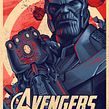


Learn to illustrate with different patterns, hatching, and strokes using Illustrator and Photoshop
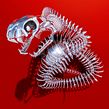
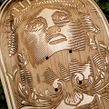
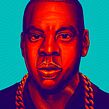

Looking for a creative way to add a punch of expressiveness to your projects? Follow along with illustrator and art director Abraham García as he teaches you the hatching technique—a process that uses parallel lines to add shading—in Illustrator and Photoshop.
This original technique is a great addition to any designer's artistic repertoire.
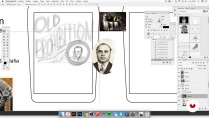
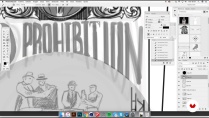
In this online course, master the fundamentals of the hatching technique as you work through different exercises. Use your new skills to design a whiskey label by following Abraham's process from beginning to end, including practice with illustration, composition, font, and color techniques.
What will you learn in this online course?
22 lessons & 15 downloads
- 98% positive reviews (735)
- 12,360 students
- 22 lessons (4h 5m)
- 15 additional resources (11 files)
- Online and at your own pace
- Available on the app
- Audio: Spanish, English, French, Indonesian, Italian, Portuguese, Romanian, Turkish
- Spanish · English · Portuguese · German · French · Italian · Polish · Dutch · Turkish · Romanian · Indonesian
- Level: Intermediate
- Unlimited access forever
Recommended software & tools for this course
 Adobe Illustrator
 Adobe Photoshop
What is this course's project?
Design a label for a whiskey brand from scratch using the digital hatching technique.
Projects by course students


Who is this online course for?
Designers, illustrators, and creatives of all types who are interested in learning new illustration techniques.
Requirements and materials
Basic knowledge of drawing, Illustrator, and Photoshop is recommended.
With regards to materials, you need a computer with design software (Illustrator and Photoshop or similar programs). A graphics tablet is recommended although not essential.

Reviews

Abraham García
A course by Abraham García
Abraham García is a graphic designer who specializes in illustration but also enjoys experimenting with a wide variety of traditional and digital techniques.
Over the last ten years, he has worked with advertising agencies like Grupo W in Saltillo, Mexico, and Vault 49 in New York, where he currently works as a freelance artist. Throughout this time, he has developed projects for branding, packaging, illustration, web design, album covers, and more.
Some of Abraham’s clients include Harley Davidson, Gatorade, Jack Daniel’s, Volkswagen, Bicycle Cards, and publications such as Picnic, Quo, and Travel and Leisure.
Abraham is also passionate about tattoos, caricatures, graffiti, film, and comics. He enjoys working with his hands on projects involving carpentry, industrial design, and metal structures. For him, “As designers, we are the result of our interests and passions.”
Content
-
U1
Introduction
-
Presentation
-
Influences
-
-
U2
Form and volume
-
Basic brushes
-
Complex brushes
-
Tools
-
Lights and shadows - Part I
-
Lights and shadows - Part II
-
Preparation of the file
-
-
U3
Our project
-
References
-
Photoshop Sketching - Part I
-
Photoshop Sketch - Part II *
-
Photoshop Sketch - Part III
-
Creation of main elements - Part I
-
Creation of main elements - Part II
-
Creation of main elements - Part III
-
-
U4
Ornamentation and typographic treatment
-
Typography - Part I
-
Typography - Part II
-
Adding detail to our typography
-
Ornamentation - Part I
-
Ornamentation - Part II
-
-
U5
Treatment and separation of color
-
Colour
-
Final finishes
-
-
FP
Final project
-
Digital engraving techniques
-
What to expect from a Domestika course
-
Learn at your own pace
Enjoy learning from home without a set schedule and with an easy-to-follow method. You set your own pace.
-
Learn from the best professionals
Learn valuable methods and techniques explained by top experts in the creative sector.
-
Meet expert teachers
Each expert teaches what they do best, with clear guidelines, true passion, and professional insight in every lesson.
-
Certificates
PlusIf you're a Plus member, get a custom certificate signed by your teacher for every course. Share it on your portfolio, social media, or wherever you like.
-
Get front-row seats
Videos of the highest quality, so you don't miss a single detail. With unlimited access, you can watch them as many times as you need to perfect your technique.
-
Share knowledge and ideas
Ask questions, request feedback, or offer solutions. Share your learning experience with other students in the community who are as passionate about creativity as you are.
-
Connect with a global creative community
The community is home to millions of people from around the world who are curious and passionate about exploring and expressing their creativity.
-
Watch professionally produced courses
Domestika curates its teacher roster and produces every course in-house to ensure a high-quality online learning experience.
FAQs
The hatching technique in digital illustration involves creating shadows, volume, and textures using repeated lines. It's used to add depth, realism, and a distinctive style to illustrations, especially in branding, comics, and label design.
This course is designed for people with basic digital illustration knowledge, so it’s intermediate level. It’s perfect if you’re already comfortable with tools like Illustrator and Photoshop and want to master advanced techniques.
All you need is a computer with access to Adobe Illustrator and Photoshop, basic skills in both, and a strong desire to learn advanced digital illustration and hatching techniques.
You’ll learn how to apply digital hatching to create textures, shadows, and volume; design custom brushes; organize layers and nodes; and integrate illustrations into branding, label, and comic projects.
The course covers hatching techniques, creating and customizing brushes in Illustrator, applying lighting and shadows, illustrated typography composition, character development, and preparing files for print and mockups.
Yes, you’ll learn how to create and customize basic and advanced brushes in Illustrator, including pattern, scatter, and art brushes, to achieve unique effects and textures in your illustrations.
The course teaches you how to incorporate digital hatching into illustrations for brand identity, labels, and posters, creating striking, textured compositions that stand out in the market.
 Adobe Illustrator
 Adobe Photoshop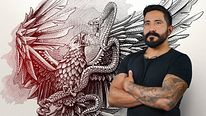
ce cours est absolument fantastique , il enlève tout le mystère sur la création du hatching et shading qu'on peut voir sur de nombreux design graphique lettering en général . merci a Abraham garcia pour ce fabuleux cours je crois que c'est mon préféré .
Fiz toda a parte teórica do curso e achei muito didática; agora me falta fazer os exercícios. Sem a prática, não há aprendizado consolidado. Super indico este curso.
Ho Apprezzato tantissimo questo corso! Cercavo qualcosa del genere da tanto tempo e appena ho letto il nome dell'insegnante l'ho acquistato. Grande Artista e adoro il suo lavoro.
Si fuera mas despacio para una mejor comprensión, estaría mejor.
Es increíble