Illustrated Posters
Xavi Forné tarafından verilen bir kurs , Tasarımcı





Design a poster for an event, movie, or concert



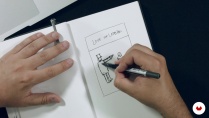
In this course, illustrator, designer, and music poster designer Error! Design, teaches you to design a high-impact poster using the digital collage technique from old engraved illustrations. Discover the steps followed by Error! Design for a real commission—the commemorative tenth-anniversary poster of Love of Lesbian's first album launch.
Error! Design loves to make the visuals aspect of music shine too through his posters. That is why, in each of his works, he recreates scenes, actions, or something that gives life to the paper and transmits feeling.
Bu çevrimiçi kursta ne öğreneceksiniz?
1 ders & 1 indirme

- 99% olumlu yorumlar ( 419 )
- 1 öğrenci
- 1 ders ( 3h 25m )
- 1 ek kaynak (1 dosya)
- Çevrimiçi ve kendi hızınızda
- Uygulamada mevcut
- Ses: İspanyol, İngilizce, Fransızca, İtalyan, Portekizce, Türkçe
- İspanyol · İngilizce · Portekizce · Almanca · Fransızca · İtalyan · Lehçe · Flemenkçe · Türkçe · Romanian · Indonesian
- Seviye: Acemi
- Sonsuza kadar sınırsız erişim
Bu kurs için önerilen yazılım ve araçlar
 Adobe Illustrator
 Adobe Photoshop
Bu kursun projesi nedir?
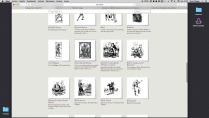
Compose a poster for a fictitious event, movie, or concert, using the collage technique from old prints obtained online or in books to create the scene that will dote your poster with action.
Kurs öğrencilerinin projeleri


Bu çevrimiçi kurs kimlere yöneliktir?
If you're one of those people who stands on the street staring at signs thinking that they should have a greater visual impact and less Comic Sans, then this is the course for you.
Gereksinimler ve materyaller
All you need is the desire and motivation to get creative. If you also love music and have a good grasp of Photoshop or Illustrator it would be a plus, but is by no means essential.
In terms of materials, you need a pencil for sketching, a notebook, a computer with an internet connection and either Photoshop or Illustrator installed. A scanner and printer would be useful but are optional.

Yorumlar

Xavi Forné
Xavi Forné tarafından verilen bir kurs
İlk posterlerini 15 yıl önce hobi olarak yapmaya başlayan sanatçı, günümüzde türünün en saygın İspanyol sanatçılarından biri.
Dahi tasarımcı, illüstratör ve müzisyen Xavi Forné, Error! Design isminin arkasındaki isim. The Black Keys, Red Fa...
İçerik
-
U 1
Introduction
-
Who I am
-
My jobs 1
-
My jobs 2
-
Influences
-
-
U 2
Let's get to know the client and his ideas
-
The order
-
Concept documentation
-
Concept and sketch
-
-
U 3
A cartelear!
-
Search for material
-
The composition (Part I)
-
The composition (Part II)
-
Text processing
-
Color and texture
-
-
U 4
To print!
-
Prepress (Part I)
-
Prepress (Part II)
-
Tips for screen printing
-
Screen printing process
-
-
FP
Bitirme projesi
-
Illustrated poster
-
Bir Domestika kursundan neler beklenebilir?
-
Kendi hızınızda öğrenin
Belirli bir program olmadan ve takip edilmesi kolay bir yöntemle evden öğrenmenin tadını çıkarın. Kendi hızınızı kendiniz belirlersiniz.
-
En iyi profesyonellerden öğrenin
Yaratıcı sektörün en iyi uzmanlarının açıkladığı değerli yöntem ve teknikleri öğrenin.
-
Uzman öğretmenlerle tanışın
Her uzman, her derste açık yönergelerle, gerçek tutkuyla ve profesyonel anlayışla en iyi yaptıkları şeyi öğretir.
-
Sertifikalar
ArtıPlus üyesiyseniz her kurs için öğretmeninizden imzalı bir özel sertifika alın. Portföyünüzde, sosyal medyada veya istediğiniz yerde paylaşın.
-
Ön sıra koltukları alın
En yüksek kalitede videolar sayesinde tek bir ayrıntıyı kaçırmazsınız. Sınırsız erişim sayesinde tekniğinizi mükemmelleştirmek için bunları istediğiniz kadar izleyebilirsiniz.
-
Bilgi ve fikirleri paylaşın
Sorular sorun, geri bildirim isteyin veya çözümler sunun. Öğrenme deneyiminizi topluluktaki, yaratıcılığa sizin kadar tutkulu olan diğer öğrencilerle paylaşın.
-
Küresel bir yaratıcı toplulukla bağlantı kurun
Topluluk, dünyanın her yerinden meraklı ve yaratıcılıklarını keşfetme ve ifade etme konusunda tutkulu milyonlarca insana ev sahipliği yapıyor.
-
Profesyonelce hazırlanmış kursları izleyin
Domestika, yüksek kaliteli bir çevrimiçi öğrenme deneyimi sağlamak için öğretmen kadrosunu seçer ve her dersi kendi bünyesinde üretir.
SSS
Domestika'nın çevrimiçi kursları nelerdir?
Domestika kursları, yeni beceriler öğrenmenizi ve inanılmaz projeler yaratmanızı sağlayan online derslerdir. Tüm kurslarımız, çalışmanızı diğer öğrenciler ve/veya öğretmenlerle paylaşma fırsatı sunarak aktif bir öğrenme topluluğu yaratır. Farklı formatlar sunuyoruz:
Orijinal Kurslar: Belirli bir projeyi baştan sona gerçekleştirmek için videoları, metinleri ve eğitim malzemelerini birleştiren eksiksiz dersler.
Basics Kursları: Belirli yazılım araçlarını adım adım öğrendiğiniz uzmanlaşmış eğitimler.
Uzmanlaşma Kursları: Aynı konuda birden fazla uzman öğretmenle öğrenme yolları, farklı yaklaşımlardan öğrenerek uzman olmak için mükemmel.
Rehberli Kurslar: Belirli becerileri doğrudan edinmek için ideal pratik deneyimler.
Yoğun Kurslar (Deep Dives): Yapay zeka araçlarına dayalı yeni yaratıcı süreçler, derinlemesine ve dinamik bir anlayış için erişilebilir bir formatta.
Kurslar ne zaman başlıyor ve ne zaman bitiyor?
Tüm kurslar %100 çevrimiçi olduğundan, yayınlandıktan sonra kurslar istediğiniz zaman başlayıp bitebilir. Sınıfın temposunu siz belirlersiniz. Geri dönüp sizi en çok ilgilendiren konuları gözden geçirebilir ve zaten bildiklerinizi atlayabilir, sorular sorabilir, soruları yanıtlayabilir, projelerinizi paylaşabilir ve daha fazlasını yapabilirsiniz.
Domestika'nın kursları neler içeriyor?
Kurslar farklı birimlere ayrılmıştır. Her biri, ek tamamlayıcı kaynaklar ve indirmelerle birlikte projenizi adım adım gerçekleştirmenize yardımcı olacak dersler, bilgilendirici metinler, görevler ve pratik alıştırmalar içerir. Ayrıca öğretmenle ve diğer öğrencilerle etkileşime girebileceğiniz, çalışmalarınızı ve kurs projenizi paylaşabileceğiniz, kurs çevresinde bir topluluk oluşturabileceğiniz özel bir foruma da erişebileceksiniz.
Size kurs verildi mi?
kullanma sayfası erişip hediye kodunuzu girerek aldığınız kursu kullanabilirsiniz.
 Adobe Illustrator
 Adobe Photoshop
Nice one.
muy buen curso
Bastante útil para tener una idea general
Es increible como siempre muestran los mejores trabajos pero para enseñar te hacen un trabajo muy simple, siempre lo mismo y en todos los cursos.
Muito didático e talentoso, parabéns e obrigado, Professor Forné