Build a Friend: From Pencil to Movement
Eğitmen: Carlos "Zenzuke" AlbarránHareket Fotoğrafçısı
Eğitmen: Carlos "Zenzuke" Albarrán, Hareket Fotoğrafçısı

Learn how to create an animated character, from the initial sketch to the final rigging in After Effects
Do you ever feel like the characters you draw are missing something? Like they're a bit stiff and lack that spark of energy? Maybe you've thought about bringing them to life with animation, but you're not sure where to start.
This is where motion graphics expert Carlos Albarrán, better known as Zenzuke, steps in. In this online course, he teaches you basic animation concepts and simple techniques to transform a sketch on paper into an animated friend who can walk, run, jump, and even change facial expressions.
By the end, you'll have a digital puppet that you can easily animate with hundreds of poses and movements.
Bu çevrimiçi kursta ne öğreneceksiniz?
1 ders & 1 indirme
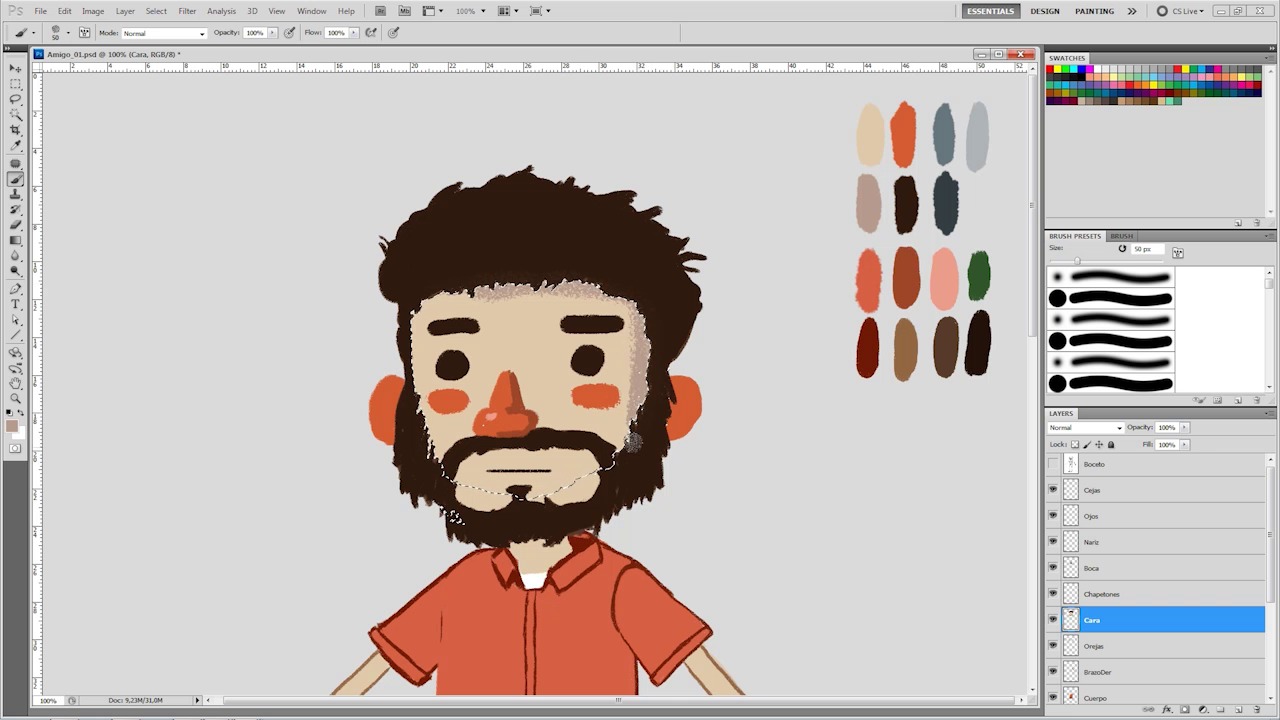
Give color and prepare the photoshop
13 dakika, 44 saniye
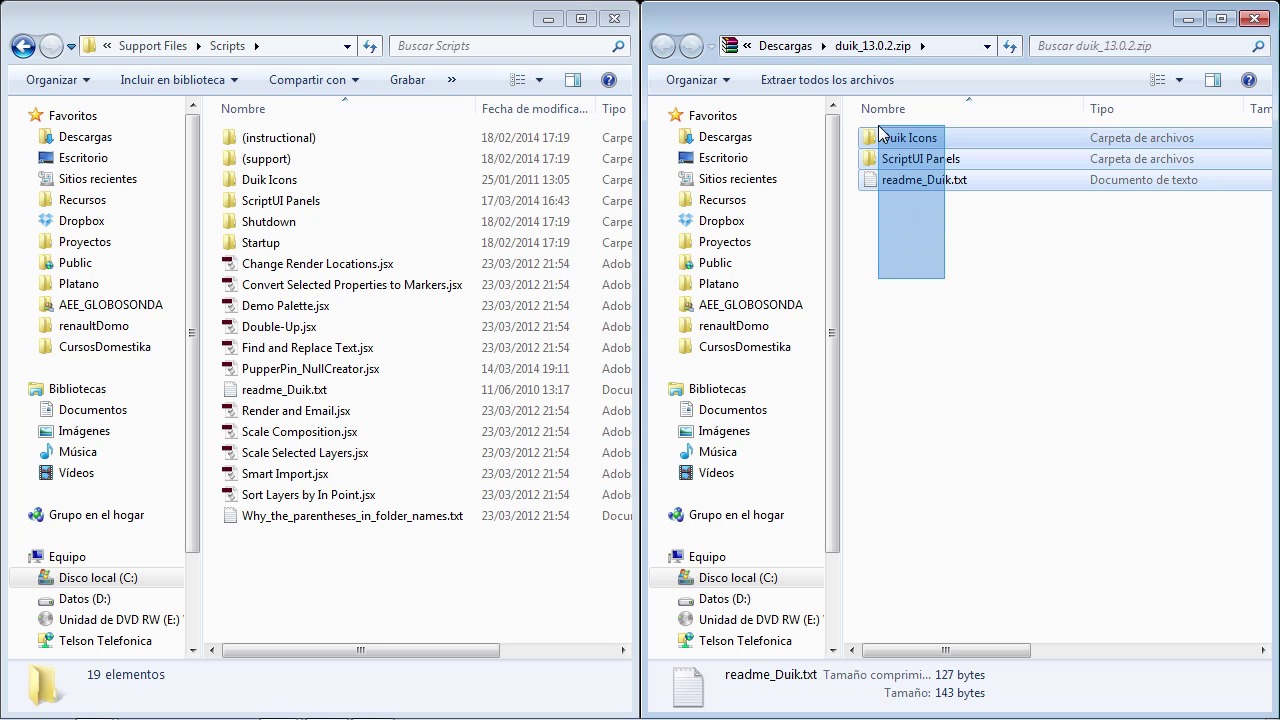
Duik
2 dakika, 13 saniye
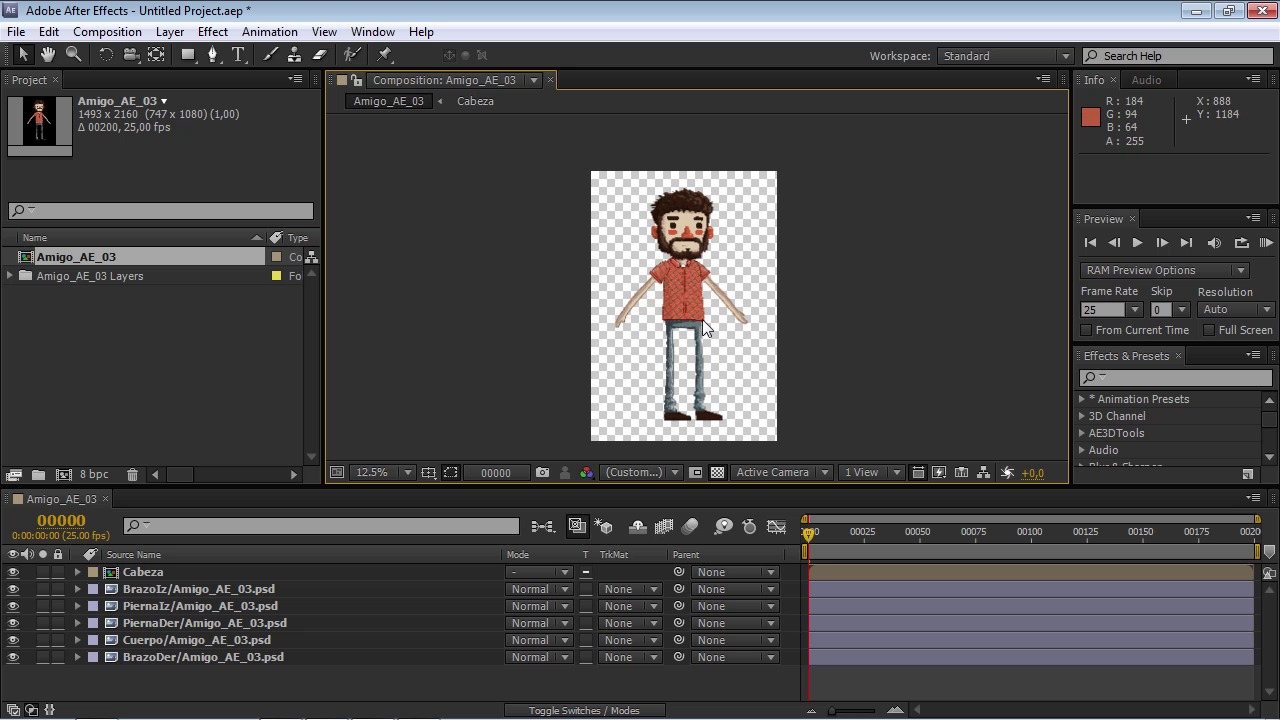
After Effects is your friend too
11 dakika, 34 saniye
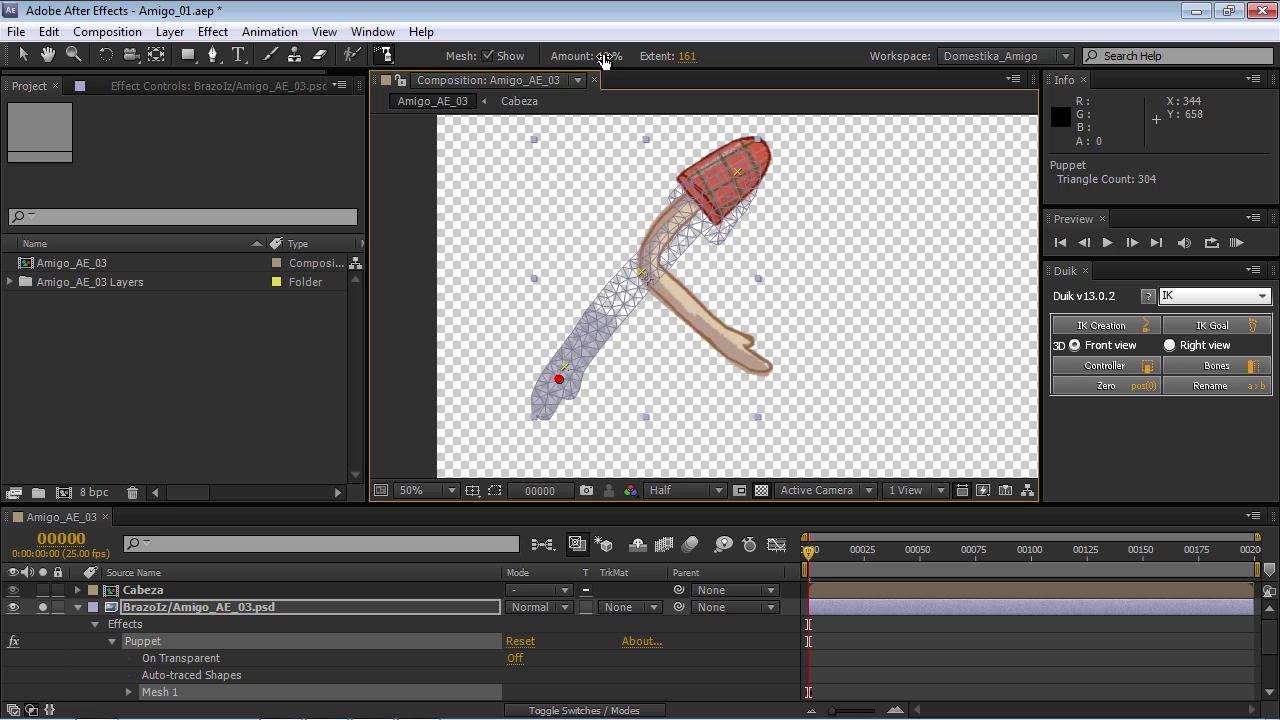
The puppet pin
8 dakika, 59 saniye
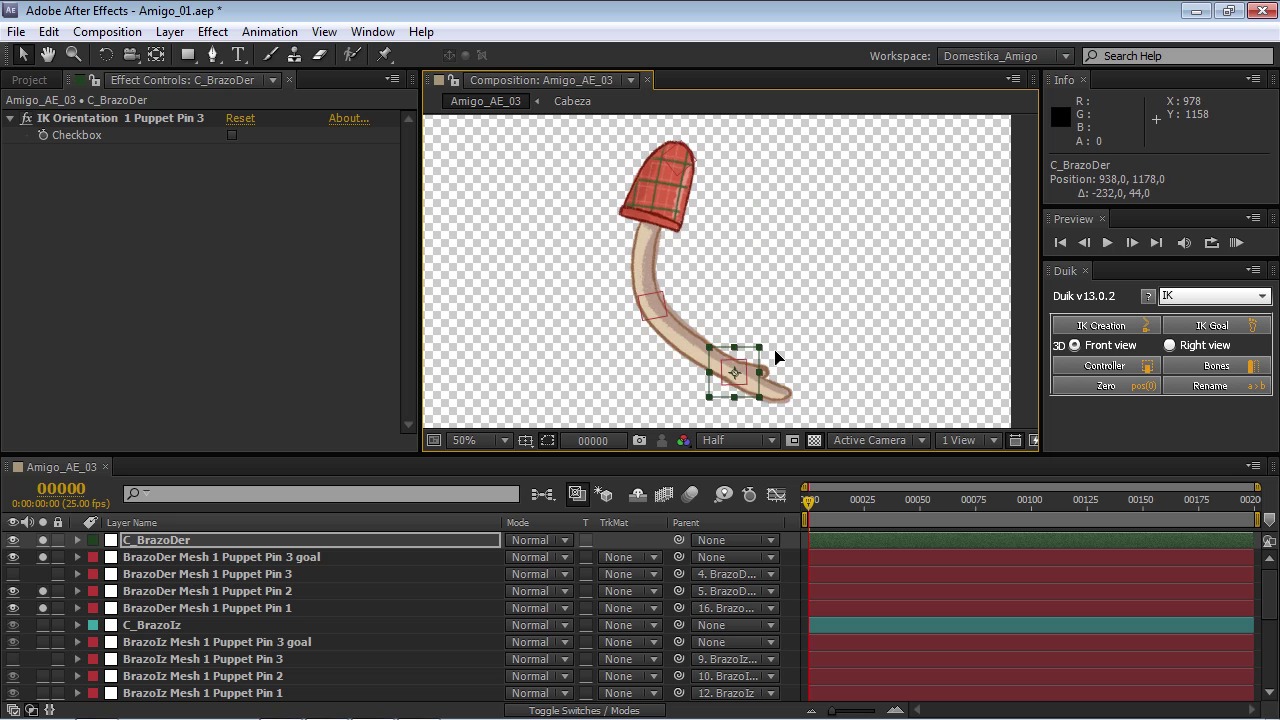
The extremities
23 dakika, 56 saniye
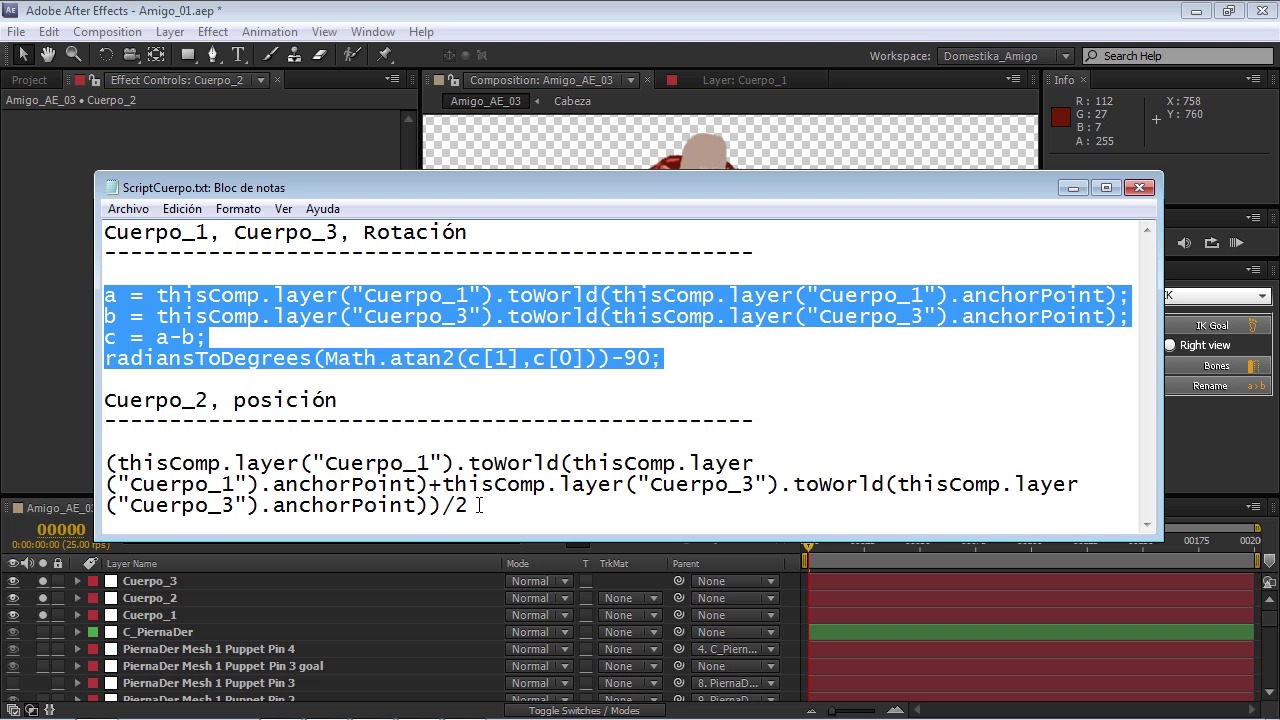
Spinal column
6 dakika, 37 saniye
Bu kursa neler dahil?
Begin by meeting your teacher, Zenzuke. He gives you a brief overview of the course, the tools you need, and what you can expect to learn.
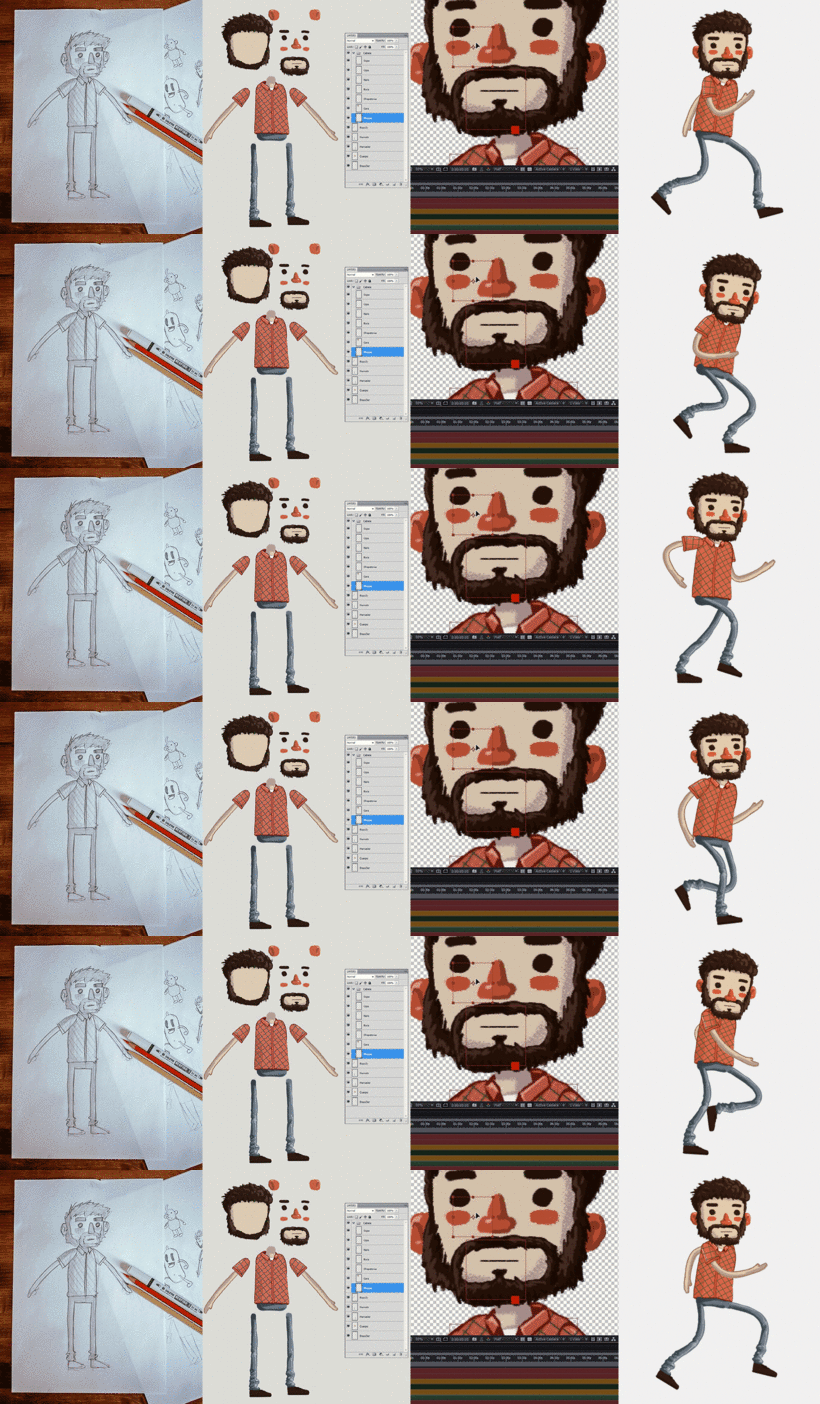
Next, he shows you how to sketch your character and create thumbnails with different poses for the animation phase. Transfer the sketch to Photoshop and finish your character design before moving on to After Effects.
Now it's time to turn your stiff cutout into a fully flexible 3D friend. Learn how to animate the individual body parts step by step, starting with the limbs, followed by the torso, and finally the head. Then see how to piece them together into a working body and make your character walk without looking like a robot.
Finally, add a background to give your friend some context. Zenzuke wraps up the course by introducing you to some advanced concepts for more expressive faces, including smiles, scowls, blinking, and looks of surprise.
Now you know how to bring any character to life piece by piece, like a modern-day Dr. Frankenstein.
Bu kurs için önerilen yazılım ve araçlar
Bu kursun projesi nedir?
Create an animated character from sketch to rigging—the set of controls that allow our puppet to take on different poses—using a free set of After Effects extras and tricks.
Kurs öğrencilerinin projeleri


Bu çevrimiçi kurs kimlere yöneliktir?
Anyone who likes drawing and is interested in learning about character animation, as well as artists with experience in character creation who want to take their work to the next level. This course is also great for anyone who's already familiar with After Effects and wants to learn new tricks to get the most out of the program.
Gereksinimler ve materyaller
A working knowledge of Photoshop and basic notions of drawing are recommended to get the most out of this course.
As for materials, you need a pencil, a digital camera or a smartphone (if you decide to sketch your character on paper), a graphics tablet for color in Photoshop (your teacher uses a Wacom tablet), and access to Adobe Photoshop and After Effects (Zenzuke uses version 5.5 throughout the course).

Yorumlar
- 3 ay önce
Excelente!
- 5 ay önce
Excelente!
- 6 ay önce
Excelente !
- 1 yıl önce
el profesor explica muy bien y da muchos trucos que sirven no solo para este si no para casi todos los proyectos que hare en after effects
- 1 yıl önce
O professor é ótimo, por ter noções de fundamentos da animação deu ótimas dicas e truques para deixar os movimentos mais fluidos e plásticos, mesmo não sendo uma técnica de animação frame-a-frame. O único problema do curso, é que ele está bem desatualizado, os aplicativos utilizados no curso mudaram bastante, dificultando a identificação das ferramentas usadas. Por isso acho que vale a pena dar uma atualizada no curso.
İçerik
- U 1
From pencil to After Effects
- Introduction
- The sketch
- Give color and prepare the photoshop
- Duik
- After Effects is your friend too
- U 2
Be Dr. Frankenstein
- The puppet pin
- The extremities
- Spinal column
- Head
- All together now
- U 3
Get up and go!
- Animate in After Effects
- Making the animation of our friend
- The way is made by walking
- Share our friend with the world
- U 4
It is not the end, it is the beginning
- Put our friend in a background
- More advanced extras
- FP
Bitirme projesi
- Build a Friend: From Pencil to Movement
Bir Domestika kursundan neler beklenebilir?
Kendi hızınızda öğrenin
Belirli bir program olmadan ve takip edilmesi kolay bir yöntemle evden öğrenmenin tadını çıkarın. Kendi hızınızı kendiniz belirlersiniz.
En iyi profesyonellerden öğrenin
Yaratıcı sektörün en iyi uzmanlarının açıkladığı değerli yöntem ve teknikleri öğrenin.
Uzman öğretmenlerle tanışın
Her uzman, her derste açık yönergelerle, gerçek tutkuyla ve profesyonel anlayışla en iyi yaptıkları şeyi öğretir.
Sertifikalar
PLUSPlus üyesiyseniz her kurs için öğretmeninizden imzalı bir özel sertifika alın. Portföyünüzde, sosyal medyada veya istediğiniz yerde paylaşın.
Ön sıra koltukları alın
En yüksek kalitede videolar sayesinde tek bir ayrıntıyı kaçırmazsınız. Sınırsız erişim sayesinde tekniğinizi mükemmelleştirmek için bunları istediğiniz kadar izleyebilirsiniz.
Bilgi ve fikirleri paylaşın
Sorular sorun, geri bildirim isteyin veya çözümler sunun. Öğrenme deneyiminizi topluluktaki, yaratıcılığa sizin kadar tutkulu olan diğer öğrencilerle paylaşın.
Küresel bir yaratıcı toplulukla bağlantı kurun
Topluluk, dünyanın her yerinden meraklı ve yaratıcılıklarını keşfetme ve ifade etme konusunda tutkulu milyonlarca insana ev sahipliği yapıyor.
Profesyonelce hazırlanmış kursları izleyin
Domestika, yüksek kaliteli bir çevrimiçi öğrenme deneyimi sağlamak için öğretmen kadrosunu seçer ve her dersi kendi bünyesinde üretir.
SSS
Photoshop ile tasarım yapıp After Effects ile rigging ve animasyon uygulayarak, 2D karakterleri ilk eskizden son animasyona kadar dijital olarak yaratmayı, renklendirmeyi ve canlandırmayı öğreneceksiniz.
Kurs orta seviye kullanıcılar için hazırlanmış olsa da, Photoshop ve After Effects hakkında temel bilgisi olan yeni başlayanlar için de uygundur.
Photoshop ve After Effects programlarına erişiminiz olmalı, grafik tablet isteğe bağlıdır. Ayrıca ilk eskizler için kağıt ve kalem kullanmanız tavsiye edilir.
Karakterinizi Photoshop'ta katmanlar halinde dışa aktarıp, After Effects'e PSD dosyası olarak içe aktarmalı ve katmanların ayrı kalmasına dikkat etmelisiniz; bu animasyonu kolaylaştırır.
Evet, Puppet Pin ve Duik gibi scriptlerle temel rigging yapmayı ve karakterinizin hareketini After Effects'te kontrol etmeyi öğreneceksiniz.
Kurs, yürüyüş döngüsünü adım adım animasyon prensipleriyle doğal hareketler elde edecek şekilde kollar, bacaklar ve diğer uzuvların pozisyonlarını ayarlayarak anlatıyor.
Animasyon için thumbnail, geleneksel eskizler, A ve T pozları gibi standart duruşlar oluşturmayı, oranları ve detayları geliştirerek animasyonu kolaylaştırmayı öğreneceksiniz.