Photoshop'ta Fotomontaj: Fütüristik Bir Evren Yaratın
Diogo Sampaio tarafından verilen bir kurs , Mat ressam ve konsept sanatçısı


Bilim kurgu estetiğinden ilham alan bir sahne oluşturmak için gereken dijital araçlarda ustalaşın

Bilimkurgu fotoğrafçılığı alışılmadık sahnelerde gerçekçiliği aktararak gözlerimizin ilgisini çeker. Mat ressam ve konsept sanatçısı Diogo Sampaio'nun fotomontaj yoluyla ustalıkla çözdüğü ve Adobe Photoshop ile bir araya getirdiği dijital bir bulmaca. Gerçeküstü fütüristik dünyalar yaratarak uluslararası tanınırlık kazandı ve Adobe, Asus ve Rolling Stones gibi müşteriler kazandı.
Bu kursta, birden fazla görüntü ve konsepti birleştirerek Photoshop'ta sıfırdan fütüristik bir fotomontajın nasıl oluşturulacağını öğreneceksiniz. Diogo size kompozisyonun teknik temellerini, optimize edilmiş bir iş akışında ışıkların ve renklerin kullanımını öğretecek ve fantastik görüntülerinizi dijital bir çalışmaya taşıyabilmenizi sağlayacak.
Bu çevrimiçi kursta ne öğreneceksiniz?
1 ders & 1 indirme
- 99% olumlu yorumlar ( 83 )
- 1 öğrenci
- 1 ders ( 2h 11m )
- 1 ek kaynak (1 dosya)
- Çevrimiçi ve kendi hızınızda
- Uygulamada mevcut
- Ses: Portekizce
- Portekizce · İspanyol · İngilizce · Almanca · Fransızca · İtalyan · Lehçe · Flemenkçe · Türkçe
- Seviye: Acemi
- Sonsuza kadar sınırsız erişim
Bu kurs için önerilen yazılım
 Adobe Photoshop
Bu kursun projesi nedir?
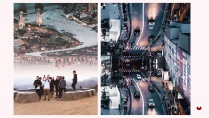
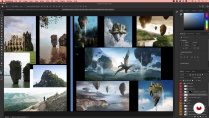
Fütüristik bilim kurgu estetiğinden ilham alan bir şehir manzarasının ve bir karakterin birden fazla fotoğrafından bir görüntü yaratacaksınız.

Kurs öğrencilerinin projeleri


Bu çevrimiçi kurs kimlere yöneliktir?
Profesyonel görüntüler oluşturmak için sağlam bir temele sahip olmak isteyen tüm fotoğraf manipülasyonu severler ve ayrıca Photoshop kullanarak fotomontajda ilk adımlarını atmak isteyen herkes için.
Gereksinimler ve materyaller
Bu kursa katılmak için temel Adobe Photoshop bilgisine sahip olmanız gerekir.
Malzemelere gelince, Photoshop CC'nin yüklü olduğu bir bilgisayara ihtiyacınız olacak (yazılımın deneme sürümü Adobe web sitesinden ücretsiz olarak indirilebilir). Öğretmen ayrıca şart olmasa da grafik tablet kullanılmasını da tavsiye ediyor.

Yorumlar

Diogo Sampaio
Diogo Sampaio tarafından verilen bir kurs
Diogo Sampaio, en beklenmedik sahnelerde gerçekçi bir atmosfer yaratma yeteneğine sahip Portekizli bir sanatçı. Sosyal medyadaki binlerce takipçisi ile bugün Asus markası ve Rolling Stones ve Imagine Dragons grupları gibi dünyanın her yerinden müşterilere hizmet veren fotomontaj sektöründe bir referans haline gelmiştir.
Fotoğraf manipülasyonu ve gerçeküstücülüğe hakim olan Diogo, çalışmalarını Adobe, Adobe Stock, Creative Cloud ve Photoshop dahil yüzlerce sanat sayfasında sergiledi. Şu anda Lizbon'daki Glimpse VFX'te çeşitli projelerde yer alıyor, Mercedes Benz gibi markalarla işbirliği yapıyor ve her zaman dijital senaryoyu olabildiğince gerçekçi hale getirme misyonuyla çalışıyor.
İçerik
-
U 1
giriiş
-
Sunum
-
Etkiler
-
Kursta ne yapacağız?
-
-
U 2
Photoshop Perspektifi ve Ortamına Giriş
-
Ruh hali panosunun hazırlanması
-
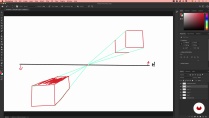
Perspektifi, ufuk çizgisini ve ufuk noktasını anlama 1
-
Perspektif, ufuk çizgisi ve ufuk noktası kavramları 2
-
Görüntü kompozisyonu ve üçte üç kuralı
-
Photoshop Araçları
-
-
U 3
Fotomontaj işlemi
-
Öğeleri aynı perspektife yerleştirme
-
Entegrasyonu için ana elemanın kesilmesi 1
-
Entegrasyonu için ana elemanın kesilmesi 2
-
Renk Derecelendirme ve Renk Eşleştirme
-
Gerçekçiliği artırmak için ışık ve gölge boyama
-
-
U 4
Görüntü sonlandırma
-
Gerekli son rötuşlar
-
Katman Dökümü oluşturma ve dışa aktarma
-
-
FP
Bitirme projesi
-
Photoshop'ta fotomontaj: fütüristik dünyalar yaratın
-
Bir Domestika kursundan neler beklenebilir?
-
Kendi hızınızda öğrenin
Belirli bir program olmadan ve takip edilmesi kolay bir yöntemle evden öğrenmenin tadını çıkarın. Kendi hızınızı kendiniz belirlersiniz.
-
En iyi profesyonellerden öğrenin
Yaratıcı sektörün en iyi uzmanlarının açıkladığı değerli yöntem ve teknikleri öğrenin.
-
Uzman öğretmenlerle tanışın
Her uzman, her derste açık yönergelerle, gerçek tutkuyla ve profesyonel anlayışla en iyi yaptıkları şeyi öğretir.
-
Sertifikalar
ArtıPlus üyesiyseniz her kurs için öğretmeninizden imzalı bir özel sertifika alın. Portföyünüzde, sosyal medyada veya istediğiniz yerde paylaşın.
-
Ön sıra koltukları alın
En yüksek kalitede videolar sayesinde tek bir ayrıntıyı kaçırmazsınız. Sınırsız erişim sayesinde tekniğinizi mükemmelleştirmek için bunları istediğiniz kadar izleyebilirsiniz.
-
Bilgi ve fikirleri paylaşın
Sorular sorun, geri bildirim isteyin veya çözümler sunun. Öğrenme deneyiminizi topluluktaki, yaratıcılığa sizin kadar tutkulu olan diğer öğrencilerle paylaşın.
-
Küresel bir yaratıcı toplulukla bağlantı kurun
Topluluk, dünyanın her yerinden meraklı ve yaratıcılıklarını keşfetme ve ifade etme konusunda tutkulu milyonlarca insana ev sahipliği yapıyor.
-
Profesyonelce hazırlanmış kursları izleyin
Domestika, yüksek kaliteli bir çevrimiçi öğrenme deneyimi sağlamak için öğretmen kadrosunu seçer ve her dersi kendi bünyesinde üretir.
SSS
Domestika'nın çevrimiçi kursları nelerdir?
Domestika kursları, yeni beceriler öğrenmenizi ve inanılmaz projeler yaratmanızı sağlayan online derslerdir. Tüm kurslarımız, çalışmanızı diğer öğrenciler ve/veya öğretmenlerle paylaşma fırsatı sunarak aktif bir öğrenme topluluğu yaratır. Farklı formatlar sunuyoruz:
Orijinal Kurslar: Belirli bir projeyi baştan sona gerçekleştirmek için videoları, metinleri ve eğitim malzemelerini birleştiren eksiksiz dersler.
Basics Kursları: Belirli yazılım araçlarını adım adım öğrendiğiniz uzmanlaşmış eğitimler.
Uzmanlaşma Kursları: Aynı konuda birden fazla uzman öğretmenle öğrenme yolları, farklı yaklaşımlardan öğrenerek uzman olmak için mükemmel.
Rehberli Kurslar: Belirli becerileri doğrudan edinmek için ideal pratik deneyimler.
Yoğun Kurslar (Deep Dives): Yapay zeka araçlarına dayalı yeni yaratıcı süreçler, derinlemesine ve dinamik bir anlayış için erişilebilir bir formatta.
Kurslar ne zaman başlıyor ve ne zaman bitiyor?
Tüm kurslar %100 çevrimiçi olduğundan, yayınlandıktan sonra kurslar istediğiniz zaman başlayıp bitebilir. Sınıfın temposunu siz belirlersiniz. Geri dönüp sizi en çok ilgilendiren konuları gözden geçirebilir ve zaten bildiklerinizi atlayabilir, sorular sorabilir, soruları yanıtlayabilir, projelerinizi paylaşabilir ve daha fazlasını yapabilirsiniz.
Domestika'nın kursları neler içeriyor?
Kurslar farklı birimlere ayrılmıştır. Her biri, ek tamamlayıcı kaynaklar ve indirmelerle birlikte projenizi adım adım gerçekleştirmenize yardımcı olacak dersler, bilgilendirici metinler, görevler ve pratik alıştırmalar içerir. Ayrıca öğretmenle ve diğer öğrencilerle etkileşime girebileceğiniz, çalışmalarınızı ve kurs projenizi paylaşabileceğiniz, kurs çevresinde bir topluluk oluşturabileceğiniz özel bir foruma da erişebileceksiniz.
Size kurs verildi mi?
kullanma sayfası erişip hediye kodunuzu girerek aldığınız kursu kullanabilirsiniz.
 Adobe Photoshop
S2
Este curso es genial!!,aunque yo hable español puedo entender varias cosas en portugues y si algunas palabras no las puedo entender activo los subtitulos y lo entiendo. Hablando del profesor explica muy bien los detalles y enseña vastantes herramientas de photoshop que sirven mucho. En conclucion del 1 al 5 le doy 5/5.
Recomiendo este increíble curso. Es un paso más allá para entrar al mundo del fotomontaje.
The course was extremely helpful. i recommend it 100%!
muy buen curso y bien explicado