SVG Vectorial Graphics: Illustrate and Animate with Code
A course by Javier Usobiaga Ferrerweb tasarımcısı
A course by Javier Usobiaga Ferrer, web tasarımcısı

Learn to create vector illustrations for your website, from basic lines to interactive animations
If you've ever wanted to combine the technical power of web programming and the creative freedom of graphic design, this course is for you. Javier Usobiaga, web designer and cofounder of Swwweet studio, teaches you how to get the most out of scalable vector graphics (SVG), an interactive and responsive vector file format designed for web browsers as an alternative to JPG, PNG, and GIF file types. In this online course, discover the effects, filters, and animations you can use to create your own interactive illustrations with HTML, CSS, and JavaScript code.
Javier also teaches Introduction to Responsive Web Development with HTML and CSS on Domestika, a course that walks you through the fundamentals of front-end web development and helps you build the foundations you need for this course on SVG.
Bu çevrimiçi kursta ne öğreneceksiniz?
1 ders & 1 indirme

Labels and basic attributes
5 dakika, 16 saniye
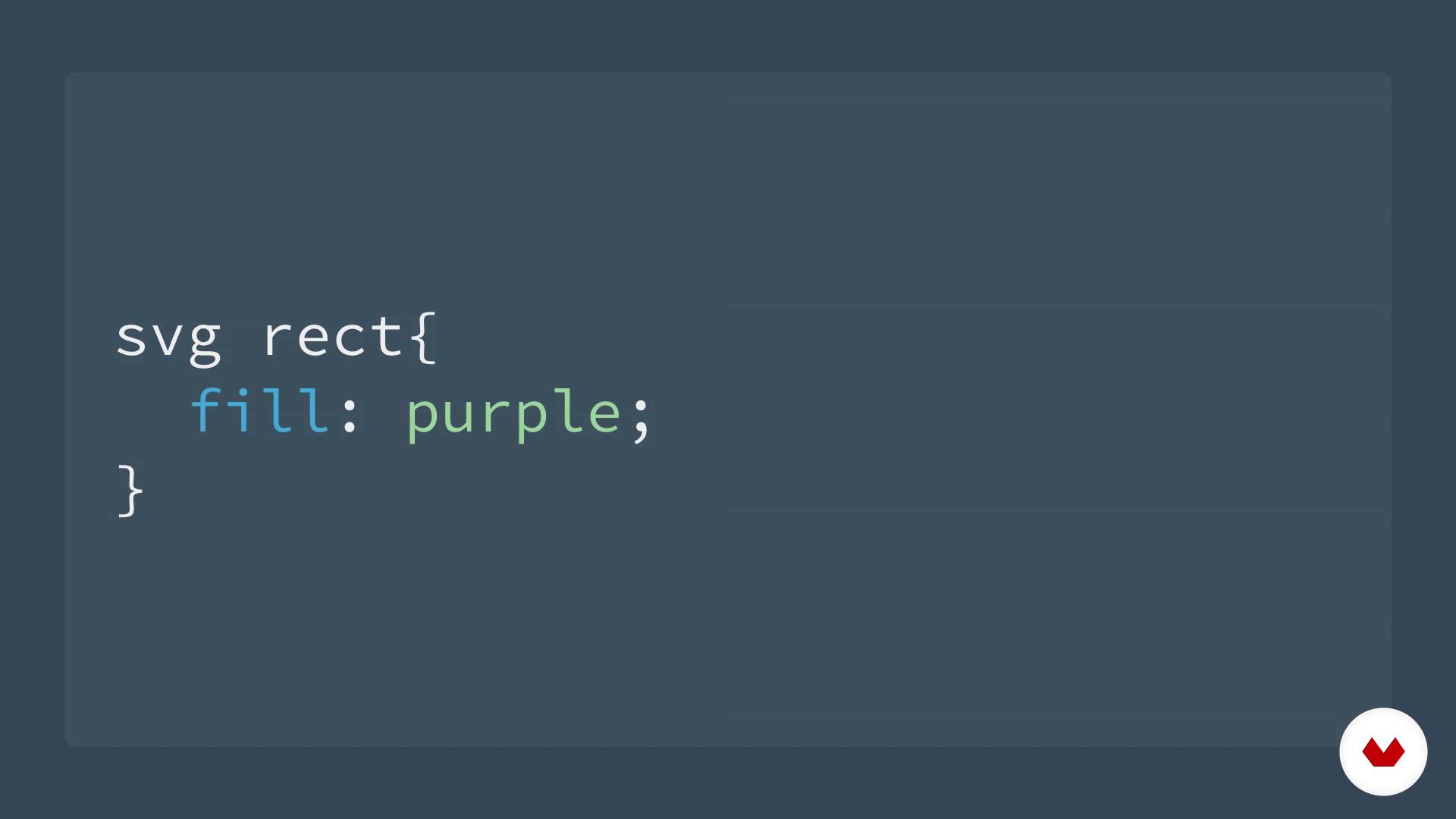
Styles in SVG
4 dakika, 57 saniye

Line, polyline, and polygon labels
5 dakika, 21 saniye
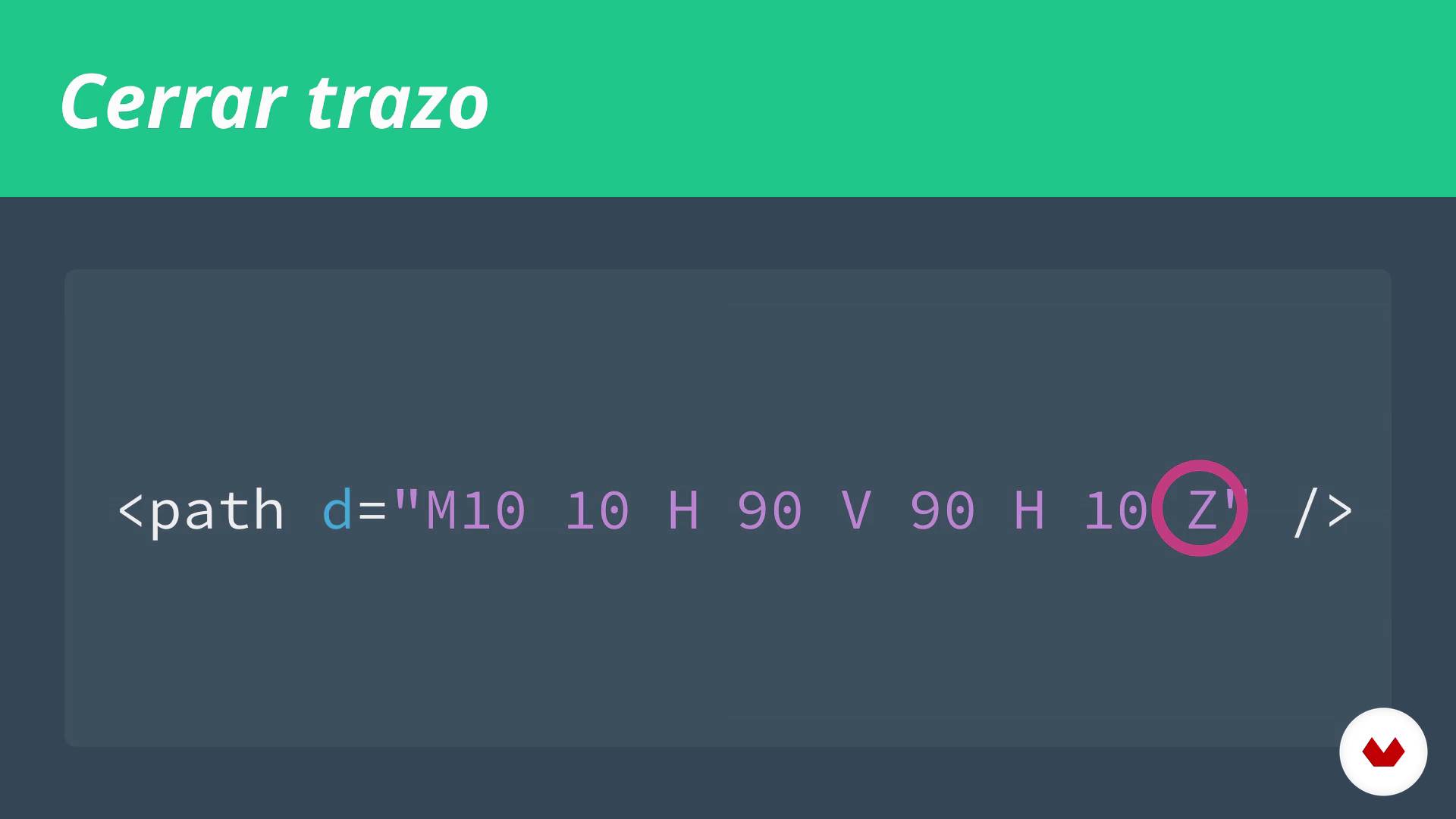
Stroke label (path)
4 dakika, 45 saniye

The viewbox attribute
4 dakika, 6 saniye

Text tags
6 dakika, 55 saniye
Bu kursa neler dahil?
Start by exploring Javier Usobiaga's work as well as his influences from the world of SVG illustration and animation.
Next, explore how the SVG format works at its simplest level to learn how to work with it and use it to your advantage. Get back to basics by writing code for an image using only a code editor, setting visual editors aside to understand the foundational mechanics. Learn to apply styles with attributes and CSS, and then delve into line, polyline, polygon, and path elements to create an endless variety of points, lines, and curves. Find out how to insert text tags and discover viewBox attributes to generate virtual windows allowing you to zoom in and define the visible portion of an image.
Once you're familiar with the basics, it's time to use other optimization features like vector editors and coding tools to group, define, and reuse SVG elements—effective and efficient alternatives to writing endless lines of code.
Then learn how to embed SVG elements in a website as Javier walks you through the various ways to incorporate content images, background images, and JavaScript coding. Explore ways to apply SVG to icons, its role in responsive websites, tips to improve legibility on screen, and methods for optimizing its application on all web browsers.
Discover SVG effects like transformations, gradients, patterns, masks, and filters, as well as different types of animations such as CSS, sequential, line, and interactive animations. To wrap up, challenge yourself with more advanced types, including JavaScript animations, animated checkboxes, morphing, and path-guided animations.
Recommended software & tools for this course
What is this course's project?
Create an illustration with animated vector images. You can choose any theme you like and make your project as simple or as complex as you want; the goal is for you to apply the tools explored throughout the course.

Kurs öğrencilerinin projeleri


Who is this online course for?
Programmers, designers, illustrators, and anyone who's interested in design and wants to tackle new projects with HTML and CSS.
Requirements and materials
You need basic knowledge of HTML and CSS to take this course.
As for materials and tools, you need a computer, a code editor, and a vector-graphics editor like Illustrator, Sketch, Inkscape, or similar software.

Yorumlar
- 10 ay önce
Muy puntual, da la clase muy bien y es entendible, con ejercicios faciles y buenos.
- 1 yıl önce
EXCELENTE CURSO
- 1 yıl önce
Gostei muito
- 2 yıl önce
excellent course for beginners.
- 2 yıl önce
excelente curso lo recomiento explica muy bien y se entiende todo

Ayrıca Elisava, IDEP gibi tanınmış atölyelerde ve okullarda Web Tasarımı öğretmeni olarak görevinden büyük keyif alıyor.
Usobiaga, web'in yalnızca bilgisayar ekranında ne kadar güzel görünebileceğini değil, aynı zamanda farklı cihazlar ve koşullardaki kullanılabilirliğini de bir bütün olarak anlıyor.
Onun sözleriyle, "Estetik kadar ne kadar hızlı yüklendiği veya ne kadar iyi tepki verdiğinin de önemli olduğunu düşünüyorum ve bana öyle geliyor ki endüstrimizde bunu sıklıkla unutuyoruz."
İçerik
- U 1
Introduction
- Presentation
- Influences
- U 2
SVG Basic
- Labels and basic attributes
- Styles in SVG
- Line, polyline, and polygon labels
- Stroke label (path)
- The viewbox attribute
- Text tags
- U 3
Tools and optimization
- Vector editors and export
- Organization of SVG
- SVG optimization
- U 4
Incorporating SVG to the web
- Ways to load an SVG on the web
- Icons systems
- SVG responsive
- Accessibility in SVG
- Support in browsers
- U 5
Effects in SVG
- Transformations
- Gradients
- Patterns
- Masks and clipping paths
- Filters
- U 6
Animation in SVG
- Types of animation in SVG
- Animation with CSS
- Sequence animation
- Drawn animation
- Interactive animation
- U 7
Interaction and advanced animation
- Animation with JavaScript
- JavaScript libraries for animation
- Animated checkbox
- Mutation (morphing) in SVG
- Animation along a stroke
- Inspiration
- FP
Bitirme projesi
- SVG vector graphics: illustrate and animate with code
Bir Domestika kursundan neler beklenebilir?
Kendi hızınızda öğrenin
Belirli bir program olmadan ve takip edilmesi kolay bir yöntemle evden öğrenmenin tadını çıkarın. Kendi hızınızı kendiniz belirlersiniz.
En iyi profesyonellerden öğrenin
Yaratıcı sektörün en iyi uzmanlarının açıkladığı değerli yöntem ve teknikleri öğrenin.
Uzman öğretmenlerle tanışın
Her uzman, her derste açık yönergelerle, gerçek tutkuyla ve profesyonel anlayışla en iyi yaptıkları şeyi öğretir.
Certificates
PLUSIf you're a Plus member, get a özel sertifika signed by your teacher for every course. Share it on your portfolio, social media, or wherever you like.
Ön sıra koltukları alın
En yüksek kalitede videolar sayesinde tek bir ayrıntıyı kaçırmazsınız. Sınırsız erişim sayesinde tekniğinizi mükemmelleştirmek için bunları istediğiniz kadar izleyebilirsiniz.
Bilgi ve fikirleri paylaşın
Sorular sorun, geri bildirim isteyin veya çözümler sunun. Öğrenme deneyiminizi topluluktaki, yaratıcılığa sizin kadar tutkulu olan diğer öğrencilerle paylaşın.
Küresel bir yaratıcı toplulukla bağlantı kurun
Topluluk, dünyanın her yerinden meraklı ve yaratıcılıklarını keşfetme ve ifade etme konusunda tutkulu milyonlarca insana ev sahipliği yapıyor.
Profesyonelce hazırlanmış kursları izleyin
Domestika, yüksek kaliteli bir çevrimiçi öğrenme deneyimi sağlamak için öğretmen kadrosunu seçer ve her dersi kendi bünyesinde üretir.
SSS
SVG (Scalable Vector Graphics) is an XML-based format for creating vector graphics that scale without losing quality. It’s widely used in web development for icons, illustrations, animations, and interactive graphics.
This course is designed for people with intermediate web development skills. Basic experience with HTML, CSS, and JavaScript is recommended to get the most out of the material.
You should have a basic understanding of HTML, CSS, and JavaScript, plus some familiarity with a code editor. You don’t need to be an expert, but a foundation in web technologies will help you keep up with the course.
You’ll learn how to create custom SVG graphics, animate elements using CSS and JavaScript, integrate icons, apply advanced styling, work with paths, gradients, and patterns, and optimize SVG files for the web.
The course teaches you how to animate SVGs by accessing the DOM and modifying attributes with JavaScript, as well as using CSS keyframes to create visual effects, transitions, and animation sequences.
The course explains that SVG attributes like fill and stroke allow direct styling, while CSS offers greater control, reusability, and easier maintenance—especially useful in large projects and reusable components.
You’ll learn to use the viewBox attribute, adjust preserveAspectRatio, and apply responsive design techniques so your SVGs fluidly adapt to any device or resolution.