Photographic Post-Production for Imagination
Silvia Grav tarafından verilen bir kurs , Fotoğrafçı



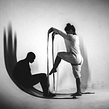

Learn professional techniques for creative retouching with Photoshop

Silvia Grav—named by Flickr as one of the 20 best photographers in the world under the age of 20 and who currently works for brands such as HBO, Lexus, and Samsung—teaches you each of the photographic post-production processes and techniques that she has discovered by researching throughout her career.
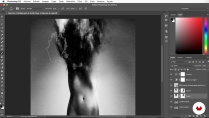
These are basic retouching processes that, when combined, give rise to very interesting, dreamlike results. Learn to replicate some of the iconic elements in Silvia's photographs, such as the sharp contrasts between light and shadow, the use of smoke in the scenes, and the incorporation of elements from nature in portraits, to achieve an amazing effect.
Bu çevrimiçi kursta ne öğreneceksiniz?
1 ders & 1 indirme
- 97% olumlu yorumlar ( 500 )
- 1 öğrenci
- 1 ders ( 1h 32m )
- 1 ek kaynak (1 dosya)
- Çevrimiçi ve kendi hızınızda
- Uygulamada mevcut
- Ses: İspanyol, İngilizce, Fransızca, İtalyan, Portekizce, Türkçe
- İspanyol · İngilizce · Portekizce · Almanca · Fransızca · İtalyan · Lehçe · Flemenkçe · Türkçe · Romence · Endonezyalı
- Seviye: Acemi
- Sonsuza kadar sınırsız erişim
Bu kurs için önerilen yazılım ve araçlar
 Adobe Photoshop
Bu kursun projesi nedir?
At the end of the course, choose a series of photographs (whether part of a personal, professional, or fictitious project) and experiment with them by applying the new editing methods explained by Silvia.
Kurs öğrencilerinin projeleri


Bu çevrimiçi kurs kimlere yöneliktir?
This course is for photographers, designers, post-producers, and creatives who want to learn the retouching process that Silvia Grav uses when editing her images.
Some of these processes are more complex and others are simpler, which is why this course is of interest to those who have mastered Photoshop and those who are just starting out.
Gereksinimler ve materyaller
Basic knowledge of Photoshop is recommended.

Yorumlar

Silvia Grav
Silvia Grav tarafından verilen bir kurs
1993 yılında Vizcaya'da doğan Silvia Grav, kendi kendini yetiştirmiş bir fotoğrafçı. 19 yaşındayken, Güzel Sanatlar'ı bıraktıktan kısa bir süre sonra, Flickr, çalışmalarını dünyanın dört bir yanından 20 yaş altı en iyi 20 fotoğrafçıya verilen "20 Yaş A...
İçerik
-
U 1
Introduction
-
Presentation
-
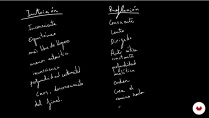
Influences
-
-
U 2
Decision making
-
Create, choose or propose a project
-
Choose a way to work. Or many. Or not choose anything.
-
-
U 3
Photography and textures
-
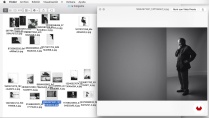
The photograph
-
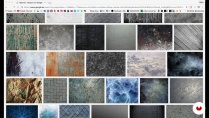
Search for textures
-
-
U 4
Postproduction
-
Coat and wash masks
-
Mold
-
Paint light
-
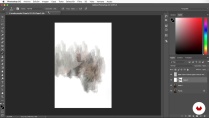
Mix of texture and image
-
Destroy and build
-
Add items
-
-
U 5
Postproduction II: the drawing
-
The brushes.
-
The preparation of the photograph
-
The drawing
-
-
FP
Bitirme projesi
-
Photographic postproduction for the imagination
-
Bir Domestika kursundan neler beklenebilir?
-
Kendi hızınızda öğrenin
Belirli bir program olmadan ve takip edilmesi kolay bir yöntemle evden öğrenmenin tadını çıkarın. Kendi hızınızı kendiniz belirlersiniz.
-
En iyi profesyonellerden öğrenin
Yaratıcı sektörün en iyi uzmanlarının açıkladığı değerli yöntem ve teknikleri öğrenin.
-
Uzman öğretmenlerle tanışın
Her uzman, her derste açık yönergelerle, gerçek tutkuyla ve profesyonel anlayışla en iyi yaptıkları şeyi öğretir.
-
Sertifikalar
ArtıPlus üyesiyseniz her kurs için öğretmeninizden imzalı bir özel sertifika alın. Portföyünüzde, sosyal medyada veya istediğiniz yerde paylaşın.
-
Ön sıra koltukları alın
En yüksek kalitede videolar sayesinde tek bir ayrıntıyı kaçırmazsınız. Sınırsız erişim sayesinde tekniğinizi mükemmelleştirmek için bunları istediğiniz kadar izleyebilirsiniz.
-
Bilgi ve fikirleri paylaşın
Sorular sorun, geri bildirim isteyin veya çözümler sunun. Öğrenme deneyiminizi topluluktaki, yaratıcılığa sizin kadar tutkulu olan diğer öğrencilerle paylaşın.
-
Küresel bir yaratıcı toplulukla bağlantı kurun
Topluluk, dünyanın her yerinden meraklı ve yaratıcılıklarını keşfetme ve ifade etme konusunda tutkulu milyonlarca insana ev sahipliği yapıyor.
-
Profesyonelce hazırlanmış kursları izleyin
Domestika, yüksek kaliteli bir çevrimiçi öğrenme deneyimi sağlamak için öğretmen kadrosunu seçer ve her dersi kendi bünyesinde üretir.
SSS
Domestika kursları, yeni beceriler öğrenmenizi ve inanılmaz projeler yaratmanızı sağlayan online derslerdir. Tüm kurslarımız, çalışmanızı diğer öğrenciler ve/veya öğretmenlerle paylaşma fırsatı sunarak aktif bir öğrenme topluluğu yaratır. Farklı formatlar sunuyoruz:
Orijinal Kurslar: Belirli bir projeyi baştan sona gerçekleştirmek için videoları, metinleri ve eğitim malzemelerini birleştiren eksiksiz dersler.
Basics Kursları: Belirli yazılım araçlarını adım adım öğrendiğiniz uzmanlaşmış eğitimler.
Uzmanlaşma Kursları: Aynı konuda birden fazla uzman öğretmenle öğrenme yolları, farklı yaklaşımlardan öğrenerek uzman olmak için mükemmel.
Rehberli Kurslar: Belirli becerileri doğrudan edinmek için ideal pratik deneyimler.
Yoğun Kurslar (Deep Dives): Yapay zeka araçlarına dayalı yeni yaratıcı süreçler, derinlemesine ve dinamik bir anlayış için erişilebilir bir formatta.
Tüm kurslar %100 çevrimiçi olduğundan, yayınlandıktan sonra kurslar istediğiniz zaman başlayıp bitebilir. Sınıfın temposunu siz belirlersiniz. Geri dönüp sizi en çok ilgilendiren konuları gözden geçirebilir ve zaten bildiklerinizi atlayabilir, sorular sorabilir, soruları yanıtlayabilir, projelerinizi paylaşabilir ve daha fazlasını yapabilirsiniz.
Kurslar farklı birimlere ayrılmıştır. Her biri, ek tamamlayıcı kaynaklar ve indirmelerle birlikte projenizi adım adım gerçekleştirmenize yardımcı olacak dersler, bilgilendirici metinler, görevler ve pratik alıştırmalar içerir. Ayrıca öğretmenle ve diğer öğrencilerle etkileşime girebileceğiniz, çalışmalarınızı ve kurs projenizi paylaşabileceğiniz, kurs çevresinde bir topluluk oluşturabileceğiniz özel bir foruma da erişebileceksiniz.
kullanma sayfası erişip hediye kodunuzu girerek aldığınız kursu kullanabilirsiniz.
 Adobe Photoshop
Me ha gustado mucho el curso, muy ameno y aportando buenos recursos y técnicas que dan mucho juego.
10/10
Estremamente interessante, immersivo.
Questo corso è un illuminazione che ognuno di noi dovrebbe farlo, apre la prospettiva visiva su altri mondi, dando spazio alla nostra infinita immaginazione.
Semplicemente formidabile.
Un curso muy bueno.
Très interessant , super les ressources en plus
its was really good! she speaks fast but perfectly understandable for me! tks