Rotoscoping: Draw an Animation Frame by Frame
Gonzalo Cordero de Ciria tarafından verilen bir kurs , Ressam, illüstratör, animatör, hareketli grafik sanatçısı ve storyboard sanatçısı

Haziran 2014 ye katıldı
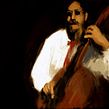
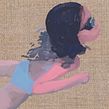
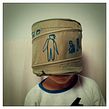

Learn to draw over a real image with Photoshop, Art Rage, and After Effects
Haziran 2014 ye katıldı

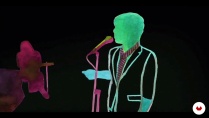
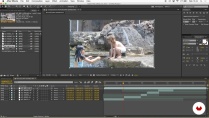
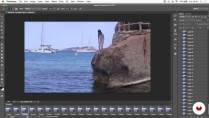
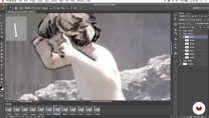
Gonzalo Cordero—illustrator, animator, and motion designer— teaches you to create a rotoscope. This animation technique consists of redrawing or tracing a video clip, which serves as a reference, frame by frame. The process allows the illustrator to transmit a greater level of naturalness and more realistic movement sequences, expressions, lighting and shadow, and proportions in their drawings.
In this online course, learn how to use a video clip as a foundation to generate your own artistic video creation, in your own style and with a moving paint-and-draw look.
Bu çevrimiçi kursta ne öğreneceksiniz?
1 ders & 1 indirme
- 97% olumlu yorumlar ( 225 )
- 1 öğrenci
- 1 ders ( 8h 5m )
- 1 ek kaynak (1 dosya)
- Çevrimiçi ve kendi hızınızda
- Uygulamada mevcut
- Ses: İspanyol, İngilizce
- İspanyol · İngilizce · Portekizce · Almanca · Fransızca · İtalyan · Lehçe · Flemenkçe · Türkçe · Romanian · Indonesian
- Seviye: Acemi
- Sonsuza kadar sınırsız erişim
Bu kurs için önerilen yazılım ve araçlar
 Adobe After Effects
 Adobe Photoshop
Bu kursun projesi nedir?
Carry out two projects. First, a personal one, based on a video clip of your choice or created by you, in which you use rotoscoping methods, and, secondly, a collaborative rotoscoping piece created over time between all the course students of an "exquisite corpse," starting from a common clip.
Kurs öğrencilerinin projeleri


Bu çevrimiçi kurs kimlere yöneliktir?
Animators, illustrators, designers, and all those interested in the world of animation who like to draw and are curious about moving images. Also, any artists wanting to do something personalized and who are not afraid to dedicate time and patience.
Gereksinimler ve materyaller
No advanced knowledge of any software is required, as the course consists of very manual techniques. However, you do need a basic working knowledge of Photoshop and Art Rage, a very simple drawing and painting program, and know how to edit in After Effects, even if just to a basic level.
Regarding the materials, a graphics tablet highly recommended.

Adobe After Effects da yeni misiniz? Bu durumda yazılımın nasıl kullanılacağını öğrenmek için Domestika Basics kurslarını almanızı öneririz: After Effects'e Giriş .
Yorumlar

Gonzalo Cordero de Ciria
Gonzalo Cordero de Ciria tarafından verilen bir kurs
Gonzalo Cordero, Güzel Sanatlar eğitimi aldı ve sanat, çizim ve resimle her zaman yakın bir ilişki sürdürdü. Daha sonra televizyonda (Televisión Española, Olimpiyatlar, Canal+, Canal Satélite Digital, Cuatro vb.) çalıştı ve hareketli grafikler ve anima...
İçerik
-
U 1
About me and the Rotoscopia
-
Presentation
-
Influences and contemporary drawing
-
History of Rotoscopia
-
The creative Rotoscopia
-
-
U 2
Create your video clip for a Rotoscopy
-
Created or downloaded?
-
Editing the clip and things to keep in mind
-
Preparation of material for Rotoscopia
-
-
U 3
Draw the movement
-
Rotoscopy technique in Photoshop
-
Basic operation of the Art Rage
-
Rotoscoping in drawing in Art Rage - Part 1
-
Rotoscoping in drawing in Art Rage - Annex 1
-
Rotoscoping in drawing in Art Rage - Part 2
-
Rotoscoping in drawing in Art Rage - Annex 2
-
Rotoscoping in drawing in Art Rage - Part 3
-
Rotoscoping in drawing in Art Rage - Annex 3
-
Rotoscoping in drawing in Art Rage - Part 4
-
Rotoscoping in drawing in Art Rage - Annex 4
-
Rotoscoping in drawing in Art Rage - Part 5
-
Rotoscoping in drawing in Art Rage - Annex 5
-
Rotoscoping in drawing in Art Rage - Part 6
-
Rotoscoping in drawing in Art Rage - Part 7
-
Rotoscoping in drawing in Art Rage - Annex 7
-
Rotoscoping in drawing in Art Rage - Part 8
-
Rotoscoping in drawing in Art Rage - Annex 8
-
Rotoscoping in drawing in Art Rage - Part 9
-
Color and paint in a rotoscoping with Art Rage - Part 1
-
Color and paint in a rotoscoping with Art Rage - Annex 1
-
Color and paint in a rotoscoping with Art Rage - Part 2
-
Color and paint in a rotoscoping with Art Rage - Annex 2
-
Color and paint in a rotoscoping with Art Rage - Part 3
-
Color and paint in a rotoscoping with Art Rage - Annex 3
-
Color and paint in a rotoscoping with Art Rage - Part 4
-
Color and paint in a rotoscoping with Art Rage - Annex 4.1
-
Color and paint in a rotoscoping with Art Rage - Annex 4.2
-
Color and paint in a rotoscoping with Art Rage - Part 5
-
Color and paint in a rotoscoping with Art Rage - Annex 5
-
Color and paint in a rotoscoping with Art Rage - Part 6
-
Color and paint in a rotoscoping with Art Rage - Annex 6
-
Color and paint in a rotoscoping with Art Rage - Part 7
-
Color and paint in a rotoscoping with Art Rage - Annex 7
-
Color and paint in a rotoscoping with Art Rage - Part 8
-
Color and paint in a rotoscoping with Art Rage - Annex 8
-
Color and paint in a rotoscoping with Art Rage. Part 9
-
Color and paint in a rotoscoping with Art Rage - Annex 9
-
Color and paint in a rotoscoping with Art Rage - Part 10
-
Color and paint in a rotoscoping with Art Rage - Annex 10
-
Color and paint in a rotoscoping with Art Rage - Part 11
-
-
U 4
Reorder and edit the final clip
-
Retrieving the material and editing it in After Effects
-
Delivery of work to the client (if any) and promotion of work
-
Other ways, collaborative rotoscopy
-
-
FP
Bitirme projesi
-
Rotoscopia: draw an animation frame by frame
-
Bir Domestika kursundan neler beklenebilir?
-
Kendi hızınızda öğrenin
Belirli bir program olmadan ve takip edilmesi kolay bir yöntemle evden öğrenmenin tadını çıkarın. Kendi hızınızı kendiniz belirlersiniz.
-
En iyi profesyonellerden öğrenin
Yaratıcı sektörün en iyi uzmanlarının açıkladığı değerli yöntem ve teknikleri öğrenin.
-
Uzman öğretmenlerle tanışın
Her uzman, her derste açık yönergelerle, gerçek tutkuyla ve profesyonel anlayışla en iyi yaptıkları şeyi öğretir.
-
Sertifikalar
ArtıPlus üyesiyseniz her kurs için öğretmeninizden imzalı bir özel sertifika alın. Portföyünüzde, sosyal medyada veya istediğiniz yerde paylaşın.
-
Ön sıra koltukları alın
En yüksek kalitede videolar sayesinde tek bir ayrıntıyı kaçırmazsınız. Sınırsız erişim sayesinde tekniğinizi mükemmelleştirmek için bunları istediğiniz kadar izleyebilirsiniz.
-
Bilgi ve fikirleri paylaşın
Sorular sorun, geri bildirim isteyin veya çözümler sunun. Öğrenme deneyiminizi topluluktaki, yaratıcılığa sizin kadar tutkulu olan diğer öğrencilerle paylaşın.
-
Küresel bir yaratıcı toplulukla bağlantı kurun
Topluluk, dünyanın her yerinden meraklı ve yaratıcılıklarını keşfetme ve ifade etme konusunda tutkulu milyonlarca insana ev sahipliği yapıyor.
-
Profesyonelce hazırlanmış kursları izleyin
Domestika, yüksek kaliteli bir çevrimiçi öğrenme deneyimi sağlamak için öğretmen kadrosunu seçer ve her dersi kendi bünyesinde üretir.
SSS
Domestika'nın çevrimiçi kursları nelerdir?
Domestika kursları, yeni beceriler öğrenmenizi ve inanılmaz projeler yaratmanızı sağlayan online derslerdir. Tüm kurslarımız, çalışmanızı diğer öğrenciler ve/veya öğretmenlerle paylaşma fırsatı sunarak aktif bir öğrenme topluluğu yaratır. Farklı formatlar sunuyoruz:
Orijinal Kurslar: Belirli bir projeyi baştan sona gerçekleştirmek için videoları, metinleri ve eğitim malzemelerini birleştiren eksiksiz dersler.
Basics Kursları: Belirli yazılım araçlarını adım adım öğrendiğiniz uzmanlaşmış eğitimler.
Uzmanlaşma Kursları: Aynı konuda birden fazla uzman öğretmenle öğrenme yolları, farklı yaklaşımlardan öğrenerek uzman olmak için mükemmel.
Rehberli Kurslar: Belirli becerileri doğrudan edinmek için ideal pratik deneyimler.
Yoğun Kurslar (Deep Dives): Yapay zeka araçlarına dayalı yeni yaratıcı süreçler, derinlemesine ve dinamik bir anlayış için erişilebilir bir formatta.
Kurslar ne zaman başlıyor ve ne zaman bitiyor?
Tüm kurslar %100 çevrimiçi olduğundan, yayınlandıktan sonra kurslar istediğiniz zaman başlayıp bitebilir. Sınıfın temposunu siz belirlersiniz. Geri dönüp sizi en çok ilgilendiren konuları gözden geçirebilir ve zaten bildiklerinizi atlayabilir, sorular sorabilir, soruları yanıtlayabilir, projelerinizi paylaşabilir ve daha fazlasını yapabilirsiniz.
Domestika'nın kursları neler içeriyor?
Kurslar farklı birimlere ayrılmıştır. Her biri, ek tamamlayıcı kaynaklar ve indirmelerle birlikte projenizi adım adım gerçekleştirmenize yardımcı olacak dersler, bilgilendirici metinler, görevler ve pratik alıştırmalar içerir. Ayrıca öğretmenle ve diğer öğrencilerle etkileşime girebileceğiniz, çalışmalarınızı ve kurs projenizi paylaşabileceğiniz, kurs çevresinde bir topluluk oluşturabileceğiniz özel bir foruma da erişebileceksiniz.
Size kurs verildi mi?
kullanma sayfası erişip hediye kodunuzu girerek aldığınız kursu kullanabilirsiniz.
 Adobe After Effects
 Adobe Photoshop
un curso muy interesante y recomendable
Corso molto interessante e creativo!
Excelente curso! Muy bien explicado y la técnica es preciosa. Puedes trasladar lo aprendido al estilo que manejes. Lo súper recomiendo.
Aprecio este curso ya que no hay tantos que traten sobre esta técnica. Me parece que la rotoscopia es una herramienta interesante para darle un toque distintivo a ciertos trabajos de diseño.
I think there'll be English speaking course.
He uses ArtRange, which is not free. Is there any similar courses with English speaking ?