Developing RAW Files on Lightroom Classic
Edu Gómez tarafından verilen bir kurs , Fotoğrafçı


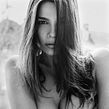


Learn how to develop your photos and create presets

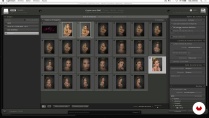
RAW photography allows you to make corrections to an image that previously required access to a dark room. In this online course, fashion and beauty photographer Edu Gómez teaches you how to develop your RAW files with Adobe Lightroom Classic.
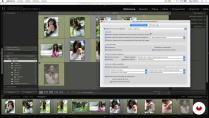
Learn to use the program from scratch and how to get the most out of your images by making corrections or applying presets directly to a digital negative. Ready to explore the creative possibilities of working with RAW files?
Bu çevrimiçi kursta ne öğreneceksiniz?
1 ders & 1 indirme
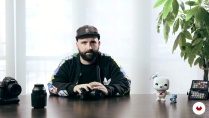
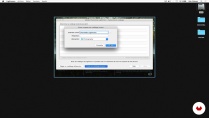
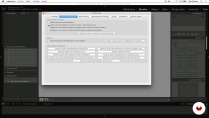
- 96% olumlu yorumlar ( 447 )
- 1 öğrenci
- 1 ders ( 4h 1m )
- 1 ek kaynak (1 dosya)
- Çevrimiçi ve kendi hızınızda
- Uygulamada mevcut
- Ses: İspanyol, İngilizce, Fransızca, İtalyan, Portekizce, Türkçe
- İspanyol · İngilizce · Portekizce · İtalyan · Fransızca · Türkçe
- Seviye: Acemi
- Sonsuza kadar sınırsız erişim
Bu kurs için önerilen yazılım ve araçlar
 Adobe Lightroom
 Adobe Photoshop
Bu kursun projesi nedir?
Edit several different types of images in Lightroom and create a series of presets to use for future editing projects.
Kurs öğrencilerinin projeleri


Bu çevrimiçi kurs kimlere yöneliktir?
Photographers, designers, retouchers, and anyone who wants to get started in the world of developing RAW files with Adobe Lightroom Classic and Photoshop.
Gereksinimler ve materyaller
Basic knowledge of Photoshop is recommended, but not essential.
To take this course, you need a camera and a computer with Adobe Photoshop and Lightroom Classic installed.

Yorumlar
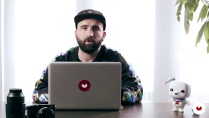
Edu Gómez
Edu Gómez tarafından verilen bir kurs
Edu Gómez, güzellik ve reklam fotoğrafçısıdır. Tasarım dünyasında kariyerine başladı, ancak asıl tutkusu olan fotoğrafçılığı 2008 yılında keşfetti. İspanya ve Londra arasında yaşıyor, Photoshop ve Dijital Rötuş konusunda uzmanlaşmış bir profesör ve Han...
İçerik
-
U 1
Introduction
-
Presentation
-
Influences
-
The Raw Format What is it and what is it for?
-
-
U 2
Introduction to Lightroom
-
Creating our first catalog
-
Interface and configuration
-
Importing images into the catalog
-
Library I: Visualization
-
Library II: Filter and label
-
Library III: Rename and move images
-
Library IV: Collections
-
Library V: Metadata, keywords and face detection
-
-
U 3
Revealed in Lightroom
-
Camera Calibration with Color Checker Passport
-
Crop Tool and Basic Settings
-
Tone Curve
-
HSL + Stain removal tool
-
Black and White + Virtual Copy
-
Split Tones
-
Detail
-
Lens corrections + Effects
-
From beginning to end. Gradients and adjustment brush. Snapshots
-
Presets!
-
-
U 4
Export in Lightroom
-
To export
-
Book Module
-
Web Module
-
Print module
-
Projection Module
-
-
U 5
Other developers and personal flow
-
Adobe Camera RAW + Bridge
-
Tour of Capture One
-
Personal work flow
-
-
FP
Bitirme projesi
-
Revealed RAW files with Lightroom
-
Bir Domestika kursundan neler beklenebilir?
-
Kendi hızınızda öğrenin
Belirli bir program olmadan ve takip edilmesi kolay bir yöntemle evden öğrenmenin tadını çıkarın. Kendi hızınızı kendiniz belirlersiniz.
-
En iyi profesyonellerden öğrenin
Yaratıcı sektörün en iyi uzmanlarının açıkladığı değerli yöntem ve teknikleri öğrenin.
-
Uzman öğretmenlerle tanışın
Her uzman, her derste açık yönergelerle, gerçek tutkuyla ve profesyonel anlayışla en iyi yaptıkları şeyi öğretir.
-
Sertifikalar
ArtıPlus üyesiyseniz her kurs için öğretmeninizden imzalı bir özel sertifika alın. Portföyünüzde, sosyal medyada veya istediğiniz yerde paylaşın.
-
Ön sıra koltukları alın
En yüksek kalitede videolar sayesinde tek bir ayrıntıyı kaçırmazsınız. Sınırsız erişim sayesinde tekniğinizi mükemmelleştirmek için bunları istediğiniz kadar izleyebilirsiniz.
-
Bilgi ve fikirleri paylaşın
Sorular sorun, geri bildirim isteyin veya çözümler sunun. Öğrenme deneyiminizi topluluktaki, yaratıcılığa sizin kadar tutkulu olan diğer öğrencilerle paylaşın.
-
Küresel bir yaratıcı toplulukla bağlantı kurun
Topluluk, dünyanın her yerinden meraklı ve yaratıcılıklarını keşfetme ve ifade etme konusunda tutkulu milyonlarca insana ev sahipliği yapıyor.
-
Profesyonelce hazırlanmış kursları izleyin
Domestika, yüksek kaliteli bir çevrimiçi öğrenme deneyimi sağlamak için öğretmen kadrosunu seçer ve her dersi kendi bünyesinde üretir.
SSS
You’ll master beauty photography techniques, color management, natural retouching, model direction, professional editing of RAW and DNG files, plus advanced image organization in Lightroom and Photoshop.
Yes, this course is designed for those with basic photography skills who want to deepen their knowledge of beauty techniques, retouching, and advanced digital file management.
It’s recommended to have basic photography knowledge and some experience with Lightroom and Photoshop to fully benefit from the course.
You’ll need a digital camera capable of shooting in RAW, a computer with Adobe Lightroom and Photoshop installed, and internet access to download files and resources.
RAW files keep all the sensor data intact, JPGs are processed and compressed, and DNG is a universal RAW format that saves space and simplifies file management.
You’ll learn how to create catalogs, import images, add metadata, use keywords, collections, and filters to efficiently organize your photos.
Yes, the course covers natural retouching techniques that preserve skin texture and advanced color handling for beauty and fashion portraits.
 Adobe Lightroom
 Adobe Photoshop
Ya usaba Lightroom pero este curso me permitió aprender y descubrir una manera de trabajar mas profesional
Ya uso lightroom pero es un cueso muy útil!!!!! bien explicado
Excelene! si no tienes conocimiento explica muy bien el interface y el area de trabajo de LightRoom
A pesar de que ya conozco Lightroom bastante bien, este curso me ha servido para repescar y repensar muchos aspectos tantos de la interfaz coomo del revelado. Está bien explicado y con ejemplos prácticos.
Ya utilizaba lightroom, pero el curso me ha servido para conocer su potencial mucho mejor y más a fondo! Recomendable 100%