Ontwerp een interactieve publicatie met InDesign en Bütton
Eindproject van de cursus
Een cursus van Sergio Ortiz , Grafisch ontwerper

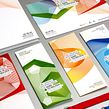
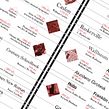
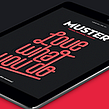
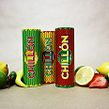
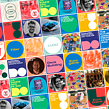

Over het eindproject van de cursus: Ontwerp een interactieve publicatie met InDesign en Bütton
Design of an interactive publication with InDesign and Bütton
“We have reached the end of this introductory course to the world of interactive publications. I hope you enjoyed it as much as I did and learned a lot. Here are the main stages of our journey. Inspiration Look for visual references, look at many of the interactive publications I have shared with you in the additional resources of unit 2 and get ready to start bringing your designs to life. Perhaps my case will give you some inspiration to get you started. The interactive format In this course I want you to know the basics of interactive design, to understand how to consume and work this format so demanded nowadays, to analyze the positive and negative things that working in digital can have, to observe and look at typography differently, and to focus on the user experience so that your readers have a pleasant journey while they read and enjoy your project. The project What do you want to create: a magazine, a catalog, an illustrated story, your own portfolio? Well, go ahead, now is the time. Think about what you want to do and start shaping it, I'll be by your side at all times. In my case, as you have seen, I have created a fictional magazine about board games, my new passion. Order and planning When you have everything in order, as I show you in unit 3, the workflow, start planning what you are going to create. Don't cut yourself off. Unleash your creativity. The design Test yourself, apply and add all the effects that I have been showing you throughout the course: buttons, music, videos, image slideshows, links, etc., everything that will make your project unique and surprising, but always with criteria and without overloading. If you follow the steps, everything will be perfect. Do not forget something very important, the action and navigation icons, essential for your project to be successful. Export When you have everything ready, the only thing left to do is to prepare it for publication. In unit 6 I explain how to export your project so that you can enjoy your work anywhere in the world, a luxury! Show without fear From the Domestika community, we will be eager for you to show us how your publication has turned out. We will even like to see the whole process you have followed to reach the final result. Upload everything you want to show us and tell us all about it. We will be happy to read about it. Besides, this will motivate the rest of the students. Is there something you can't do? Don't worry, take advantage of the course forum to discuss your doubts and concerns. Together we will help you. We are a very nice family. There is only one thing left to tell you: enjoy, enjoy learning, take a breath in those more complicated moments and laugh, laugh a lot in the funniest moments of the project. ”
Gedeeltelijke transcriptie van de video
“Laatste project Nu zal ik een samenvatting maken van alles wat ik je tijdens de cursus heb geleerd. Eerst gaan we in in de wereld van interactieve digitale publicaties. En ik heb je kleine tips en trucs geleerd over typografie, de gebruikersinterface en de voor- en nadelen van het maken van een interactieve publicatie. Vervolgens heb ik je de InDesign-programma's en de Bütton-plug-in laten zien waarmee we ons project hebben gemaakt. Eenmaal geïnstalleerd, heb ik je geleerd hoe je onze bestanden kunt maken en afbeeldingen om ons project te maken. Zodra we onze bestanden ordenen, we gingen aa...”
Deze transcriptie wordt automatisch gegenereerd en er kunnen typefouten in staan.
Samenvatting van de cursus: Ontwerp een interactieve publicatie met InDesign en Bütton
-
Categorie
Ontwerp -
Software
Adobe InDesign, Adobe Photoshop -
Domeinen
Digitaal ontwerp, Grafisch ontwerp, Informatieontwerp, Redactioneel ontwerp

Sergio Ortiz
Een cursus van Sergio Ortiz
Sergio Ortiz, geboren in Barcelona, is niet alleen grafisch ontwerper, maar ook gepassioneerd door design en alles wat daarmee te maken heeft. In zijn werk streeft hij ernaar innovatieve en visueel opvallende producten te creëren die de grafische uitst...
- 94% positieve beoordelingen (362)
- 8.727 studenten
- 22 lessen (4u 46m)
- 10 aanvullende bronnen
- Online en in je eigen tempo
- Beschikbaar in de app
- Audio: Spaans, Engels, Frans, Italiaans, Portugees, Türkçe
- Spaans · Engels · Portugees · Duits · Frans · Italiaans · Pools · Nederlands · Türkçe · Romanian · Indonesian
- Niveau: Beginner
- Onbeperkte toegang voor altijd
Aanbevolen software en tools voor deze cursus
 Adobe InDesign
 Adobe Photoshop
Categorie
Domeinen

