Erstellen Sie illustrierte Zeichen mit Photoshop
Ein Kurs von Raeioul , Illustrator

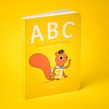
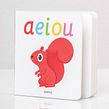


Erfahren Sie, wie Sie lustige Charaktere basierend auf alltäglichen Elementen entwerfen und auf eine Reihe von Produkten anwenden

Die Schaffung eines Charakters beinhaltet einen kreativen Arbeitsprozess, zumal es sich um einen Charakter mit einem kommerziellen Zweck handelt. Wenn ein Charakter ein Produkt darstellt, bedeutet dies auch, die Werte einer Marke und natürlich das Produkt selbst mit seinen intrinsischen Eigenschaften darzustellen. Der Illustrator, Publizist und Autor Raeioul ist ein Experte darin, alle Eigenschaften und Qualitäten eines Produkts in seinen lustigen Charakteren festzuhalten.
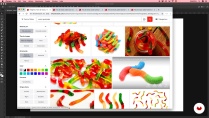
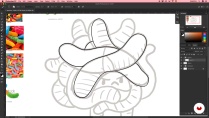
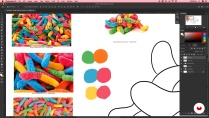
In diesem Kurs lernen Sie in Raeioul, wie Sie eine Reihe von illustrierten Zeichen erstellen, die von einer Reihe von Produkten inspiriert sind, wie Sie sie mit Adobe Photoshop digital illustrieren und wie Sie eine Anwendung in einem Produkt finden.
Was lernst du in diesem Onlinekurs?
12 Lektionen & 6 Downloads

- 100% positive Bewertungen (41)
- 690 Lernende
- 12 Lektionen (1 Stdn. 12 Min.)
- 6 Zusatzmaterialien (2 Dateien)
- Online und in deinem Tempo
- Verfügbar via App
- Audiosprache: Spanisch
- Spanisch · Englisch · Portugiesisch · Deutsch · Italienisch · Französisch · Polnisch · Niederländisch · Türkçe · rumänisch · Indonesisch
- Niveau: Anfänger
- Dauerhaft unbegrenzter Zugang
Empfohlene Software und Tools für diesen Kurs
 Adobe Photoshop
Was ist das Kursprojekt?
In diesem Kurs erstellen Sie drei illustrierte Zeichen basierend auf einer Reihe von Produkten, wobei die grafische Einheit durch Farbe und Illustrationsstil erhalten bleibt.

Projekte von Kursteilnehmenden


An wen richtet sich dieser Onlinekurs?
Studenten, Profis oder einfach alle, die lernen wollen, Charaktere von Grund auf neu zu erschaffen, und die gerne mit mehr oder weniger Geschick zeichnen.
Anforderungen und benötigte Materialien
Sie benötigen ein kleines Notizbuch, einen Stift oder Bleistift, Grundkenntnisse in Adobe Photoshop, einen Computer mit installiertem Photoshop und ein Grafiktablett.

Bewertungen

Raeioul
Ein Kurs von Raeioul
Raeioul ist von Beruf Publizist, obwohl er sich seit 2007 der Illustration widmet. Er hat für Werbung, Leitartikel, Magazine, digitale Inhalte, Comics und Kinderbücher gearbeitet. Am liebsten macht er jedoch illustrierte Charaktere, sowohl für Kunden als auch für persönliche Projekte. Aus letzterem stammt Raeioul Incorporated, sein redaktionelles Projekt und illustrierte Produkte.
Seit 2010 bringt er seine Illustrationen zu Produkten: Postkarten, Aufkleber, Magnete, Bilder, T-Shirts usw. Raeiouls Stil ist einfach, farbenfroh, lustig und mit Pinselstrichen von Humor.
Inhalt
-
E1
Einführung
-
Präsentation (Wer bin ich)
-
Einflüsse
-
Was werden wir im Kurs tun?
-
-
E2
Schreiben Sie vor dem Zeichnen
-
Wählen Sie Ihr Thema Wie wählt man ein Thema?
-
Suche nach Referenzen
-
Die ersten Kritzeleien
-
-
E3
Machen wir uns an die Arbeit
-
Zeichen zur Linie
-
Farbpalette
-
Digitalisieren
-
Lautstärke
-
-
E4
Den Charakter in etwas anderes verwandeln
-
Montage von Illustrationen
-
Produktpräsentation (letzte Details)
-
-
AP
Abschlussprojekt
-
Erstellen Sie illustrierte Zeichen mit Photoshop
-
Was erwartet dich in einem Domestika-Kurs?
-
Lerne in deinem Tempo
Lerne bequem von zuhause aus, in deinem eigenen Tempo und ohne festen Zeitplan. Du entscheidest, wann und wo.
-
Lerne mit den Profis
Lerne die nützlichsten Techniken und Methoden mit den Profis der Kreativbranche.
-
Tritt mit den erfahrendsten Experten in Kontakt
Jede Lehrperson übermittelt dir in jeder Lektion leidenschaftlich sein/ ihr Wissen mittels ausführlichen Erklärungen aus professioneller Sicht.
-
Zertifikate
PlusErhalte als Plus-Mitglied ein von deiner Lehrperson personalisiertes und unterzeichnetes Zertifikat. Füge es deinem Portfolio hinzu oder teile es online, um deine Teilnahme zu bestätigen.
-
Sei ganz vorne mit dabei
Dank hochwertig produzierter und gestochen scharfer Videos entgeht dir kein einziges Detail. Du hast uneingeschränkten Zugriff auf deinen Kurs und kannst dir so alle Videolektionen so oft ansehen, wie du möchtest.
-
Teile Wissen und Ideen
Stelle deine Fragen, bitte um Meinungen und biete Lösungsansätze. Teile deine Lernerfahrung mit anderen Schüler*innen in der Community, die genauso kreativ sind wie du.
-
Sei Teil einer globalen kreativen Community
Die Community umfasst Millionen wissbegierige Menschen weltweit, die Freude an kreativem Ausdruck finden.
-
Arbeite mit von Profis produzierten Kursen
Um eine einzigartige Online-Lernerfahrung zu garantieren, zählt Domestika auf eine sorgfältige Auswahl der Lehrpersonen und produziert jeden Kurs intern.
FAQ
Domestika-Kurse sind Online-Klassen, die es dir ermöglichen, neue Fähigkeiten zu erlernen und unglaubliche Projekte zu erstellen. Alle unsere Kurse bieten die Möglichkeit, deine Arbeit mit anderen Studenten und/oder Lehrern zu teilen und so eine aktive Lerngemeinschaft zu schaffen. Wir bieten verschiedene Formate:
Original-Kurse: Vollständige Klassen, die Videos, Texte und Lehrmaterialien kombinieren, um ein konkretes Projekt von Anfang bis Ende zu realisieren.
Basics-Kurse: Spezialisierte Schulungen, in denen du spezifische Software-Tools Schritt für Schritt beherrschst.
Spezialisierungskurse: Lernwege mit verschiedenen Experten-Lehrern zu demselben Thema, perfekt um Spezialist zu werden, indem du von verschiedenen Ansätzen lernst.
Geführte Kurse: Praxiserfahrungen, ideal für den direkten Erwerb spezifischer Fähigkeiten.
Intensivkurse (Deep Dives): Neue kreative Prozesse basierend auf Tools der künstlichen Intelligenz in einem zugänglichen Format für ein tiefes und dynamisches Verständnis.
Alle Kurse sind zu 100 % online verfügbar, das heißt, sobald ein Kurs veröffentlicht wurde, steht er dir zur Verfügung, wann immer du willst. Du bestimmst das Tempo, in dem du lernen willst. Du kannst jederzeit zu einem Teil zurückkehren, der dich besonders interessiert, oder überspringen, was du schon kennst. Genauso ist das Kursforum immer offen für neue Fragen, Kommentare, geteilte Projekte und mehr.
Die Kurse sind in mehrere Einheiten unterteilt. Jede Einheit enthält Lektionen, informative Begleittexte, Aufgaben und Übungen, mit denen du dein Projekt Schritt für Schritt vollendest, inklusive ergänzender Materialien und Downloads. Außerdem hast du Zugang zu einem exklusiven Forum, in dem du dich mit der Lehrperson und anderen Lernenden austauschen kannst und deine Arbeit und dein Kursprojekt teilen kannst, sodass eine Gemeinschaft rund um den Kurs entsteht.
Du kannst den geschenkten Kurs aktivieren, indem du den Gutscheincode hier Einlöseseite eingibst.
 Adobe Photoshop
Excelente 100% recomendado
muy bueno ,es facil de seguir .
This was a really fun course and I learned a lot, I wish that it had been in illustrator instead of photoshop as I find that easier than so many different layers, but i still enjoyed it, and I liked learning new techniques for coming up with ideas at the start too :)
VERY GOOD!
Brilliant course, I have finally learned how to use pen tool and make seamless selections. I followed the steps and ended up with great results.