
Design a Delicious App
Eğitmen: José Vittone y Javier CuelloEtkileşim ve görsel tasarımcılar
Eğitmen: José Vittone y Javier Cuello, Etkileşim ve görsel tasarımcılar

Learn to design an iPhone app
In the application store there are thousands ... many applications! But let's be honest: only a tiny percentage are well posed, in such a way, that they are successful and used by users.
In this course of José Vittone and Javier Cuello you will learn the bases so that your app is not one of the heap, but one that really stands out from the others for being easy to use, useful and pleasant. Do not worry, through the contents of the course we will be advancing step by step in all stages of the design of an iPhone application, with everything you need to know.
We will go from the initial idea, through the definition of wireframes and prototyping, to those little visual details of the interface that are never taken into account, but if you design them well, you will get a big difference with your app.
Bu çevrimiçi kursta ne öğreneceksiniz?
1 ders & 1 indirme
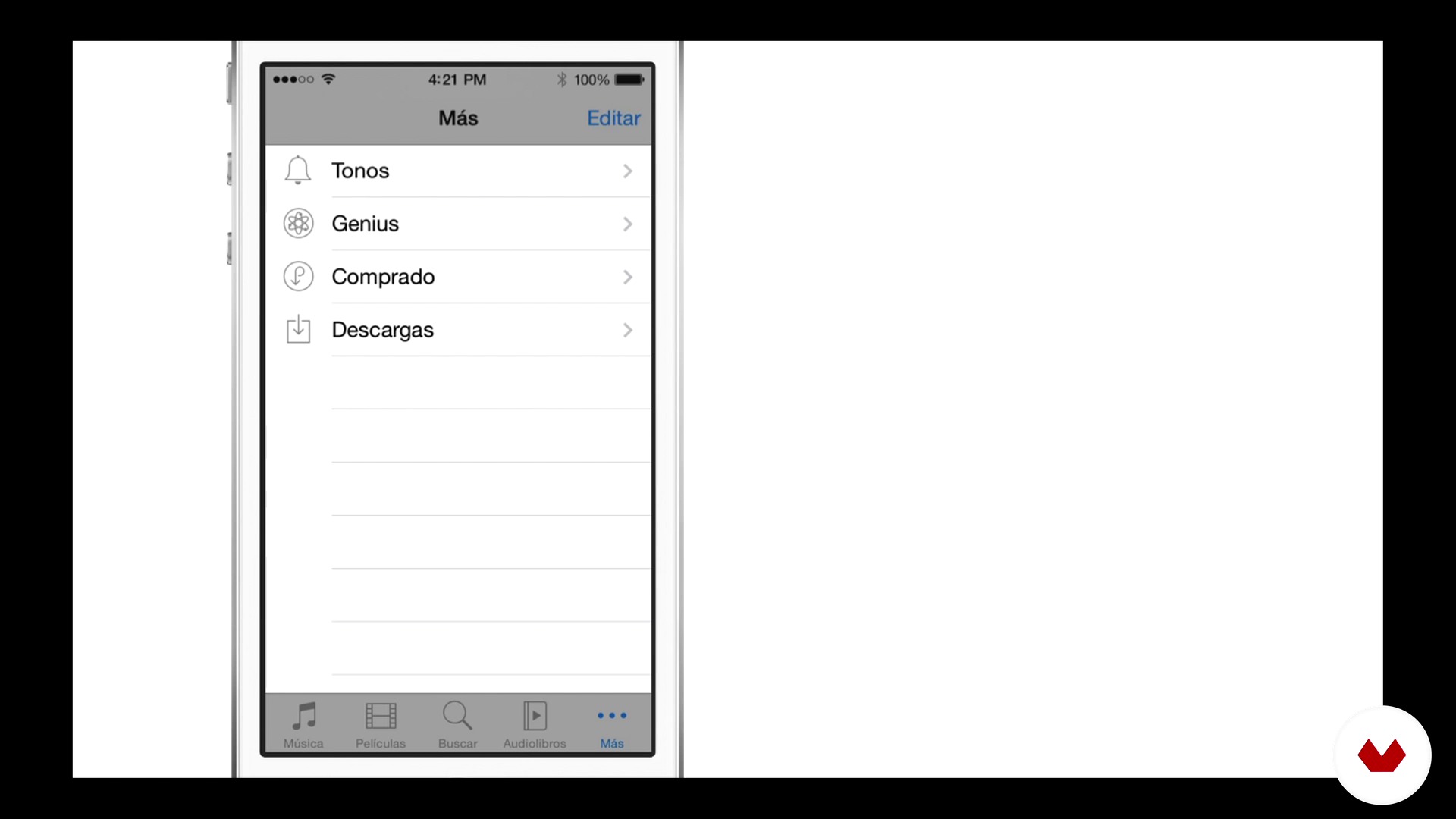
The interface elements of iOS
5 dakika, 48 saniye

Exploring ideas
7 dakika, 11 saniye
App concept
3 dakika, 36 saniye
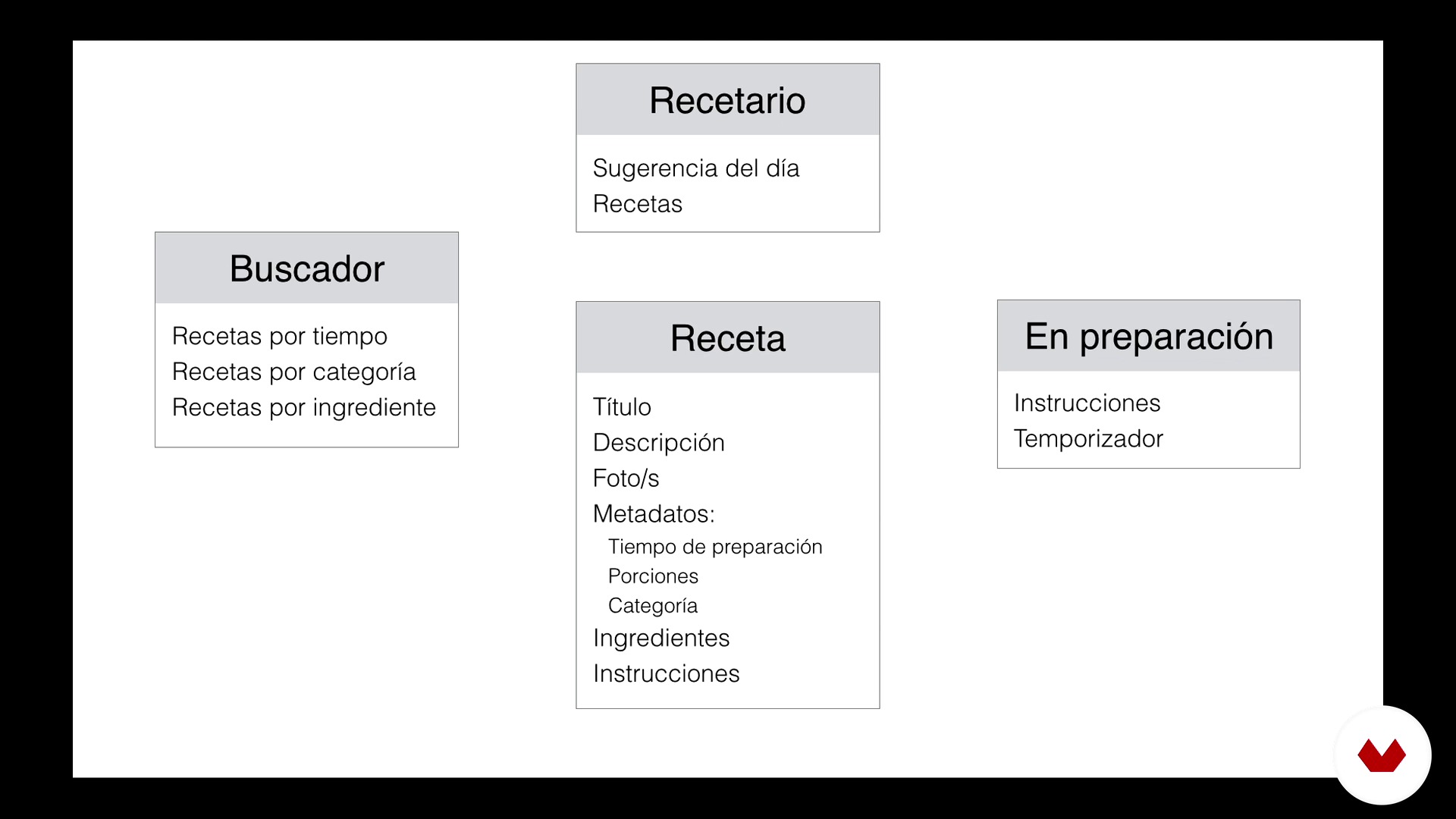
Architecture, an overview
3 dakika, 14 saniye
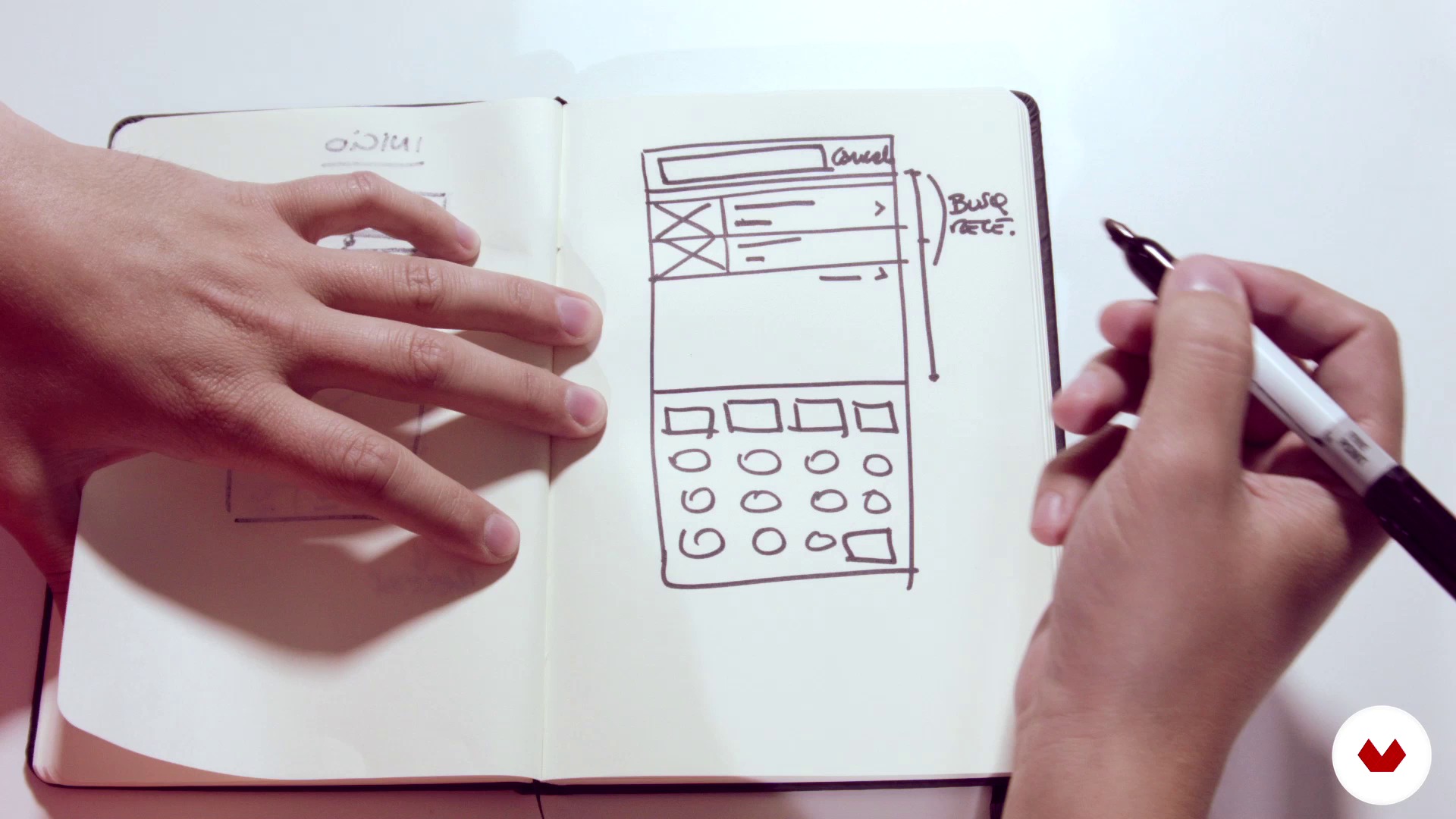
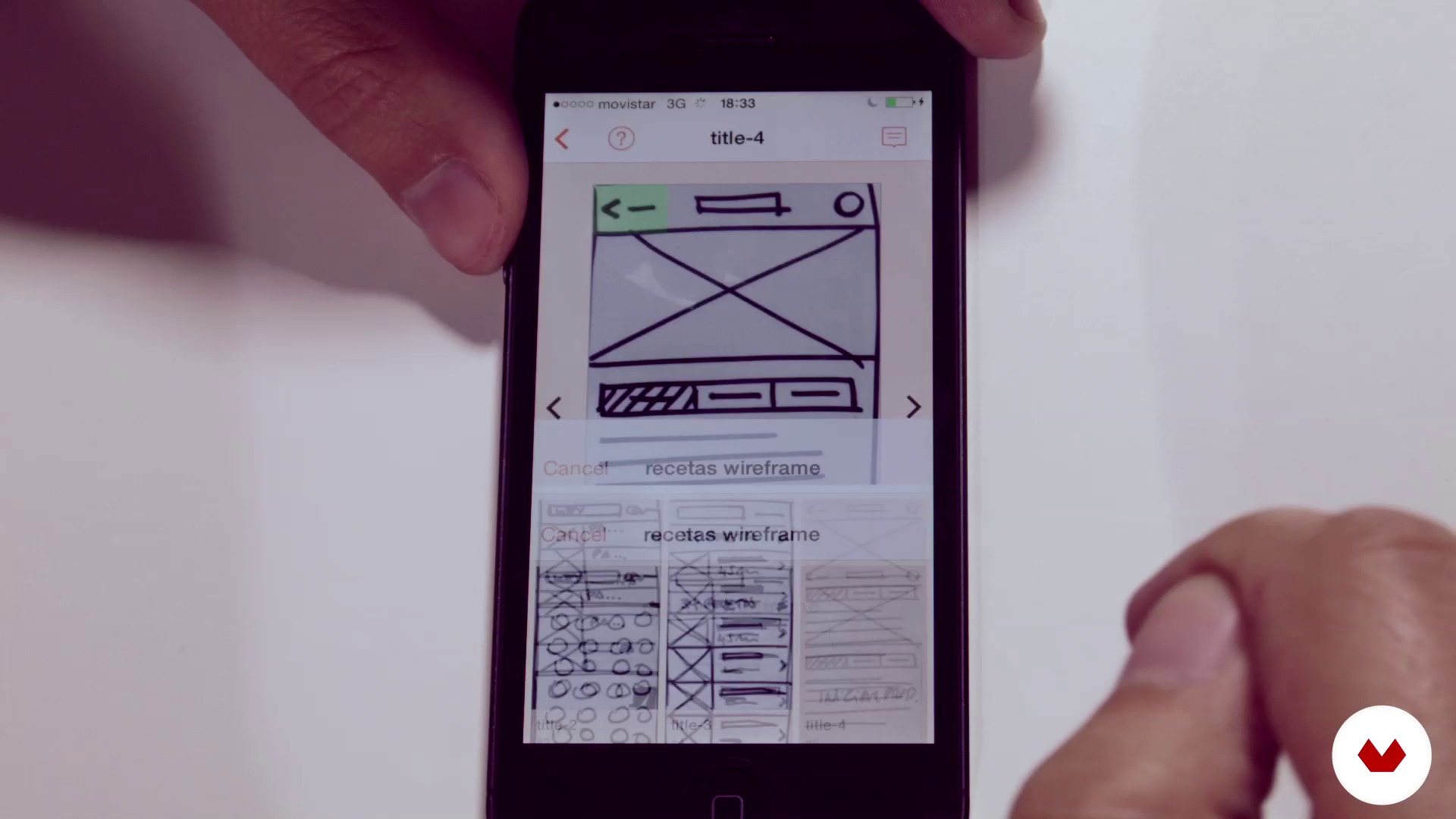
Wireframing on paper
17 dakika, 21 saniye
Rapid prototyping
14 dakika, 12 saniye
Bu kursa neler dahil?
We will start with a conceptualization part, where we will see the key points so that our app idea has that "something" different from the others. Once we are clear about the purpose of our app, we will go through wireframing stages on paper and we will make an interactive prototype to test the navigation.
Finally we will design the interface of the app and test the design directly on the mobile. In each of these stages we will see the best practices and secrets to make the app easy to use and at the same time have a dazzling visual design.
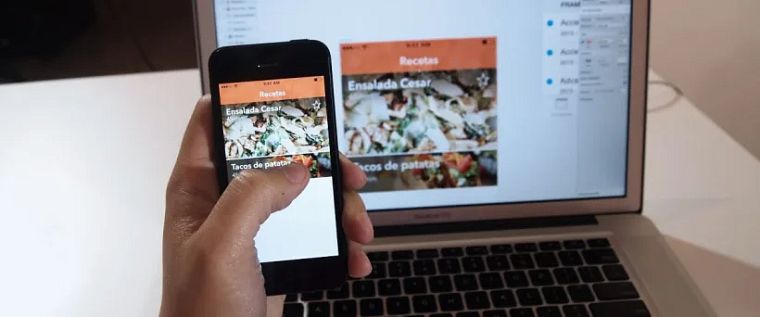
We will use specific tools for mobile design such as the POP application for rapid prototyping, Sketch for the interface design and Keynote to test some small transitions.
It is important to clarify that we will only learn the design of utilitarian apps. In this course we will NOT learn to design widgets or video games and we will not talk about code issues either.
Bu kurs için önerilen yazılım ve araçlar
Bu kursun projesi nedir?
At the end of the course we will have designed an iPhone app. We have chosen a kitchen app because it has a diversity of screens. You can choose the app idea you want and develop it based on what we will learn.
Kurs öğrencilerinin projeleri


Bu çevrimiçi kurs kimlere yöneliktir?
The course is designed for enthusiastic designers who want to enter the world of applications and learn to design functional and well-finished apps. All those who dare to make mistakes, learn from the error and try again can do this course. If you have designed a mobile application before, this course will help you raise the bar in your next challenges.
Gereksinimler ve materyaller
We're going to need you to have paper and a marker. An iPhone mobile with the apps "POP - Prototyping on Paper" and "Sketch Mirror" *, already installed. A computer with "Sketch 3", or "Photoshop" or "Fireworks". We recommend using Sketch because it has tools that will make your work easier when designing for mobile. When focusing on the details we will use "Keynote" but you could also use "After Effects" or "Flash".
- There are also free alternatives to "Sketch Mirror" like "Skala Preview" or "LiveView".
Yorumlar
- 1 yıl önce
Recomendado..
- 3 yıl önce
Well planned, structured , quite comprehensive..thanks
- 4 yıl önce
This is a great course to use as a planning tool when you want to design an app. I am finding it really helpful to connect all the areas of an app (that I would not have considered) together. I hope there is a second one to actually create the app in code. :)
- 4 yıl önce
look promising
- 4 yıl önce
Very user-centred. I’m finding it very down to earth as this is for beginners. I would like if the previous comment would specify what content is obsolete so they could update it.

İçerik
- U 1
Introduction to mobile design
- Introduction
- Fundamentals of mobile design
- The interface elements of iOS
- U 2
Concept and architecture
- Exploring ideas
- App concept
- Architecture, an overview
- Wireframing on paper
- Rapid prototyping
- U 3
Visual design
- We went to clean
- We prepare the preview on the mobile with Sketch Mirror
- Visual design 1
- Visual design 2
- Brand elements
- U 4
Looking for the detail
- Micro-interactions
- The graphic material for the programmer
- FP
Bitirme projesi
- Design a delicious App
Bir Domestika kursundan neler beklenebilir?
Kendi hızınızda öğrenin
Belirli bir program olmadan ve takip edilmesi kolay bir yöntemle evden öğrenmenin tadını çıkarın. Kendi hızınızı kendiniz belirlersiniz.
En iyi profesyonellerden öğrenin
Yaratıcı sektörün en iyi uzmanlarının açıkladığı değerli yöntem ve teknikleri öğrenin.
Uzman öğretmenlerle tanışın
Her uzman, her derste açık yönergelerle, gerçek tutkuyla ve profesyonel anlayışla en iyi yaptıkları şeyi öğretir.
Sertifikalar
PLUSPlus üyesiyseniz her kurs için öğretmeninizden imzalı bir özel sertifika alın. Portföyünüzde, sosyal medyada veya istediğiniz yerde paylaşın.
Ön sıra koltukları alın
En yüksek kalitede videolar sayesinde tek bir ayrıntıyı kaçırmazsınız. Sınırsız erişim sayesinde tekniğinizi mükemmelleştirmek için bunları istediğiniz kadar izleyebilirsiniz.
Bilgi ve fikirleri paylaşın
Sorular sorun, geri bildirim isteyin veya çözümler sunun. Öğrenme deneyiminizi topluluktaki, yaratıcılığa sizin kadar tutkulu olan diğer öğrencilerle paylaşın.
Küresel bir yaratıcı toplulukla bağlantı kurun
Topluluk, dünyanın her yerinden meraklı ve yaratıcılıklarını keşfetme ve ifade etme konusunda tutkulu milyonlarca insana ev sahipliği yapıyor.
Profesyonelce hazırlanmış kursları izleyin
Domestika, yüksek kaliteli bir çevrimiçi öğrenme deneyimi sağlamak için öğretmen kadrosunu seçer ve her dersi kendi bünyesinde üretir.
SSS
This course teaches you how to conceptualize, design, and prototype mobile recipe apps by integrating user research, benchmarking, screen architecture, wireframes, interactive prototypes, and visual specs ready for development.
No prior experience is needed. The course is aimed at people with basic design knowledge or an interest in mobile app development and UX/UI.
To get the most out of the course, it’s recommended to have Sketch and Keynote, plus access to mobile devices for testing. Tools like FontSpy and rapid prototyping apps are also used.
You’ll learn how to analyze and organize recipe information, define metadata, design key screens, and structure content to make navigation and recipe searching easy.
The course teaches qualitative methods like interviews and observation to uncover real user needs, habits, and pain points in the kitchen.
You’ll learn how to analyze similar apps, spot opportunities for improvement and innovation, and differentiate your app from competitors through benchmarking.
The course covers how to map out architecture, define logical flows, prioritize actions, and link main screens for an intuitive user experience.