Hulk Effect
de Trevis Wamuthenya @trevismurithi
- 826
- 13
- 2
Introduction
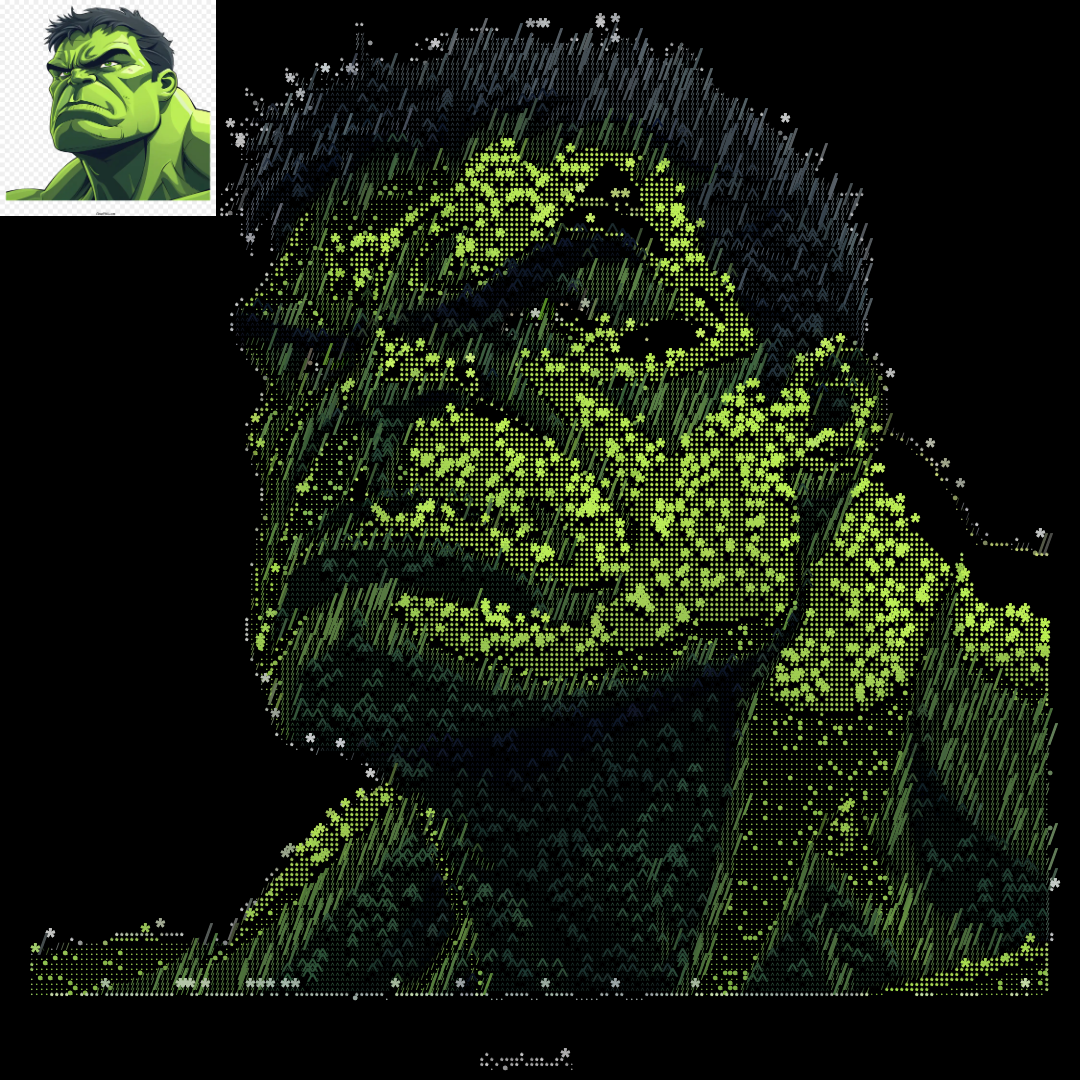
Hello, I managed to make Hulk art made from */^.
It's amazing how the canvas provides details concerning a letter or an image. Having the right direction of what you want and basic math you can see what cool stuff you can come up with.
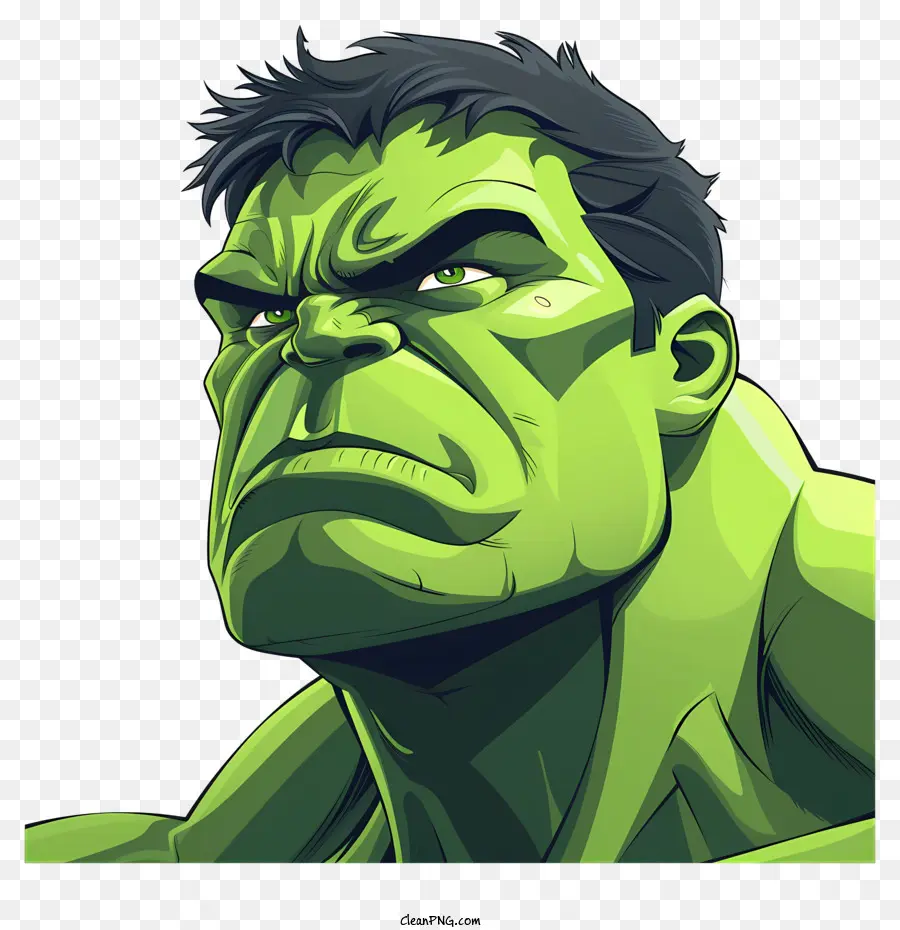
Here's the image I used for this project.
Supplies
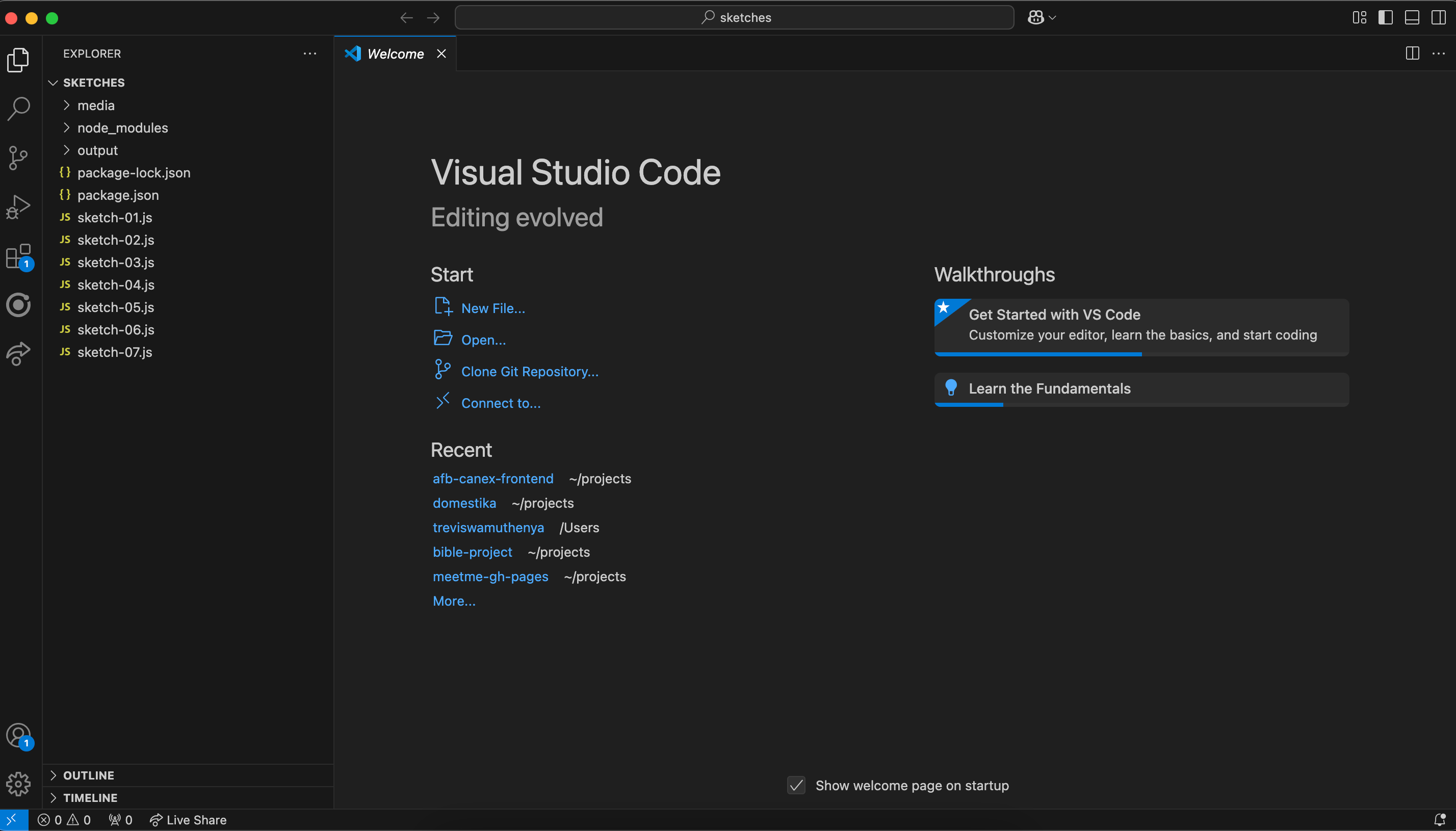
To have the environment to build cool stuff here are my resources:
VS Code
NPM
Canvas-Sketch (package)
Image for the project
Have a goal for the project
Before I began, I wrote down the image I wanted to use for this project and broke down the steps required to achieve it.
1. Draw the image on the canvas
2. Centre it and reposition
3. Get the image dimensions and add it to a rectangular box
4. Reduce its width and height and position it to the top left side of the canvas
5. Get the pixels of the original image
6. Finally draw the same image but with characters and RGB tone
Lets start coding
let's import all the utils.

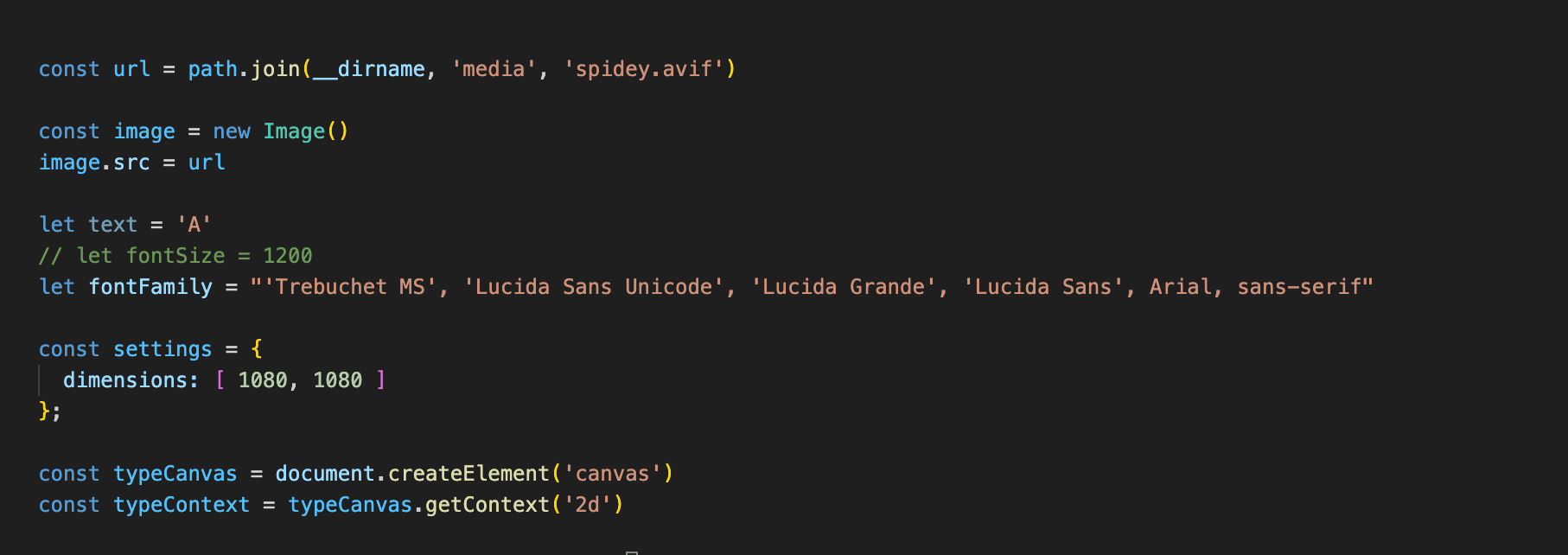
Lets declare all our variables
1. The URL path where our image is located
2. Add it to an image class
3. Declare our font properties
4. Declare our canvas and access the context
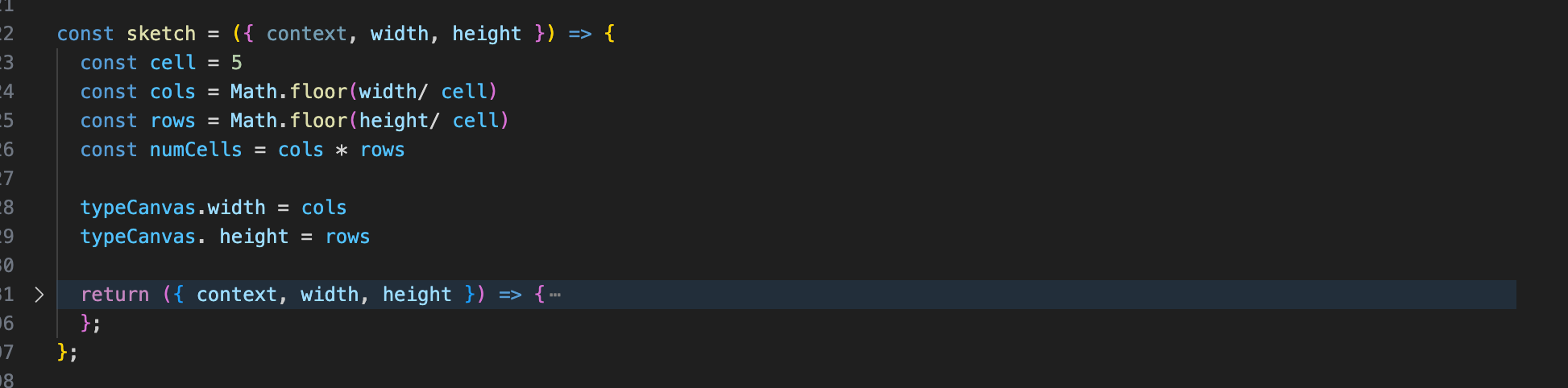
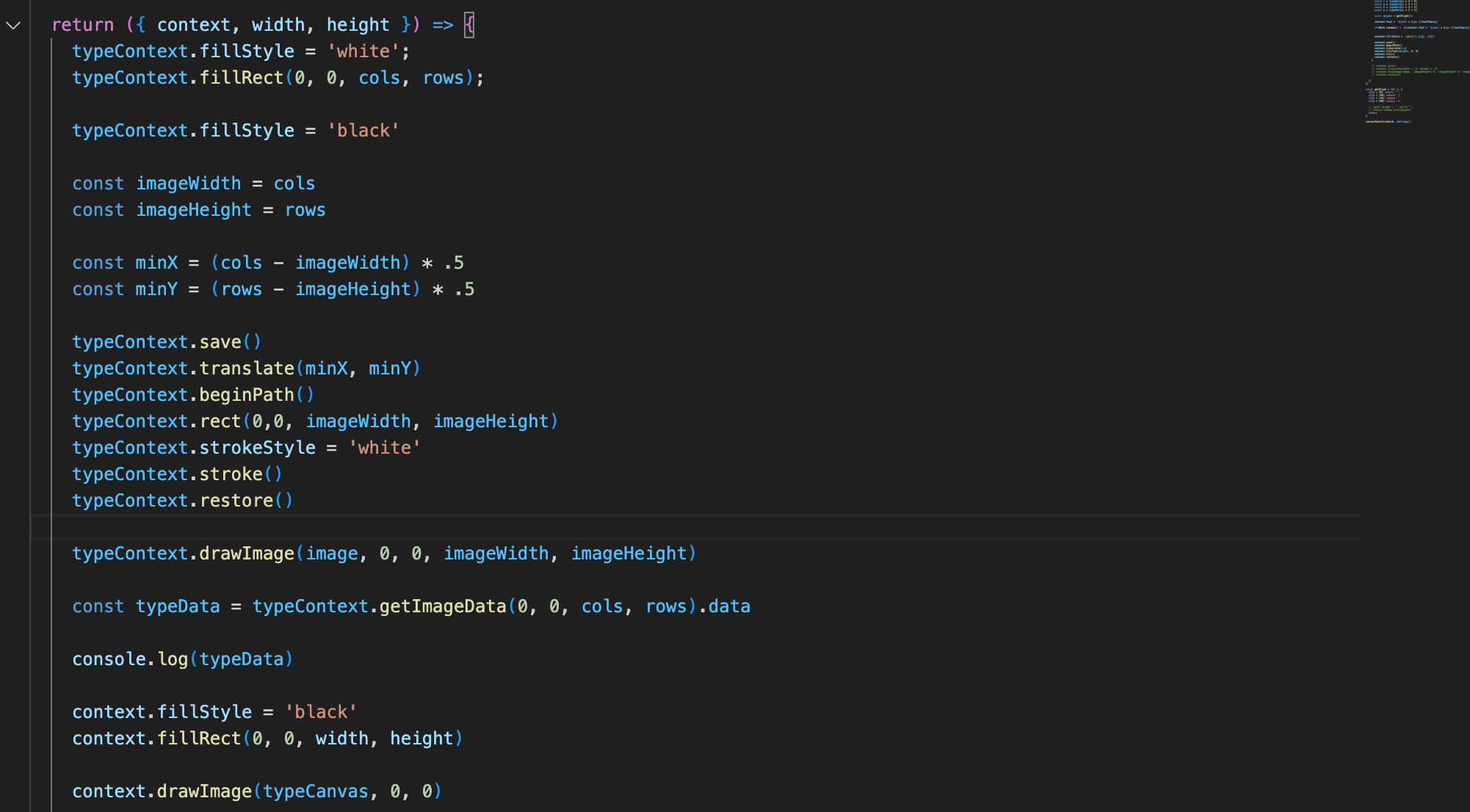
Afterward, we set our canvas sketch as shown in the image below. let the canvas `typeCanvas` contain cells with the stated width and height proportions. The purpose is to fill it up with cells and have an image drawn on it.
Lets draw our canvas
Here we set up the `typeCanvas` with its width and height properties and positioned it to the top left.
For example
const minX = (cols - imageWidth) * .5
if cols is 54 and imageWidth is 54 then the result will be 0
Second Image
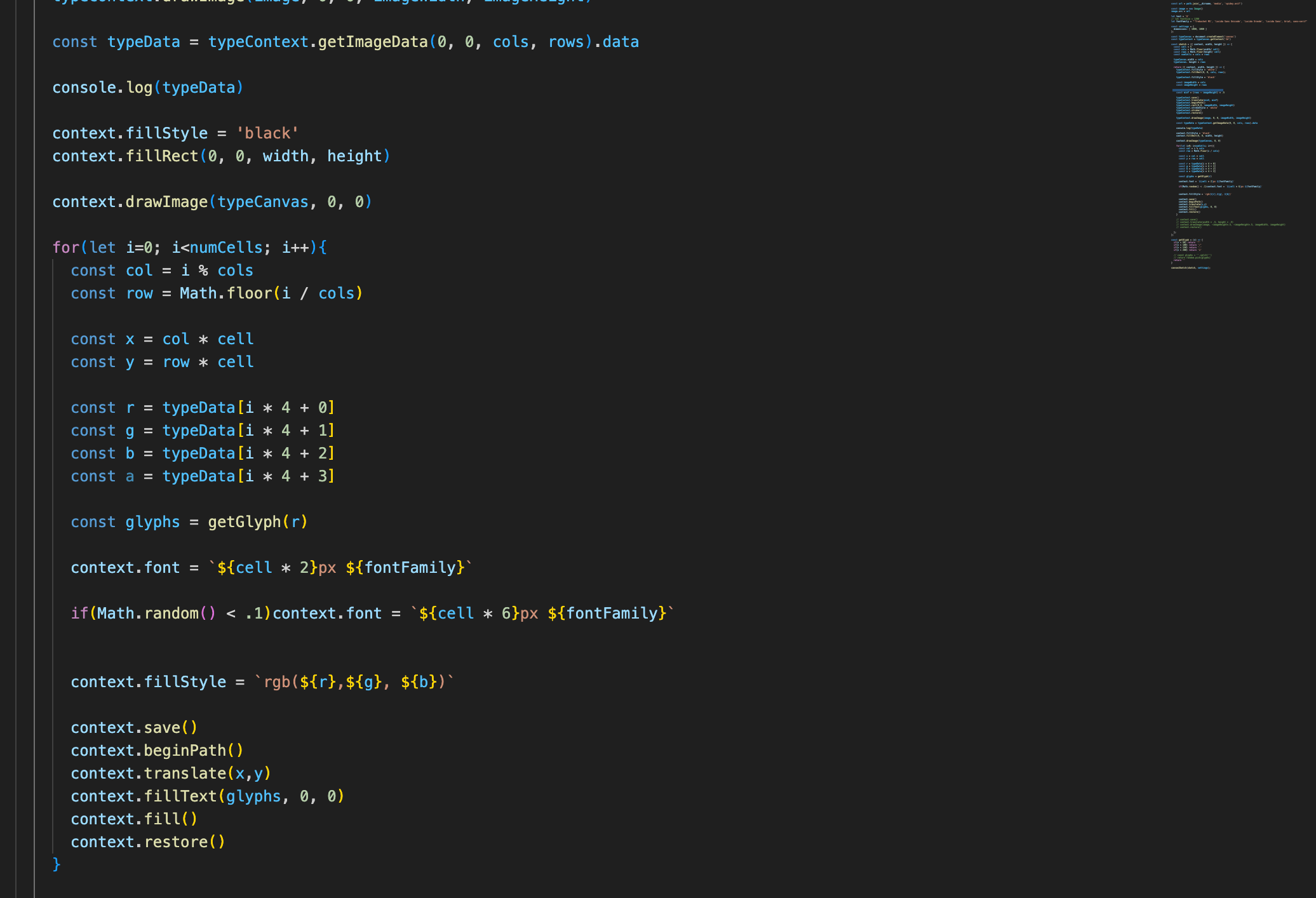
Now let's get the image pixel data and map it out to the actual context
The for loop you see will be to draw out the same image to the actual context but with characters
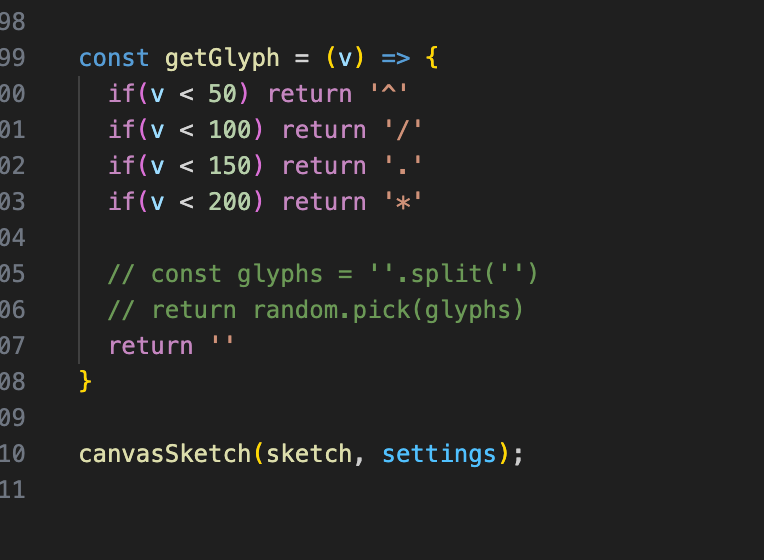
Don't worry about line 74 it is a method we will build together check the next screenshot
Our work is to fine-tune our output result to produce whatever character best fits this experience
And you finally did it too!!!
Final Art
Here's my version of it.


2 comentários
Very Nice! Great info!
Love this! I think the glyphs you used works really well and your code was fantastic. I got stuck on how to have the image in colour but your code helped me heaps so thank you for that.
Faça login ou cadastre-se Gratuitamente para comentar