Stripfiguren tekenen met Procreate
Een cursus van Cristina Gómez (adesignerlife) , Illustrator

Lid geworden in juli van 2009


Leer hoe je unieke dynamische gestileerde portretten maakt via referenties en karaktersetting
Lid geworden in juli van 2009

When painting portraits, we have very little space to capture the essence and expressiveness of the subject. Illustrator Cristina Gómez knows that this can lead to rigid poses and tedious atmospheres.
For this reason, she has dedicated herself to improving the dynamics of her works by generating more movement, providing more color, and more fun gestures. In this online course, Cristina teaches you how to use digital tools and rendering techniques to bring a stylish character to life.
Wat leer je tijdens deze online cursus?
16 lessen & 22 aanvullende bronnen
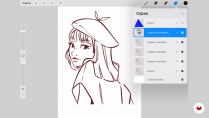
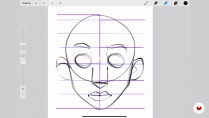
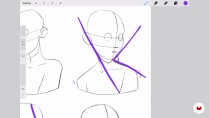
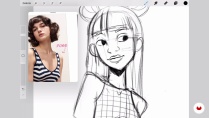
- 99% positieve beoordelingen (111)
- 6.154 studenten
- 16 lessen (2u 21m)
- 22 aanvullende bronnen (12 bestanden)
- Online en in je eigen tempo
- Beschikbaar in de app
- Audio: Spaans, Engels, Frans, Indonesian, Italiaans, Portugees, Romanian, Türkçe
- Spaans · Engels · Portugees · Duits · Frans · Italiaans · Pools · Nederlands · Türkçe · Romanian · Indonesian
- Niveau: Beginner
- Onbeperkte toegang voor altijd
Aanbevolen software en tools voor deze cursus
 Procreate
Wat is het cursusproject?
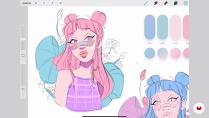
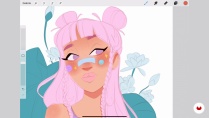
Create a cartoon-style character portrait in Procreate using references.

Projecten van studenten van de cursus


Voor wie is deze online cursus bedoeld?
Illustrators and artists, both beginners and professionals, who want to learn how to create dynamic character portraits.
Vereisten en materialen
To take the course, you should have a basic knowledge of drawing and digital illustration. In addition, you need an iPad, an Apple pencil, and the Procreate app or similar.

Beoordelingen

Cristina Gómez (adesignerlife)
Een cursus van Cristina Gómez (adesignerlife)
Cristina Gómez, illustrator en maker van inhoud, heeft zich gespecialiseerd in cartoonachtige portretten die ze bij Procreate maakt. Door alle tools in een paar klikken beschikbaar te hebben, kunt u in een mum van tijd fantastische sferen en sferen creëren zonder uw handen vuil te maken!
Een belangrijk onderdeel van zijn werk is om samen te werken met belangrijke merken in de sector zoals XPPEN en Huion, waarmee hij challenges, wedstrijden en productreviews van hun tablets heeft uitgevoerd. Daarnaast heeft hij meegewerkt aan de promotie van de lancering van Mulan met Disney+ en heeft hij een reeks kinderboeken geïllustreerd.
Inhoud
-
U1
Introductie
-
Presentatie
-
Invloeden
-
-
U2
Begrippen van Procreate en verhoudingen
-
Basisprincipes Procreate
-
Gezicht proporties
-
Dynamische composities voor het portret
-
Zoeken naar referenties en maken van een moodboard
-
-
U3
Maak een portret in Procreate
-
De schetsen 1
-
De schetsen 2
-
Kleur en miniaturen
-
Begin met schilderen 1
-
Begin met schilderen 2
-
Lichten en schaduwen
-
Portret instelling
-
-
U4
Laatste hand en delen op sociale netwerken
-
Laatste aanpassingen
-
Wat is de juiste bestandsgrootte?
-
Deel op sociale netwerken
-
-
EP
Eindproject
-
Stripfiguren tekenen met Procreate
-
Wat kan je verwachten van een cursus van Domestika
-
Leer in je eigen tempo
Geniet van thuis leren, zonder lesroosters en in je eigen tempo. Jij beslist wanneer je verder gaat met het volgende onderdeel.
-
Leer met de beste professionals
Leer de meest bruikbare methoden en technieken van de beste professionals in de creatieve industrie.
-
Ontmoet deskundige docenten
Iedere docent brengt kennis met passie over, biedt duidelijke uitleg en een professioneel perspectief bij elke les.
-
Certificaten
PlusAls Plus-lid krijg je voor elke cursus een persoonlijk certificaat, ondertekend door je docent. Deel het in je portfolio, op social media of waar je maar wilt.
-
Zorg dat je op de voorste rij zit
Dankzij de hoge kwaliteit van de video's mis je geen enkel detail. Dankzij de onbeperkte toegang kun je de lessen zo vaak bekijken als nodig is om je vaardigheden te perfectioneren.
-
Deel kennis en ideeën
Stel vragen, krijg feedback en bied oplossingen aan. Deel je leerervaringen met andere studenten in de community die net als jij een passie hebben voor creativiteit.
-
Maak contact met een wereldwijde creatieve community
Deze community heeft miljoenen gebruikers van over de hele wereld, nieuwsgierig en enthousiast om hun creativiteit te verkennen en te uiten.
-
Geef cursussen op een professionele manier
Domestika selecteert zorgvuldig haar docenten en produceert iedere cursus in eigen huis om een uitstekende online leerervaring te garanderen.
Veelgestelde vragen
Wat zijn de online cursussen van Domestika?
Domestika cursussen zijn online lessen waarmee je nieuwe vaardigheden kunt leren en ongelooflijke projecten kunt maken. Al onze cursussen bieden de mogelijkheid om je werk te delen met andere studenten en/of leraren, waardoor een actieve leergemeenschap ontstaat. We bieden verschillende formaten:
Originele Cursussen: Volledige lessen die video's, teksten en educatief materiaal combineren om een concreet project van begin tot eind te realiseren.
Basics Cursussen: Gespecialiseerde trainingen waarin je specifieke software-tools stap voor stap beheerst.
Specialisatie Cursussen: Leerpaden met verschillende expert-leraren over hetzelfde onderwerp, perfect om specialist te worden door te leren van verschillende benaderingen.
Begeleide Cursussen: Praktische ervaringen, ideaal om direct specifieke vaardigheden te verwerven.
Intensieve cursussen (Deep Dives): Nieuwe creatieve processen gebaseerd op kunstmatige intelligentietools in een toegankelijk format voor diepgaand en dynamisch begrip.
Wanneer beginnen de cursussen en wanneer eindigen ze?
De cursussen zijn 100% online, dus zodra ze gepost zijn, beginnen en eindigen de cursussen wanneer jij dat wilt. Jij bepaalt het tempo van de les. Je kunt opnieuw bekijken wat je belangstelling heeft, overslaan wat je al weet, vragen stellen, twijfels wegnemen, je projecten delen en nog veel meer.
Wat bevatten de cursussen van Domestika?
De cursussen zijn onderverdeeld in verschillende onderdelen, elk met lessen, verklarende teksten, taken en praktische oefeningen om je project stap voor stap uit te voeren, aanvullende bijgevoegde bronnen en documenten. Je krijgt ook toegang tot een exclusief forum waar je kunt communiceren met alle studenten van de cursus en de docent, en waar je ook je werk en het project waar je aan werkt kunt delen, om zo een community rond de cursus te creëren.
Heb je een cursus cadeau gekregen?
Je kunt een als cadeau gekregen cursus inwisselen door naar de inwisselpagina te gaan waar je de cadeaucode die je hebt gekregen kunt invoeren.
 Procreate
Absolutely gorgeous course, bright and very inspiring!
Excelente explicación, fácil y sencillo.
Ottimo metodo per disegnare in digitale. La creator spiega passaggio per passaggio come arriva al risultato senza dare niente per scontato. Ottimo per imparare a padroneggiare le funzioni di procreate
Der Kurs ist ausgezeichnet. Wenn Procreate neu ist, hat man es nicht leicht.
Me ha encantado. Da muchas ideas y ves mucho el proceso de dibujo de Cristina. También aprendes mucho de Procreate