Illustreer futuristische karakters, van concept tot creatie
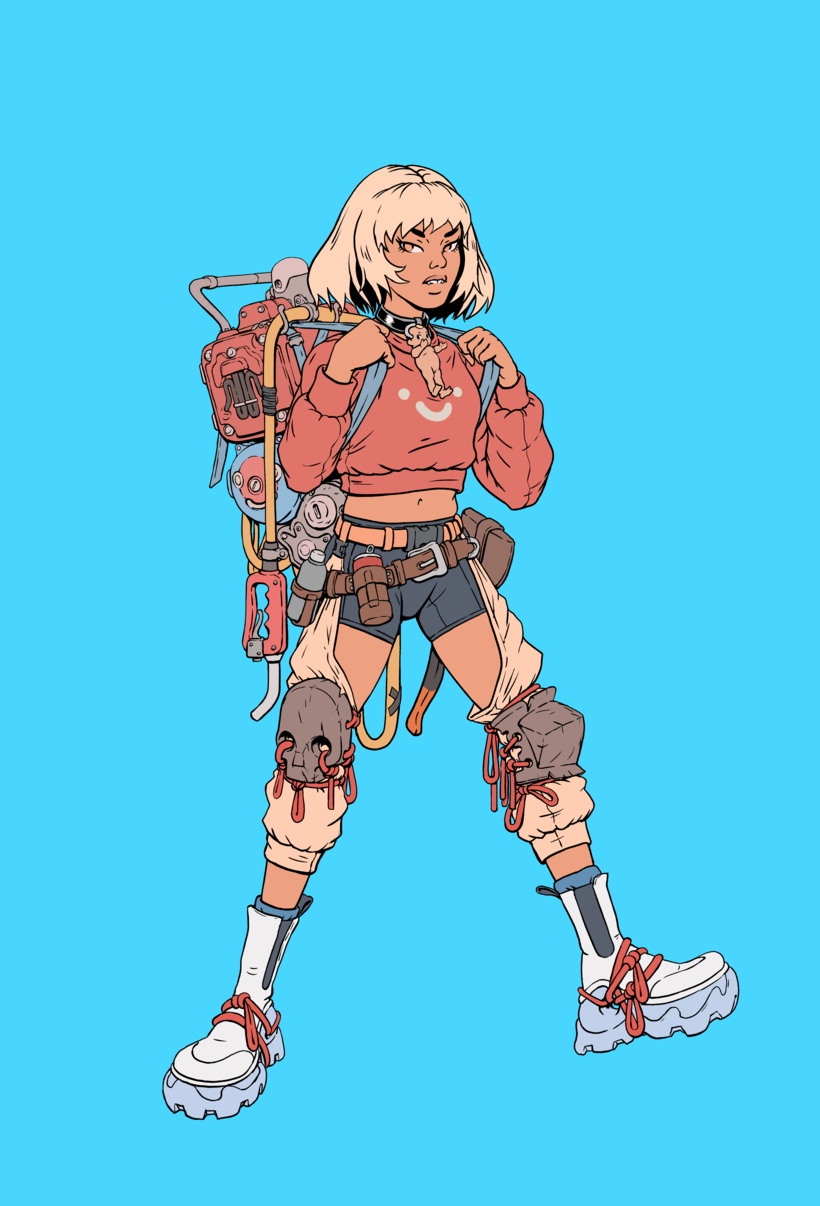
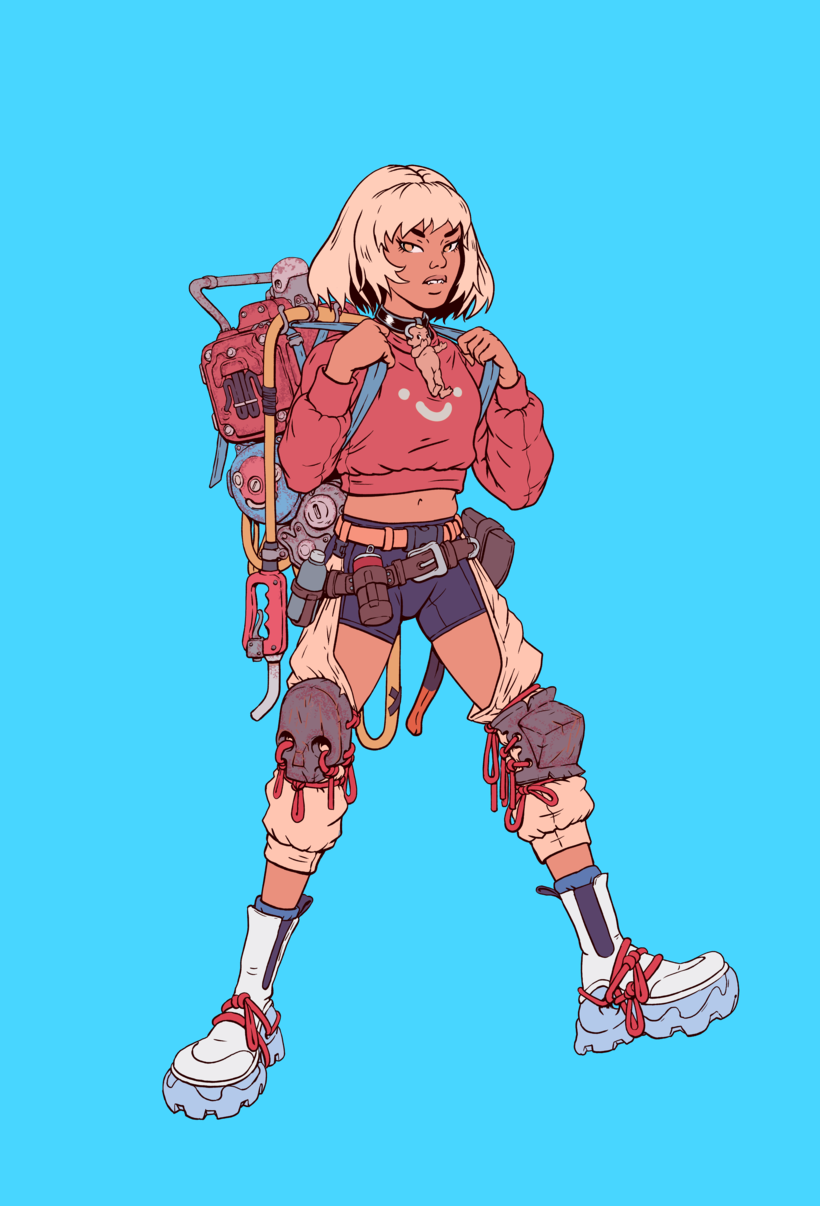
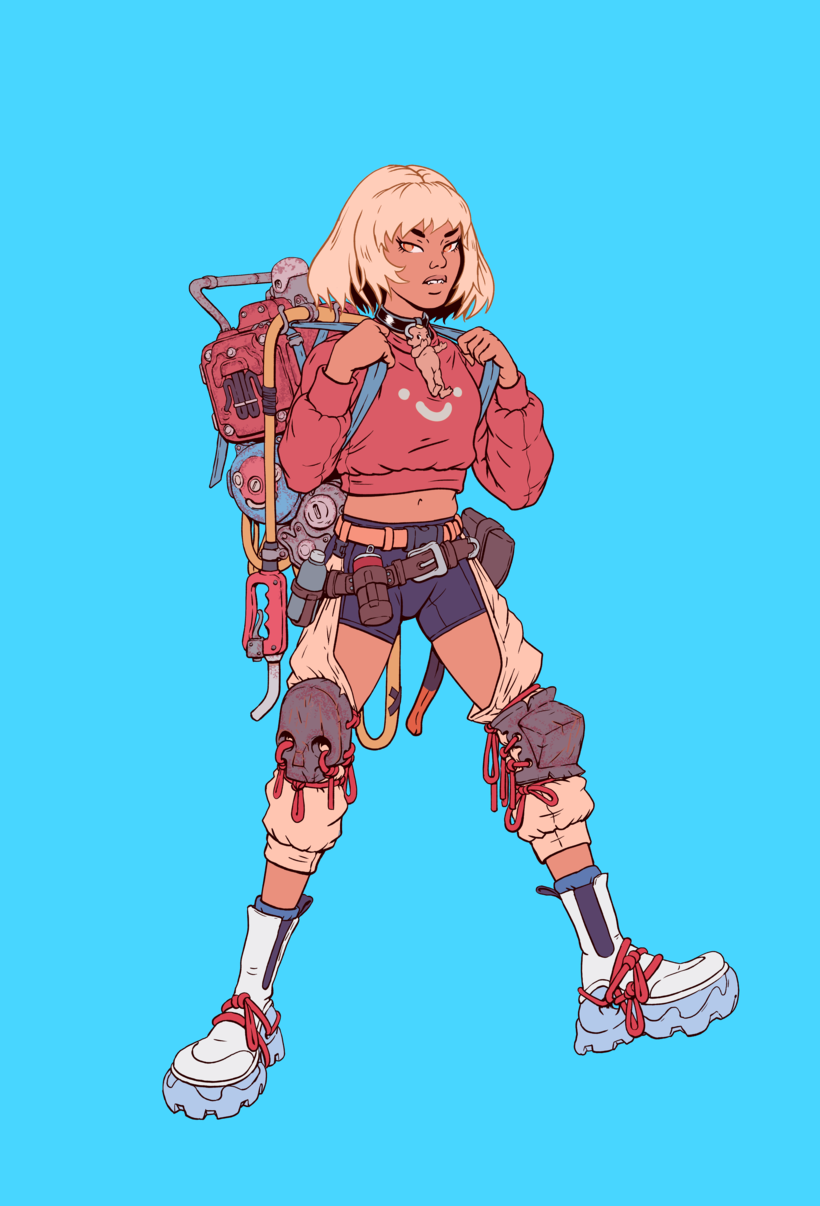
Eindproject van de cursus
Een cursus van Max Prentis , Illustrator





Over het eindproject van de cursus: Illustreer futuristische karakters, van concept tot creatie
Futuristische karakterillustratie: van concept tot creatie
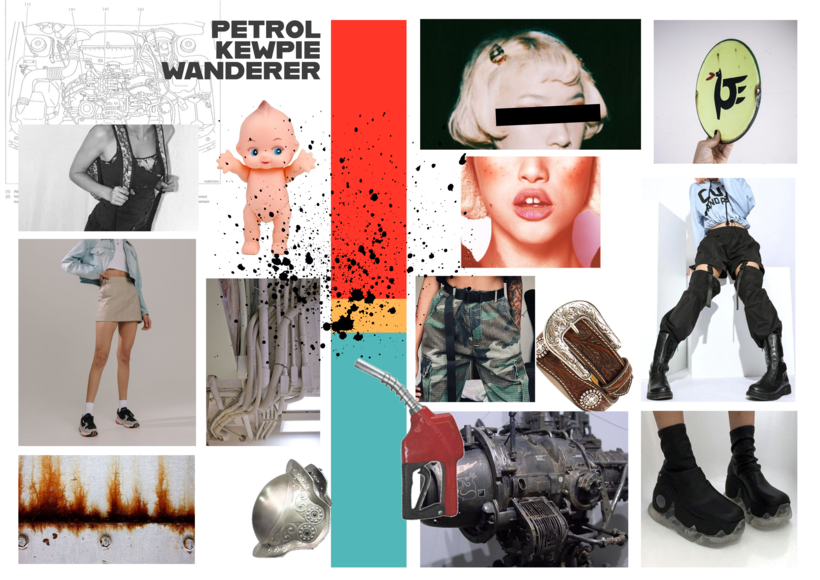
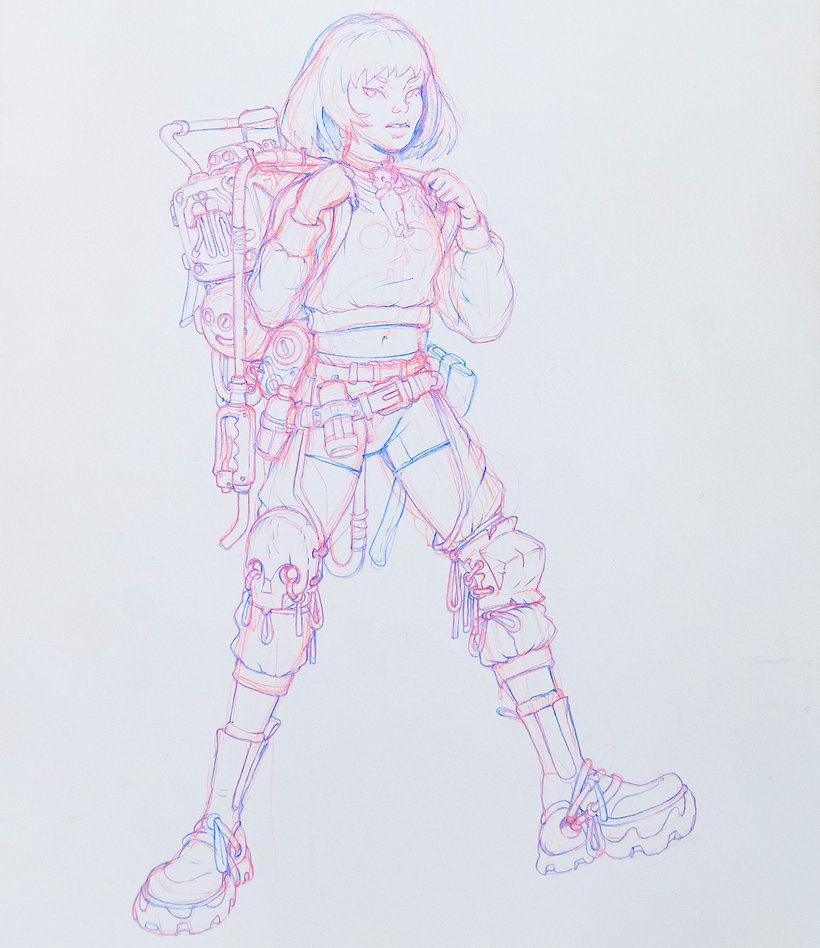
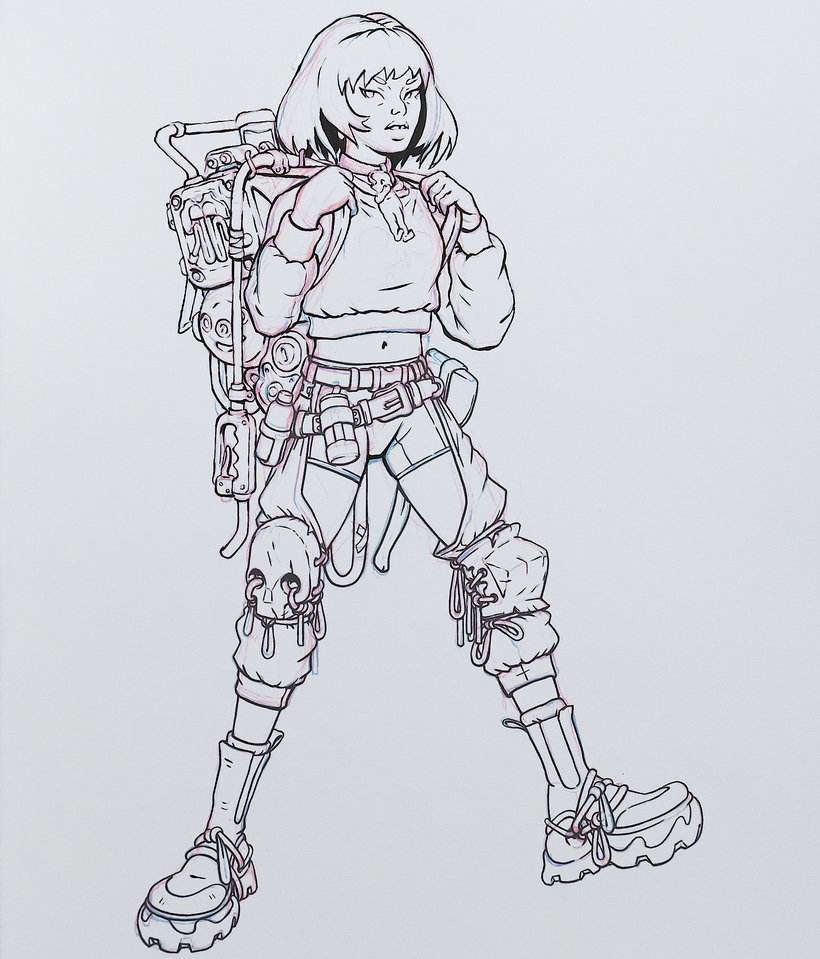
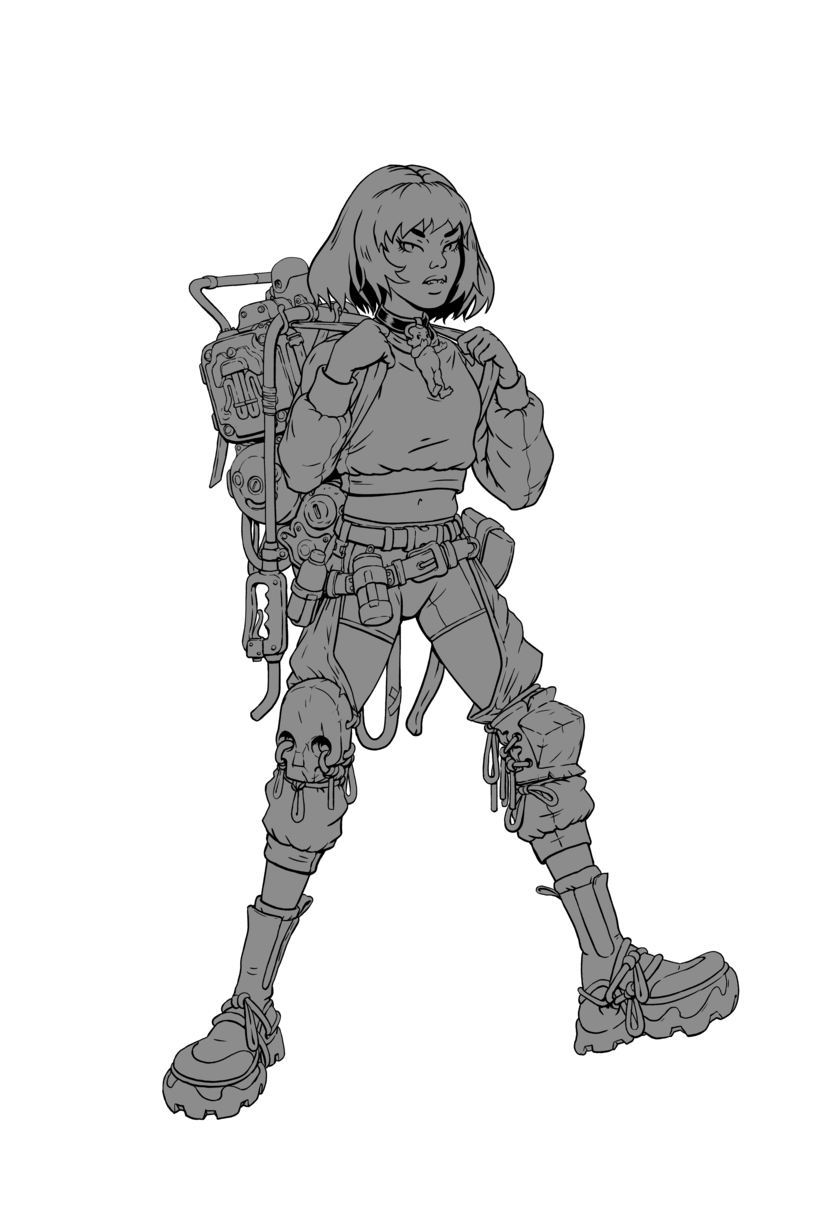
“Thank you so much for taking part in this course and I hope you've enjoyed it. It's now time to work on your project. This could mean finishing the character you started by completing the course tasks or making a brand-new project! Either way, I strongly suggest you take the time to gather inspiration and make a unique project of your own. Make sure to keep track of your progress with different pictures of each step. It'd be great if you could also explain the choices you've made along the way and tell us if you have any doubts. This will help me guide you better if you need advice. Here are the main steps to follow: The Mood Board Make a mood board that will inspire you to create the best character possible. I recommend gathering a large variety of poses, clothing, items, and things to spark unique ideas.
Gedeeltelijke transcriptie van de video
“Laatste project Bedankt voor het volgen van deze les. Ik hoop dat je het leuk vond. We zullen een paar stappen doornemen om uw uiteindelijke project te voltooien. Vergeet niet te oefenen met het tekenen van objecten en mensen. Hoe meer je doet, hoe beter je zult zijn. Denk er ook aan om altijd met je brush pen te oefenen. In het begin kan het frustrerend zijn, maar de beloningen aan het einde zijn het zeker waard. Onthoud altijd dat je klein moet beginnen als je aan het tekenen bent. Het is geen schande om klein te beginnen en dit in de loop van de tijd op te bouwen. Je zult veel meer succe...”
Deze transcriptie wordt automatisch gegenereerd en er kunnen typefouten in staan.
Samenvatting van de cursus: Illustreer futuristische karakters, van concept tot creatie
-
Categorie
Illustratie -
Software
Adobe Photoshop -
Domeinen
Illustratie met inkt, Tekening, Digitale illustratie, Ontwerp van personages, Traditionele illustratie

Max Prentis
Een cursus van Max Prentis
Max Prentis is een freelance illustrator die gespecialiseerd is in inkt en digitale kunst voor op karakter gerichte illustratie. Aangemoedigd door zijn ouders begon hij al op jonge leeftijd te tekenen en ging hij uiteindelijk illustratie studeren. Na zijn afstuderen begon hij zijn kunst te delen op sociale media voordat hij zich in 2016 fulltime op zijn freelancewerk ging concentreren.
Gedurende zijn carrière heeft Max gewerkt met merken als Intel, Google, Nike en Avex, en met animatiebedrijven als Goldenwolf, Cartoon Network en Nexus. Hij werkte ook met muzikant Tokimonsta's op haar Grammy-genomineerde album Lune Rouge. Naast zijn werk voor klanten, blijft Max zijn werk delen met meer dan 130.000 volgers op Instagram.
- 100% positieve beoordelingen (39)
- 1.948 studenten
- 19 lessen (3u 44m)
- 16 aanvullende bronnen (6 bestanden)
- Online en in je eigen tempo
- Beschikbaar in de app
- Audio: Engels, Spaans, Frans, Italiaans, Portugees, Türkçe
- Engels · Spaans · Portugees · Duits · Frans · Italiaans · Pools · Nederlands · Türkçe
- Niveau: Beginner
- Onbeperkte toegang voor altijd
Aanbevolen software en tools voor deze cursus
 Adobe Photoshop
Categorie
Domeinen

