Creative Studio Photography with Scale Models
Kursus oleh Felix Hernandez Dreamphography, Fotografer dan direktur kreatif

Bergabung sejak Juli 2015



Create realistic scenes with toys and the light painting technique
Bergabung sejak Juli 2015

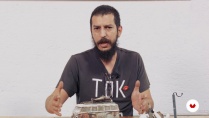
Ever wanted to make jaw-droppingly realistic scenes for your photos? Félix Hernández–photographer, model maker, and digital artist specialized in toy photography–teaches you the techniques and secrets to take pictures with scale models and trick the eye to make them look like part of a real scene.
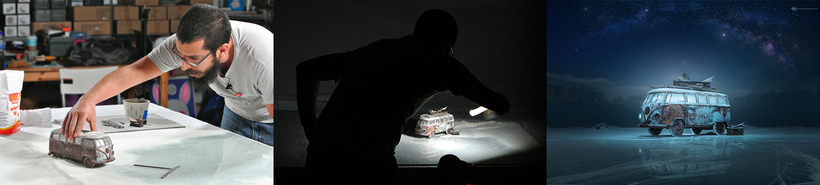
In this online course, discover Felix's entire creative process, which includes choosing the model to photograph, preparing the set, designing the lighting, performing effects in the studio, digital post-production, and color grading in Photoshop.
Apa yang akan Anda pelajari dalam kursus daring ini?
1 pelajaran & 1 unduhan
Apa yang termasuk dalam kursus ini?
Begin by learning more about the work of Félix Hernández and his influences, as well as an introduction to the world of toy and scale model photography.
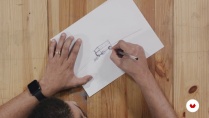
Devise a story from an image and define the style, composition, and lighting from a sketch.
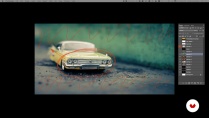
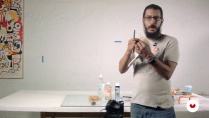
Félix explains some aspects of working with scale models, their advantages and disadvantages, as well as some useful poses. Discover the materials and equipment needed to portray a scene, then learn to design your own lighting with the light painting technique using a simple LED flashlight.
Once the scene is defined, Félix tells you about the optimal lenses, diaphragms, and focal lengths for the type of lighting that will help you take several shots of your scene.
Finally, learn to manipulate the image in digital post-production by inserting backgrounds, adding extra elements to give it a higher degree of realism, then do the final color grading for your composition.
- 100% ulasan positif ( 516 )
- 1 siswa
- 1 pelajaran ( 1 jam 1m )
- 1 sumber daya tambahan (1 berkas)
- Online dan sesuai kecepatan Anda sendiri
- Tersedia di aplikasi
- Audio: Spanyol, Bahasa inggris, Perancis, Italia, Portugis, Turki
- Spanyol · Bahasa inggris · Portugis · Jerman · Perancis · Italia · Polandia · Belanda · Turki
- Tingkat: Pemula
- Akses tak terbatas selamanya
Perangkat lunak & alat yang direkomendasikan untuk kursus ini
 Adobe Photoshop
Apa proyek kursus ini?
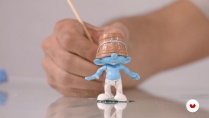
Create a realistic image using scale models, items that can mostly be found at home, with the aim of tricking the viewer's eye into believing that what they see is a life-size image.
Proyek oleh mahasiswa kursus


Untuk siapa kursus daring ini?
Photographers, designers, editors, and any creative who wants to give their craft a unique twist and create with imagination.
Persyaratan dan bahan
Basic notions of photography and digital post-production with Photoshop are required.
As for materials, you need a professional or semi-professional digital camera that allows you to take pictures manually (bulb) and in RAW format, a small LED flashlight, a tripod, a scale model (preferably a 1/24 or 1/18 scale model car), and a computer with Photoshop.

Ulasan

Felix Hernandez Dreamphography
Kursus oleh Felix Hernandez Dreamphography
Sebagai seorang fotografer, desainer grafis, dan seniman digital, ia telah dikenal di industri ini berkat karya fotografinya dengan model skala. Karya Félix Hernández telah dipublikasikan di berbagai majalah seperti Retouched Magazine, Docma Germany, D...
Isi
-
U 1
Introduction
-
Presentation
-
Influences
-
Toy Photography: a brief introduction - Part I
-
Toy Photography: a brief introduction - Part II
-
-
U 2
Preproduction
-
Creation of the concept
-
Our model
-
Materials and Equipment
-
Material tips
-
-
U 3
Production
-
Lighting: Light painting
-
The scene
-
Shooting test - Part I
-
Shooting test - Part II
-
Final shooting
-
-
U 4
Postproduction
-
Prepared digital file
-
Digital negative
-
Composite - Part I
-
Composite - Part II
-
Composite - Part III
-
Composite - Part IV
-
Composite - Part V
-
Composite - Part VI
-
Color grading - Part I
-
Color grading - Part II
-
Final output
-
-
FP
Proyek akhir
-
Creative photography in studio with scale models
-
Apa yang diharapkan dari kursus Domestika
-
Belajar dengan kecepatan Anda sendiri
Nikmati belajar dari rumah tanpa jadwal tetap dan dengan metode yang mudah diikuti. Anda bisa mengatur kecepatan belajar Anda sendiri.
-
Belajar dari para profesional terbaik
Pelajari metode dan teknik berharga yang dijelaskan oleh para ahli terkemuka di sektor kreatif.
-
Bertemu dengan guru ahli
Setiap pakar mengajarkan apa yang paling mereka kuasai, dengan pedoman yang jelas, semangat yang membara, dan wawasan profesional dalam setiap pelajaran.
-
Sertifikat
PlusJika Anda anggota Plus, dapatkan sertifikat khusus yang ditandatangani oleh pengajar Anda untuk setiap mata kuliah. Bagikan di portofolio, media sosial, atau di mana pun Anda suka.
-
Dapatkan kursi baris depan
Video berkualitas tinggi, jadi Anda tidak akan melewatkan satu detail pun. Dengan akses tak terbatas, Anda dapat menontonnya sesering yang Anda butuhkan untuk menyempurnakan teknik Anda.
-
Berbagi pengetahuan dan ide
Ajukan pertanyaan, minta masukan, atau tawarkan solusi. Bagikan pengalaman belajar Anda dengan siswa lain di komunitas yang sama bersemangatnya dengan Anda dalam hal kreativitas.
-
Terhubung dengan komunitas kreatif global
Komunitas ini merupakan rumah bagi jutaan orang dari seluruh dunia yang ingin tahu dan bersemangat untuk mengeksplorasi dan mengekspresikan kreativitas mereka.
-
Tonton kursus yang diproduksi secara profesional
Domestika menyusun daftar guru dan memproduksi setiap kursus secara internal untuk memastikan pengalaman belajar daring berkualitas tinggi.
Tanya Jawab Umum
You’ll learn how to organize, select, and edit digital images using Adobe Bridge, Camera Raw, and Photoshop, streamlining your workflow from file import to creating complex composites and managing color grading.
Yes, this course is designed for those with basic knowledge who want to deepen their skills in digital photo post-production and composition using Bridge and Photoshop.
It’s not required, but having basic digital editing skills is recommended. The course starts by covering essential functions of Bridge and Camera Raw to bring beginners up to speed.
You’ll need Adobe Bridge, Photoshop, and Camera Raw installed on your computer, plus a digital camera to practice downloading and managing images.
In Adobe Bridge, you can view, rate, and tag images using sorting tools and color labels, making it easy to efficiently pick the best photos for your project.
Working with RAW files in Camera Raw lets you make non-destructive adjustments to exposure, white balance, and lens correction, ensuring the highest quality before advanced editing in Photoshop.
You can load multiple images as layers in Photoshop and use auto-align features, layer masks, and selection tools to precisely blend and combine elements.
 Adobe Photoshop
Excelente professor. Curso com técnicas bem explicadas em que nada fica de fora. Infelizmente, o plugin Nik Colletion, utilizado para acabamento, não é mais disponível gratuitamente.
I've followed Felix's work for several years. We're both of a similar age, and we share the same icon, such as Joel Grimes. The course is great. It takes you through his process; however, the one thing it cannot replace or offer is your creativity and imagination. You must bring those with you. Great course; my only gripe is the dubbing. As it's AI, it slows down or speeds up at the wrong time; it's not a hindrance. I'd go on and buy the other courses he offers on Domestika.
Vraiment un très bon prof, qui prend le temps de bien expliquer les choses et aussi donne pleins d'astuces. Top du top
Estupendo curso, muy bien explicado y muy práctico para maquetistas y coleccionistas de miniaturas.
I have learned a lot of new creative ways. Thank you very much.