Developing RAW Files on Lightroom Classic
Kursus oleh Edu Gómez , Fotografer

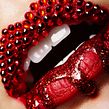


Learn how to develop your photos and create presets

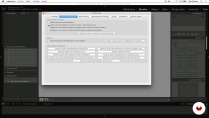
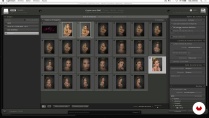
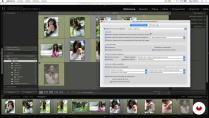
RAW photography allows you to make corrections to an image that previously required access to a dark room. In this online course, fashion and beauty photographer Edu Gómez teaches you how to develop your RAW files with Adobe Lightroom Classic.
Learn to use the program from scratch and how to get the most out of your images by making corrections or applying presets directly to a digital negative. Ready to explore the creative possibilities of working with RAW files?
Apa yang akan Anda pelajari dalam kursus daring ini?
1 pelajaran & 1 unduhan
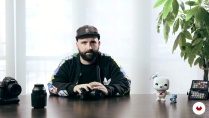
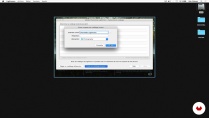
- 96% ulasan positif ( 447 )
- 1 siswa
- 1 pelajaran ( 1 jam 1m )
- 1 sumber daya tambahan (1 berkas)
- Online dan sesuai kecepatan Anda sendiri
- Tersedia di aplikasi
- Audio: Spanyol, Bahasa inggris, Perancis, Italia, Portugis, Turki
- Spanyol · Bahasa inggris · Portugis · Italia · Perancis · Turki
- Tingkat: Pemula
- Akses tak terbatas selamanya
Perangkat lunak & alat yang direkomendasikan untuk kursus ini
 Adobe Lightroom
 Adobe Photoshop
Apa proyek kursus ini?
Edit several different types of images in Lightroom and create a series of presets to use for future editing projects.
Proyek oleh mahasiswa kursus


Untuk siapa kursus daring ini?
Photographers, designers, retouchers, and anyone who wants to get started in the world of developing RAW files with Adobe Lightroom Classic and Photoshop.
Persyaratan dan bahan
Basic knowledge of Photoshop is recommended, but not essential.
To take this course, you need a camera and a computer with Adobe Photoshop and Lightroom Classic installed.

Ulasan
Edu Gómez
Kursus oleh Edu Gómez
Edu Gómez adalah seorang fotografer kecantikan dan komersial. Ia memulai kariernya di dunia desain, tetapi menemukan hasrat sejatinya pada tahun 2008, yaitu fotografi. Ia tinggal di antara Spanyol dan London, seorang profesor yang mengkhususkan diri da...
Isi
-
U 1
Introduction
-
Presentation
-
Influences
-
The Raw Format What is it and what is it for?
-
-
U 2
Introduction to Lightroom
-
Creating our first catalog
-
Interface and configuration
-
Importing images into the catalog
-
Library I: Visualization
-
Library II: Filter and label
-
Library III: Rename and move images
-
Library IV: Collections
-
Library V: Metadata, keywords and face detection
-
-
U 3
Revealed in Lightroom
-
Camera Calibration with Color Checker Passport
-
Crop Tool and Basic Settings
-
Tone Curve
-
HSL + Stain removal tool
-
Black and White + Virtual Copy
-
Split Tones
-
Detail
-
Lens corrections + Effects
-
From beginning to end. Gradients and adjustment brush. Snapshots
-
Presets!
-
-
U 4
Export in Lightroom
-
To export
-
Book Module
-
Web Module
-
Print module
-
Projection Module
-
-
U 5
Other developers and personal flow
-
Adobe Camera RAW + Bridge
-
Tour of Capture One
-
Personal work flow
-
-
FP
Proyek akhir
-
Revealed RAW files with Lightroom
-
Apa yang diharapkan dari kursus Domestika
-
Belajar dengan kecepatan Anda sendiri
Nikmati belajar dari rumah tanpa jadwal tetap dan dengan metode yang mudah diikuti. Anda bisa mengatur kecepatan belajar Anda sendiri.
-
Belajar dari para profesional terbaik
Pelajari metode dan teknik berharga yang dijelaskan oleh para ahli terkemuka di sektor kreatif.
-
Bertemu dengan guru ahli
Setiap pakar mengajarkan apa yang paling mereka kuasai, dengan pedoman yang jelas, semangat yang membara, dan wawasan profesional dalam setiap pelajaran.
-
Sertifikat
PlusJika Anda anggota Plus, dapatkan sertifikat khusus yang ditandatangani oleh pengajar Anda untuk setiap mata kuliah. Bagikan di portofolio, media sosial, atau di mana pun Anda suka.
-
Dapatkan kursi baris depan
Video berkualitas tinggi, jadi Anda tidak akan melewatkan satu detail pun. Dengan akses tak terbatas, Anda dapat menontonnya sesering yang Anda butuhkan untuk menyempurnakan teknik Anda.
-
Berbagi pengetahuan dan ide
Ajukan pertanyaan, minta masukan, atau tawarkan solusi. Bagikan pengalaman belajar Anda dengan siswa lain di komunitas yang sama bersemangatnya dengan Anda dalam hal kreativitas.
-
Terhubung dengan komunitas kreatif global
Komunitas ini merupakan rumah bagi jutaan orang dari seluruh dunia yang ingin tahu dan bersemangat untuk mengeksplorasi dan mengekspresikan kreativitas mereka.
-
Tonton kursus yang diproduksi secara profesional
Domestika menyusun daftar guru dan memproduksi setiap kursus secara internal untuk memastikan pengalaman belajar daring berkualitas tinggi.
Tanya Jawab Umum
You’ll master beauty photography techniques, color management, natural retouching, model direction, professional editing of RAW and DNG files, plus advanced image organization in Lightroom and Photoshop.
Yes, this course is designed for those with basic photography skills who want to deepen their knowledge of beauty techniques, retouching, and advanced digital file management.
It’s recommended to have basic photography knowledge and some experience with Lightroom and Photoshop to fully benefit from the course.
You’ll need a digital camera capable of shooting in RAW, a computer with Adobe Lightroom and Photoshop installed, and internet access to download files and resources.
RAW files keep all the sensor data intact, JPGs are processed and compressed, and DNG is a universal RAW format that saves space and simplifies file management.
You’ll learn how to create catalogs, import images, add metadata, use keywords, collections, and filters to efficiently organize your photos.
Yes, the course covers natural retouching techniques that preserve skin texture and advanced color handling for beauty and fashion portraits.
 Adobe Lightroom
 Adobe Photoshop
Ya usaba Lightroom pero este curso me permitió aprender y descubrir una manera de trabajar mas profesional
Ya uso lightroom pero es un cueso muy útil!!!!! bien explicado
Excelene! si no tienes conocimiento explica muy bien el interface y el area de trabajo de LightRoom
A pesar de que ya conozco Lightroom bastante bien, este curso me ha servido para repescar y repensar muchos aspectos tantos de la interfaz coomo del revelado. Está bien explicado y con ejemplos prácticos.
Ya utilizaba lightroom, pero el curso me ha servido para conocer su potencial mucho mejor y más a fondo! Recomendable 100%