Design an Interactive Publication with InDesign and Bütton
New document and first tools 1
Kursus oleh Sergio Ortiz , Desainer grafis

Bergabung sejak Desember 2013
Bergabung sejak Desember 2013
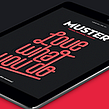

Tentang video: New document and first tools 1
Ringkasan
“In this lesson, I will show you what my workspace looks like and I will show you how to customize it to make it more comfortable to work with. You will also see the ways to preview our documents using the Preview button, Export, or Web Viewer. I will also start by explaining some tools to help you become confident with their use. You will learn how to use: Add Page, Text Scrolling, Article Properties, and Bounce.”
Dalam pelajaran video ini Sergio Ortiz membahas topik: New document and first tools 1 , yang merupakan bagian dari kursus online Domestika: Design an Interactive Publication with InDesign and Bütton . Turn reading catalogs, magazines or portfolios into a unique experience by adding animations, music, links and a wide variety of effects .
Ringkasan kursus untuk: Design an Interactive Publication with InDesign and Bütton
-
Kategori
Desain -
Perangkat lunak
Adobe InDesign, Adobe Photoshop -
Daerah
Desain Digital, Desain Editorial, Desain Grafis, Desain Informasi

Sergio Ortiz
Kursus oleh Sergio Ortiz
Lahir di Barcelona, Sergio Ortiz bukan hanya seorang desainer grafis, tetapi juga sangat antusias dengan desain dan segala hal yang berkaitan dengannya. Dalam karyanya, ia berupaya menciptakan produk-produk inovatif dan menarik secara visual, meningkat...
- 94% ulasan positif ( 362 )
- 1 siswa
- 1 pelajaran ( 1 jam 1m )
- 1 unduhan
- Online dan sesuai kecepatan Anda sendiri
- Tersedia di aplikasi
- Audio: Spanyol, Bahasa inggris, Perancis, Italia, Portugis, Turki
- Spanyol · Bahasa inggris · Portugis · Jerman · Perancis · Italia · Polandia · Belanda · Turki · Rumania · Indonesia
- Tingkat: Pemula
- Akses tak terbatas selamanya
Perangkat lunak & alat yang direkomendasikan untuk kursus ini
 Adobe InDesign
 Adobe Photoshop
Kategori
Daerah

