Colorful City Portraits: Illustrate Your Favorite Place
A course by Alex Foster , Illustrator

Joined October 2020
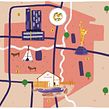
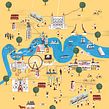

Capture the essence of the place you love using mixed digital techniques

Take a visual trip down memory lane by illustrating the structures and buildings of a city you love. Illustrator Alex Foster shows you how to depict urban structures in your own style, using your favorite drawing tools and Adobe Photoshop.
Draw a city portrait by exploring a series of original techniques. Mix analog and digital drawing methods to create a unique and colorful city portrait that stays true to your style. Are you ready to rediscover your favorite city?
What will you learn in this online course?
13 lessons & 32 downloads


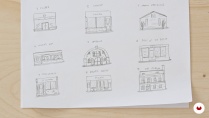
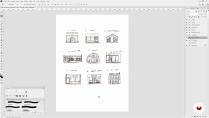
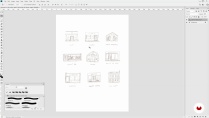
- 99% positive reviews (103)
- 2,385 students
- 13 lessons (2h 21m)
- 32 additional resources (1 files)
- Online and at your own pace
- Available on the app
- Audio: English
- Spanish · English · Portuguese · German · French · Italian · Polish · Dutch · Turkish · Romanian · Indonesian
- Level: Beginner
- Unlimited access forever
What is this course's project?
Illustrate a portrait of a city you love using both manual and digital techniques.
Projects by course students


Who is this online course for?
This course is suitable for illustrators of all levels who want to learn how to illustrate city portraits using image-editing software.
Requirements and materials
You don’t need previous drawing experience as Alex starts with the basics.
As for materials, you can use any materials you like (pencils, watercolors, or other), paper, a computer with Adobe Photoshop or any other image-editing software, and a scanner or camera to upload your artwork.

Reviews

Alex Foster
A course by Alex Foster
Alex Foster is a freelance illustrator from Margate, UK who specializes in map illustration and children’s illustration. He is known for launching a personalized House Portrait service on his online shop, where customers can request a custom illustration of their home. He has created over 400 House Portraits, and regularly updates his online shop with limited edition print collections of maps and city portraits.
His list of clients include Penguin Random House, Air Canada, American Express, Airbnb, Expedia, and English Heritage. Alex has been exhibited internationally and has received a World Illustration Award from the Association of Illustrators in 2015.
Content
-
U1
Introduction
-
About Me
-
Influences
-
-
U2
Formulating Your Idea
-
What Is and How to Make the Portrait of a City?
-
Research and Save Images
-
Materials
-
-
U3
Creating Your Artwork
-
Sketch Out Ideas on Paper
-
Bringing Your Rough and Textures in Photoshop
-
Preparing Your Digital Canvas and Preparing for Colour
-
Drawing Buildings
-
Adding Colour
-
Textures
-
-
U4
Final Touches and Preparing for Print
-
Final Touches
-
Printing and Presenting
-
-
FP
Final project
-
Ilustrated City Portrait
-
What to expect from a Domestika course
-
Learn at your own pace
Enjoy learning from home without a set schedule and with an easy-to-follow method. You set your own pace.
-
Learn from the best professionals
Learn valuable methods and techniques explained by top experts in the creative sector.
-
Meet expert teachers
Each expert teaches what they do best, with clear guidelines, true passion, and professional insight in every lesson.
-
Certificates
PlusIf you're a Plus member, get a custom certificate signed by your teacher for every course. Share it on your portfolio, social media, or wherever you like.
-
Get front-row seats
Videos of the highest quality, so you don't miss a single detail. With unlimited access, you can watch them as many times as you need to perfect your technique.
-
Share knowledge and ideas
Ask questions, request feedback, or offer solutions. Share your learning experience with other students in the community who are as passionate about creativity as you are.
-
Connect with a global creative community
The community is home to millions of people from around the world who are curious and passionate about exploring and expressing their creativity.
-
Watch professionally produced courses
Domestika curates its teacher roster and produces every course in-house to ensure a high-quality online learning experience.
FAQs
What are Domestika's online courses?
Domestika courses are online classes that allow you to learn new skills and create incredible projects. All our courses include the opportunity to share your work with other students and/or teachers, creating an active learning community. We offer different formats:
Original Courses: Complete classes that combine videos, texts, and educational materials to complete a specific project from start to finish.
Basics Courses: Specialized training where you master specific software tools step by step.
Specialization Courses: Learning paths with various expert teachers on the same topic, perfect for becoming a specialist by learning from different approaches.
Guided Courses: Practical experiences ideal for directly acquiring specific skills.
Intensive Courses (Deep Dives): New creative processes based on artificial intelligence tools in an accessible format for in-depth and dynamic understanding.
When do the courses start and when do they finish?
All courses are 100% online, so once they're published, courses start and finish whenever you want. You set the pace of the class. You can go back to review what interests you most and skip what you already know, ask questions, answer questions, share your projects, and more.
What do Domestika's courses include?
The courses are divided into different units. Each one includes lessons, informational text, tasks, and practice exercises to help you carry out your project step by step, with additional complementary resources and downloads. You'll also have access to an exclusive forum where you can interact with the teacher and with other students, as well as share your work and your course project, creating a community around the course.
Have you been given a course?
You can redeem the course you received by accessing the redeeming page and entering your gift code.

I enjoy the sincerity and simplicity of his approach. One of my favorites. Would love more classes from him.
I was drawn to Alex’s course by the simplicity and charm of his illustrations. I have had an interest in map-making lately so this was a perfect fit for me. This course showed me that it is possible to create artwork that is very visually appealing without being bogged down with the idea of perfectionism — something I tend to do! I love watching how others work and Alex did not disappoint. I always pick up something new —a technique or tip — or even realize that I may have an easier way!
Very helpful and inspiring course that allows you to create unique posters! Great tips!
Nice tutorial ! Thank you
This is fantastic. I love creating maps with illustrations and have learnt some great new techniques. I'm about to travel overseas and will definitely be using these techniques to create a map of my travels. Thanks Alex.