3D Character Modeling
Kursus oleh Luis Gomez-Guzman , Pemodel dan Pemahat 3D

Bergabung sejak 2013
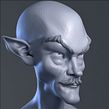


Design and model the bust of a digital sculpture with ZBrush
Bergabung sejak 2013

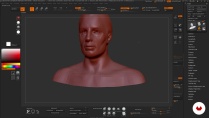
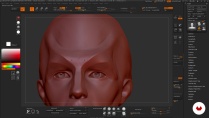
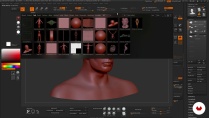
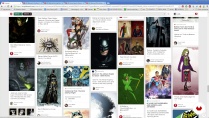
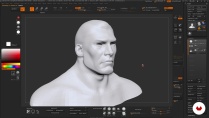
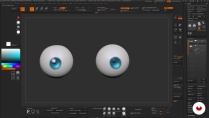
Want to learn how to sculpt and shape characters digitally? In this online course, 3D modeler and sculptor Luis Gómez-Guzmán teaches you how to model the bust of a 3D character from a sketch using Pixologic ZBrush.
Learn the ins and out of this program and the fundamental concepts of 3D to create professional-looking character models. By the end, you'll have a digital sculpture you can add to your portfolio or even 3D print.
Apa yang akan Anda pelajari dalam kursus daring ini?
1 pelajaran & 1 unduhan
- 93% ulasan positif ( 380 )
- 1 siswa
- 1 pelajaran ( 1 jam 1m )
- 1 sumber daya tambahan (1 berkas)
- Online dan sesuai kecepatan Anda sendiri
- Tersedia di aplikasi
- Audio: Spanyol, Bahasa inggris, Perancis, Italia, Portugis, Turki
- Spanyol · Bahasa inggris · Portugis · Italia · Perancis · Turki
- Tingkat: Pemula
- Akses tak terbatas selamanya
Perangkat lunak & alat yang direkomendasikan untuk kursus ini
 ZBrush
Apa proyek kursus ini?
Sculpt and model the bust of a 3D character, adding texture, lighting, and color, and create a turntable to provide a 360º view of your model.
You can also make a brief video showing the steps you followed to share your experience with other students or include in your portfolio.
Proyek oleh mahasiswa kursus


Untuk siapa kursus daring ini?
Illustrators, graphic artists, designers, and anyone who wants to get started in 3D art and learn to work with ZBrush.
Persyaratan dan bahan
No previous knowledge is required to take this course.
As for materials, you need a mid-range to high-end computer with a 3D sculpting program installed, preferably ZBrush.

Ulasan

Luis Gomez-Guzman
Kursus oleh Luis Gomez-Guzman
Luis Gómez Guzmán adalah seniman 3D veteran yang mengkhususkan diri dalam pemodelan, pemahatan, dan tekstur.
Ia memulai kariernya sebagai modeler dan animator di Madrid sebelum pindah ke Inggris untuk bekerja di bidang animasi 3D untuk gim video. S...
Isi
-
U 1
Introduction
-
Presentation of my work
-
Influences
-
-
U 2
ZBrush
-
Knowing Zbrush: interface and environment
-
How to use ZBrush I
-
How to use ZBrush II
-
-
U 3
The idea
-
Search for references
-
-
U 4
To model
-
Basic Character I
-
Basic Character II
-
Medium Character I
-
Middle Character II
-
Middle Character III
-
Difficult Character I
-
Difficult Character II
-
-
U 5
Color and presentation
-
Colour
-
Composition and turnaround
-
-
FP
Proyek akhir
-
Modeling 3D characters
-
Apa yang diharapkan dari kursus Domestika
-
Belajar dengan kecepatan Anda sendiri
Nikmati belajar dari rumah tanpa jadwal tetap dan dengan metode yang mudah diikuti. Anda bisa mengatur kecepatan belajar Anda sendiri.
-
Belajar dari para profesional terbaik
Pelajari metode dan teknik berharga yang dijelaskan oleh para ahli terkemuka di sektor kreatif.
-
Bertemu dengan guru ahli
Setiap pakar mengajarkan apa yang paling mereka kuasai, dengan pedoman yang jelas, semangat yang membara, dan wawasan profesional dalam setiap pelajaran.
-
Sertifikat
PlusJika Anda anggota Plus, dapatkan sertifikat khusus yang ditandatangani oleh pengajar Anda untuk setiap mata kuliah. Bagikan di portofolio, media sosial, atau di mana pun Anda suka.
-
Dapatkan kursi baris depan
Video berkualitas tinggi, jadi Anda tidak akan melewatkan satu detail pun. Dengan akses tak terbatas, Anda dapat menontonnya sesering yang Anda butuhkan untuk menyempurnakan teknik Anda.
-
Berbagi pengetahuan dan ide
Ajukan pertanyaan, minta masukan, atau tawarkan solusi. Bagikan pengalaman belajar Anda dengan siswa lain di komunitas yang sama bersemangatnya dengan Anda dalam hal kreativitas.
-
Terhubung dengan komunitas kreatif global
Komunitas ini merupakan rumah bagi jutaan orang dari seluruh dunia yang ingin tahu dan bersemangat untuk mengeksplorasi dan mengekspresikan kreativitas mereka.
-
Tonton kursus yang diproduksi secara profesional
Domestika menyusun daftar guru dan memproduksi setiap kursus secara internal untuk memastikan pengalaman belajar daring berkualitas tinggi.
Tanya Jawab Umum
You’ll learn how to sculpt busts and full characters in 3D from references, master ZBrush tools, apply anatomy and color techniques, prepare models for 3D printing, and professionally showcase your creations.
This is an intermediate-level course, perfect if you have some basic knowledge of 3D modeling or ZBrush. You don’t need to be an expert, but familiarity with digital sculpting concepts is recommended.
You’ll need a computer that supports ZBrush, access to the software (or a free alternative), and ideally a graphics tablet. Having reference images and internet access is also recommended.
Yes, the course teaches how to optimize, fix, and prepare digital models for 3D printing, including closing geometry and making technical adjustments to ensure successful prints.
The course covers facial and animal anatomy, proportions, volumes, and techniques to translate anatomical features into 3D models—essential for creating believable, expressive characters.
Yes, while the focus is on ZBrush, guidance and recommendations are provided for those using free alternatives compatible with digital sculpting workflows.
Yes, the course includes techniques for applying color and materials to digital sculptures, managing saturation, contrast, and finishes to enhance your characters’ presentation.
 ZBrush
Curso muito bom para iniciar no mundo 3D utilizando a ferramenta apresentada, ZBrush. Para os veteranos é uma boa forma de treinar e aprender algumas dicas também, e praticar mais pelo desafio.
Compré este curso que me enseñó lo básico de Zbrush y después de más de 7 años ahora soy profesional de 3D character art. Bueno, después de mucho llover. Zb no ha cambiado mucho su interface ni su workflow, han añadido nuevas cosas, claro, pero aunque sigas un curso de hace años te servirá mucho igualmente. Gracias profe.
Muy buen curso, sencillo, explica lo básico para comenzar a usar el software y sus ejemplos son breves y concisos, muy recomendable si eres nuevo en esto. Si no sabes usar el programa revisa bien antes de comprar otros cursos ya que consideran que sabes y solo modelan. Suerte
Está bien explicado, muy buen curso
Está bien explicado. Muy recomendable si es tu primera vez con el software. E incluso si es tu primera vez con el moldeado en 3d.