Rotoscoping: Draw an Animation Frame by Frame
Kursus oleh Gonzalo Cordero de Ciria , Pelukis, ilustrator, animator, juru gambar gerak dan pembuat papan cerita

Bergabung sejak Juli 2014
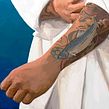
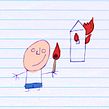
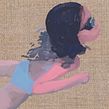

Learn to draw over a real image with Photoshop, Art Rage, and After Effects
Bergabung sejak Juli 2014

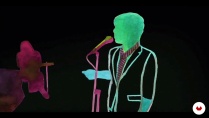
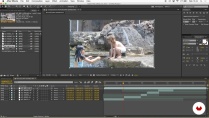
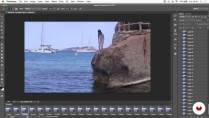
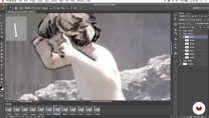
Gonzalo Cordero—illustrator, animator, and motion designer— teaches you to create a rotoscope. This animation technique consists of redrawing or tracing a video clip, which serves as a reference, frame by frame. The process allows the illustrator to transmit a greater level of naturalness and more realistic movement sequences, expressions, lighting and shadow, and proportions in their drawings.
In this online course, learn how to use a video clip as a foundation to generate your own artistic video creation, in your own style and with a moving paint-and-draw look.
Apa yang akan Anda pelajari dalam kursus daring ini?
1 pelajaran & 1 unduhan
- 97% ulasan positif ( 226 )
- 1 siswa
- 1 pelajaran ( 1 jam 1m )
- 1 sumber daya tambahan (1 berkas)
- Online dan sesuai kecepatan Anda sendiri
- Tersedia di aplikasi
- Audio: Spanyol, Bahasa inggris
- Spanyol · Bahasa inggris · Portugis · Jerman · Perancis · Italia · Polandia · Belanda · Turki
- Tingkat: Pemula
- Akses tak terbatas selamanya
Perangkat lunak & alat yang direkomendasikan untuk kursus ini
 Adobe After Effects
 Adobe Photoshop
Apa proyek kursus ini?
Carry out two projects. First, a personal one, based on a video clip of your choice or created by you, in which you use rotoscoping methods, and, secondly, a collaborative rotoscoping piece created over time between all the course students of an "exquisite corpse," starting from a common clip.
Proyek oleh mahasiswa kursus


Untuk siapa kursus daring ini?
Animators, illustrators, designers, and all those interested in the world of animation who like to draw and are curious about moving images. Also, any artists wanting to do something personalized and who are not afraid to dedicate time and patience.
Persyaratan dan bahan
No advanced knowledge of any software is required, as the course consists of very manual techniques. However, you do need a basic working knowledge of Photoshop and Art Rage, a very simple drawing and painting program, and know how to edit in After Effects, even if just to a basic level.
Regarding the materials, a graphics tablet highly recommended.

Baru mengenal Adobe After Effects ? Jika demikian, kami sarankan Anda mengikuti kursus Domestika Basics untuk mempelajari cara menggunakan perangkat lunak ini: Pengantar After Effects .
Ulasan

Gonzalo Cordero de Ciria
Kursus oleh Gonzalo Cordero de Ciria
Gonzalo Cordero mempelajari Seni Rupa dan selalu menjalin hubungan dekat dengan seni, menggambar, dan melukis. Ia kemudian bekerja di televisi (Televisión Española, Olimpiade, Canal+, Canal Satélite Digital, Cuatro, dll.), di mana ia mengembangkan mina...
Isi
-
U 1
About me and the Rotoscopia
-
Presentation
-
Influences and contemporary drawing
-
History of Rotoscopia
-
The creative Rotoscopia
-
-
U 2
Create your video clip for a Rotoscopy
-
Created or downloaded?
-
Editing the clip and things to keep in mind
-
Preparation of material for Rotoscopia
-
-
U 3
Draw the movement
-
Rotoscopy technique in Photoshop
-
Basic operation of the Art Rage
-
Rotoscoping in drawing in Art Rage - Part 1
-
Rotoscoping in drawing in Art Rage - Annex 1
-
Rotoscoping in drawing in Art Rage - Part 2
-
Rotoscoping in drawing in Art Rage - Annex 2
-
Rotoscoping in drawing in Art Rage - Part 3
-
Rotoscoping in drawing in Art Rage - Annex 3
-
Rotoscoping in drawing in Art Rage - Part 4
-
Rotoscoping in drawing in Art Rage - Annex 4
-
Rotoscoping in drawing in Art Rage - Part 5
-
Rotoscoping in drawing in Art Rage - Annex 5
-
Rotoscoping in drawing in Art Rage - Part 6
-
Rotoscoping in drawing in Art Rage - Part 7
-
Rotoscoping in drawing in Art Rage - Annex 7
-
Rotoscoping in drawing in Art Rage - Part 8
-
Rotoscoping in drawing in Art Rage - Annex 8
-
Rotoscoping in drawing in Art Rage - Part 9
-
Color and paint in a rotoscoping with Art Rage - Part 1
-
Color and paint in a rotoscoping with Art Rage - Annex 1
-
Color and paint in a rotoscoping with Art Rage - Part 2
-
Color and paint in a rotoscoping with Art Rage - Annex 2
-
Color and paint in a rotoscoping with Art Rage - Part 3
-
Color and paint in a rotoscoping with Art Rage - Annex 3
-
Color and paint in a rotoscoping with Art Rage - Part 4
-
Color and paint in a rotoscoping with Art Rage - Annex 4.1
-
Color and paint in a rotoscoping with Art Rage - Annex 4.2
-
Color and paint in a rotoscoping with Art Rage - Part 5
-
Color and paint in a rotoscoping with Art Rage - Annex 5
-
Color and paint in a rotoscoping with Art Rage - Part 6
-
Color and paint in a rotoscoping with Art Rage - Annex 6
-
Color and paint in a rotoscoping with Art Rage - Part 7
-
Color and paint in a rotoscoping with Art Rage - Annex 7
-
Color and paint in a rotoscoping with Art Rage - Part 8
-
Color and paint in a rotoscoping with Art Rage - Annex 8
-
Color and paint in a rotoscoping with Art Rage. Part 9
-
Color and paint in a rotoscoping with Art Rage - Annex 9
-
Color and paint in a rotoscoping with Art Rage - Part 10
-
Color and paint in a rotoscoping with Art Rage - Annex 10
-
Color and paint in a rotoscoping with Art Rage - Part 11
-
-
U 4
Reorder and edit the final clip
-
Retrieving the material and editing it in After Effects
-
Delivery of work to the client (if any) and promotion of work
-
Other ways, collaborative rotoscopy
-
-
FP
Proyek akhir
-
Rotoscopia: draw an animation frame by frame
-
Apa yang diharapkan dari kursus Domestika
-
Belajar dengan kecepatan Anda sendiri
Nikmati belajar dari rumah tanpa jadwal tetap dan dengan metode yang mudah diikuti. Anda bisa mengatur kecepatan belajar Anda sendiri.
-
Belajar dari para profesional terbaik
Pelajari metode dan teknik berharga yang dijelaskan oleh para ahli terkemuka di sektor kreatif.
-
Bertemu dengan guru ahli
Setiap pakar mengajarkan apa yang paling mereka kuasai, dengan pedoman yang jelas, semangat yang membara, dan wawasan profesional dalam setiap pelajaran.
-
Sertifikat
PlusJika Anda anggota Plus, dapatkan sertifikat khusus yang ditandatangani oleh pengajar Anda untuk setiap mata kuliah. Bagikan di portofolio, media sosial, atau di mana pun Anda suka.
-
Dapatkan kursi baris depan
Video berkualitas tinggi, jadi Anda tidak akan melewatkan satu detail pun. Dengan akses tak terbatas, Anda dapat menontonnya sesering yang Anda butuhkan untuk menyempurnakan teknik Anda.
-
Berbagi pengetahuan dan ide
Ajukan pertanyaan, minta masukan, atau tawarkan solusi. Bagikan pengalaman belajar Anda dengan siswa lain di komunitas yang sama bersemangatnya dengan Anda dalam hal kreativitas.
-
Terhubung dengan komunitas kreatif global
Komunitas ini merupakan rumah bagi jutaan orang dari seluruh dunia yang ingin tahu dan bersemangat untuk mengeksplorasi dan mengekspresikan kreativitas mereka.
-
Tonton kursus yang diproduksi secara profesional
Domestika menyusun daftar guru dan memproduksi setiap kursus secara internal untuk memastikan pengalaman belajar daring berkualitas tinggi.
Tanya Jawab Umum
Rotoscoping is an animation technique where you draw frame by frame over live-action footage to capture smooth, realistic movement. It’s used to create visual effects, blend pictorial styles, and experiment with combining traditional and digital media.
This course is designed for people with basic drawing and digital editing skills, ideal for intermediate learners. You don’t need to be an expert, but some familiarity with illustration or digital animation techniques is recommended.
You’ll learn rotoscoping methods, pictorial animation, digital collage, lip-syncing, media blending, video editing, and how to apply optical effects to craft expressive animations and innovative audiovisual projects.
You’ll need a computer, access to Photoshop and After Effects, ArtRage (or another digital painting program), a graphics tablet is recommended, and reference videos. It’s also helpful to have royalty-free images or clips for practice.
The course teaches you how to use digital tools like ArtRage to mimic oil painting techniques over rotoscoped video, blending layers, colors, and custom brushes to achieve painterly finishes in your animation.
Pictorial animation uses painting techniques and styles—like textures and brushstrokes—instead of flat lines and colors, aiming for a more artistic and expressive look.
You’ll learn how to visually plan scenes by structuring narrative, pacing, and transitions through key image sequences, making it easier to organize and maintain coherence in your animated project.
 Adobe After Effects
 Adobe Photoshop
super interesante! lo recomiendo para iniciarte en la tecnica de la rotoscopia
un curso muy interesante y recomendable
Corso molto interessante e creativo!
Excelente curso! Muy bien explicado y la técnica es preciosa. Puedes trasladar lo aprendido al estilo que manejes. Lo súper recomiendo.
Aprecio este curso ya que no hay tantos que traten sobre esta técnica. Me parece que la rotoscopia es una herramienta interesante para darle un toque distintivo a ciertos trabajos de diseño.