A course by Daniel Arranz MolineroProfessional photographer
A course by Daniel Arranz Molinero, Professional photographer
- 5.0100% positive reviews(1)
- 264 students
- 5 lessons (1h 12m)
- 1 additional resource (1 file)
- Online and at your own pace
- Available on the app
- Audio: Spanish, Turkish, Romanian, Indonesian, Dutch, Polish, Portuguese, German, Italian, French, English
- Spanish · English · Portuguese · German · French · Italian · Polish · Dutch · Turkish · Romanian · Indonesian
Level:
Beginner- Unlimited access forever

Create consistent Pixar-style character design with Make, Google Sheets, ChatGPT automation and Reve image generation
Learn to design a consistent Pixar‑style character and automatically generate hundreds of high‑quality images using Make, Google Sheets, Reve and ChatGPT. In this deep dive course, you will build a scalable visual production system that connects character design, AI image generation and workflow automation.
Step by step, you will define your character in a spreadsheet, transform that data into optimized prompts, and send them to Reve through Make to create 3D render images with stable faces, anatomy and style. You will learn to automate the creation of initial characters, change outfits while keeping proportions and expressions intact, and remix backgrounds and actions to place the same character in multiple scenes.
You will configure API connections, HTTP requests and format conversions between binary and base64 so that Google Drive, Reve and ChatGPT work seamlessly together. By the end, you will have a complete automated pipeline for character design, AI illustration and image production suitable for visual content, social media campaigns and creative projects that require consistent design at scale.
What will you learn in this online course?
5 lessons & 2 downloads
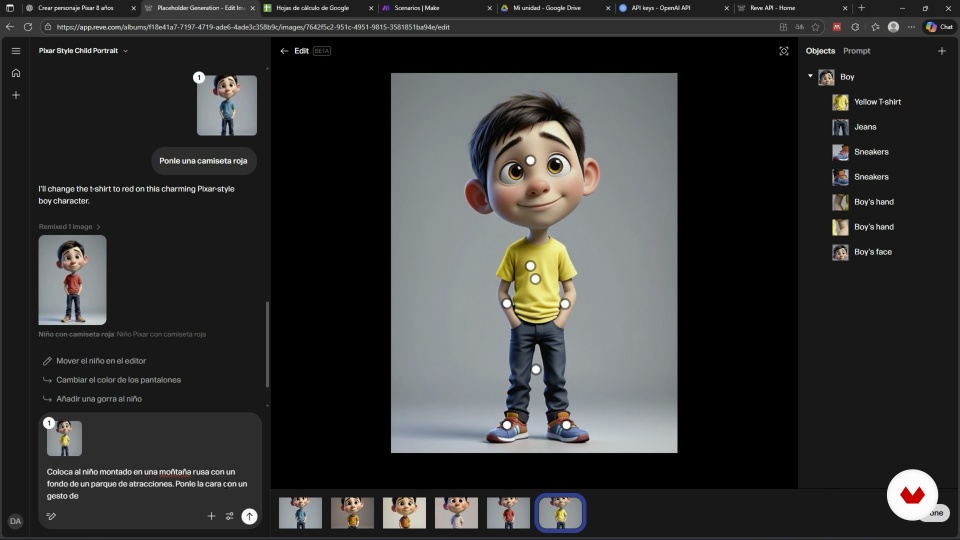
Creating Consistent Characters with Reve, ChatGPT, and Make
9 minutes, 45 seconds
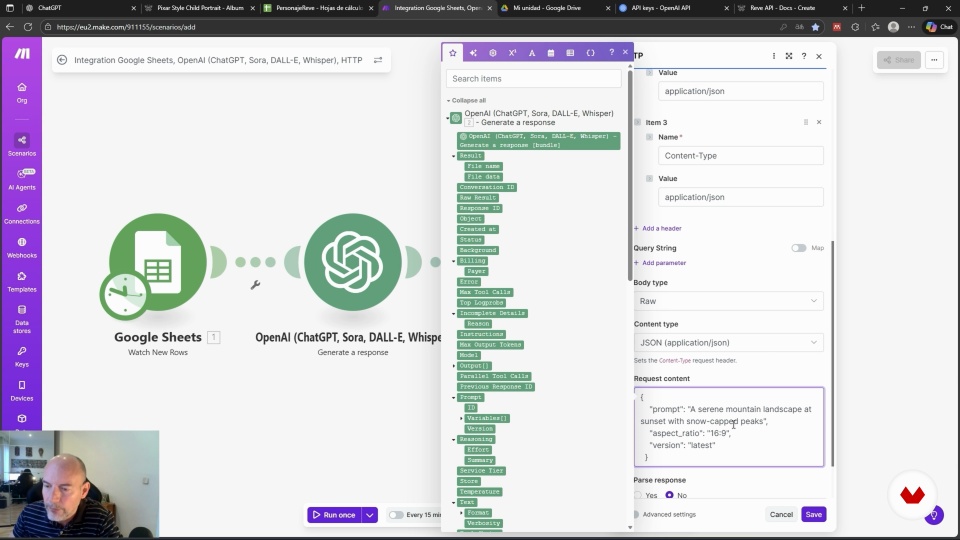
Automating the Full Character Pipeline in Make
21 minutes, 53 seconds
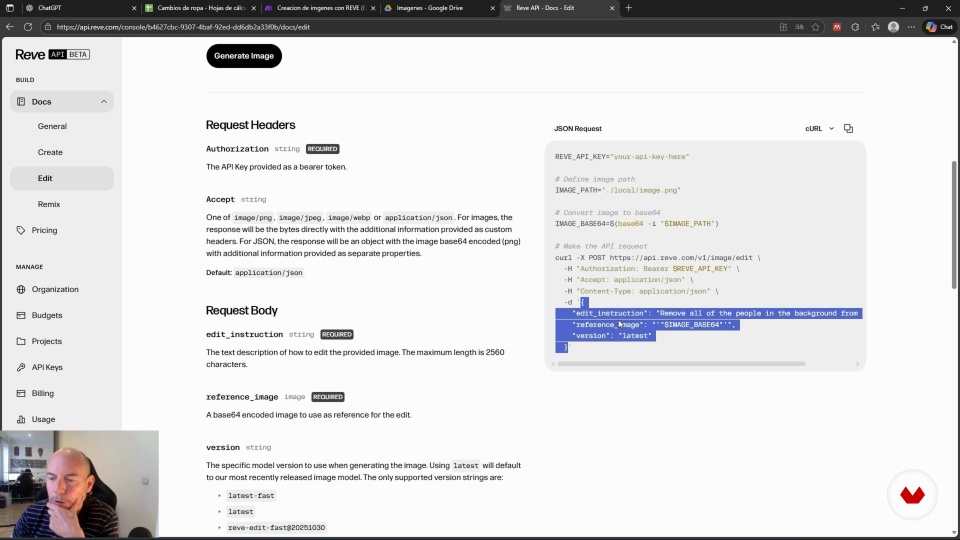
Automating Consistent Outfit Variations with Make, Google Sheets, and Reve
15 minutes, 54 seconds
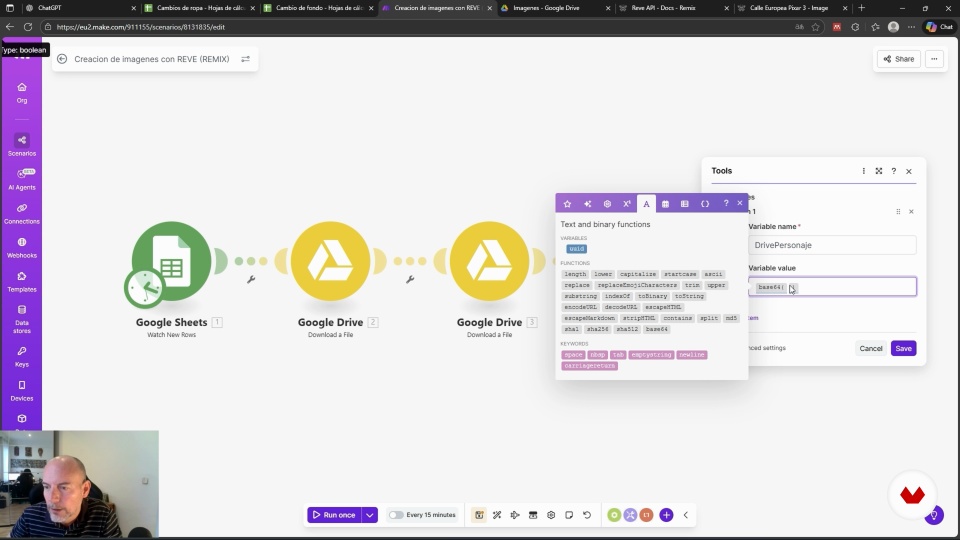
Automating Consistent Character Images with Background Changes
24 minutes, 2 seconds
What's included in this course?
Learn how to design a Pixar-style character using prompts, define its key attributes in Google Sheets, then connect everything with Make to generate hundreds of consistent images from a single model. Explore the Reve platform step by step, understand its create, edit and remix options, work with API keys, headers and JSON bodies, and set up robust HTTP calls. Convert, store and organize every result automatically in Google Drive while keeping full control over versions, styles and visual coherence.
Build several complete automations that change the character’s clothes, pose and background without losing identity. Configure smart prompts with ChatGPT, handle binary and base64 formats, resize assets when needed and update statuses, prompts and URLs in your spreadsheets. Finish with a reusable system capable of producing new scenes, outfits and actions on demand, so you only need to add rows to your sheets to launch fresh, fully consistent image batches.
Recommended software & tools for this course
What is this course's project?
Students will create a complete project using Make, Reve, and ChatGPT, integrating these tools to automate processes, improve communication, and optimize everyday tasks. They will learn to apply advanced techniques to maximize efficiency in their personal and professional projects.
Who is this online course for?
Digital creators, illustrators, educators, marketers, and automation enthusiasts seeking consistent Pixar-style characters through workflows that combine AI image generation, Google Sheets, and Make to produce large batches of customized visuals without manual repetition
Requirements and materials
No extensive experience required, just basic computer use, internet access, a Google account with Google Sheets and Drive enabled, a Reve account for image generation, a Make account, and an OpenAI account with an active API key.
Reviews
- 9 months ago
Muy entretenido e ilustrativo, y muy bien explicadas de como utilizar las herramientas. Siempre se aprende algo nuevo con Daniel Arranz Molinero que hace que Photoshop sea una Ciencia y una experiencia Mágica.
As a photographer, he is an expert in professional lighting, although his specialty is travel and street photography, and his works have obtained more than 40 awards in international competitions such as the Sony World Photography Awards (UK), IPA Awards (USA), Prix de la Photographie (France), International Loupe Awards (Australia), International Color Awards (USA), among others. He has also obtained national awards in El País, National Geographic Spain, Iberia, Eurostars Madrid Tower, and more.
His work has been exhibited in numerous national and international galleries, including the Somerset House in London.
Content
From One Character to a Thousand Images: Consistent Design and Automatic Production with Make
- From One Character to a Thousand Images: Course Overview
- Creating Consistent Characters with Reve, ChatGPT, and Make
- Automating the Full Character Pipeline in Make
- Automating Consistent Outfit Variations with Make, Google Sheets, and Reve
- Automating Consistent Character Images with Background Changes
- Final project
What to expect from a Domestika course
Learn at your own pace
Enjoy learning from home without a set schedule and with an easy-to-follow method. You set your own pace.
Learn from the best professionals
Learn valuable methods and techniques explained by top experts in the creative sector.
Meet expert teachers
Each expert teaches what they do best, with clear guidelines, true passion, and professional insight in every lesson.
Certificates
PLUSIf you're a Plus member, get a custom certificate signed by your teacher for every course. Share it on your portfolio, social media, or wherever you like.
Get front-row seats
Videos of the highest quality, so you don't miss a single detail. With unlimited access, you can watch them as many times as you need to perfect your technique.
Share knowledge and ideas
Ask questions, request feedback, or offer solutions. Share your learning experience with other students in the community who are as passionate about creativity as you are.
Connect with a global creative community
The community is home to millions of people from around the world who are curious and passionate about exploring and expressing their creativity.
Watch professionally produced courses
Domestika curates its teacher roster and produces every course in-house to ensure a high-quality online learning experience.
FAQs
You can combine Make and Google Sheets to automatically generate multiple versions of digital characters by defining variables like clothing, background, or pose in a spreadsheet, then using Make to produce and store images in bulk and with consistency.
Yes, the course is designed for people with intermediate skills in automation and digital design who want to learn advanced techniques for producing characters automatically and consistently.
You’ll need basic knowledge of digital design and spreadsheet management. Access to Google Sheets, Make, and AI image generation tools like Recraft or Rev.Com is required.
You’ll learn how to design consistent digital characters, organize data in Google Sheets, automate image generation, and manage integrated workflows using Make and image APIs.
Visual consistency is achieved by using a solid design foundation, clear rules in the spreadsheet, and automated workflows that maintain key character attributes across variations.
Yes, you’ll learn how to automate outfit and background changes for characters using parameters set in Google Sheets and workflows built in Make.
The course includes examples like automatically creating Pixar-style characters, generating outfit and scene variations, and automatically saving images to Google Drive.