From Sheet to Art: Generate Images with AI from Excel and Make
A course by Daniel Arranz MolineroProfessional photographer
A course by Daniel Arranz Molinero, Professional photographer
- 173 students
- 7 lessons (1h 19m)
- 1 additional resource (1 file)
- Online and at your own pace
- Available on the app
- Audio: Spanish, German, English, French, Indonesian, Italian, Dutch, Polish, Portuguese, Romanian, Turkish
- Spanish · English · Portuguese · German · French · Italian · Polish · Dutch · Turkish · Romanian · Indonesian
Level:
Beginner- Unlimited access forever

Automate AI image generation with Google Sheets, Make, ChatGPT, Stability AI for professional product design visuals
Transform any spreadsheet into a creative studio by combining automation, artificial intelligence and cloud tools. In this course, you will learn step by step how to generate images with AI from Excel or Google Sheets using Make, ChatGPT, Stability AI and DALL·E in a fully automated workflow.
Guided by Daniel Arranz, you will define product concepts, design a structured Google Forms questionnaire and connect it to Google Sheets to build a dynamic database. From there, you will configure scenarios in Make that read each row, send the text to ChatGPT to create optimized prompts, and feed those prompts to image generation models like Stable Diffusion XL, Stable Image Ultra and DALL·E 3.
You will also set up Google Drive to automatically store each rendered image, update the status of every record and save the final prompt and image URL in your sheet. Along the way, you will learn how to work with APIs, HTTP modules, Google Cloud Platform credentials and filters in Make so your automations only process pending items.
This course is ideal for designers, content creators, e‑commerce managers, marketers and anyone who wants to scale visual production without advanced programming knowledge. By the end, you will have a complete system for generating product images, marketing visuals and creative assets directly from a simple spreadsheet, ready to adapt to other AI design and automation projects.
What will you learn in this online course?
7 lessons & 2 downloads

Designing the Spreadsheet and Form for Automated Image Generation
13 minutes, 37 seconds
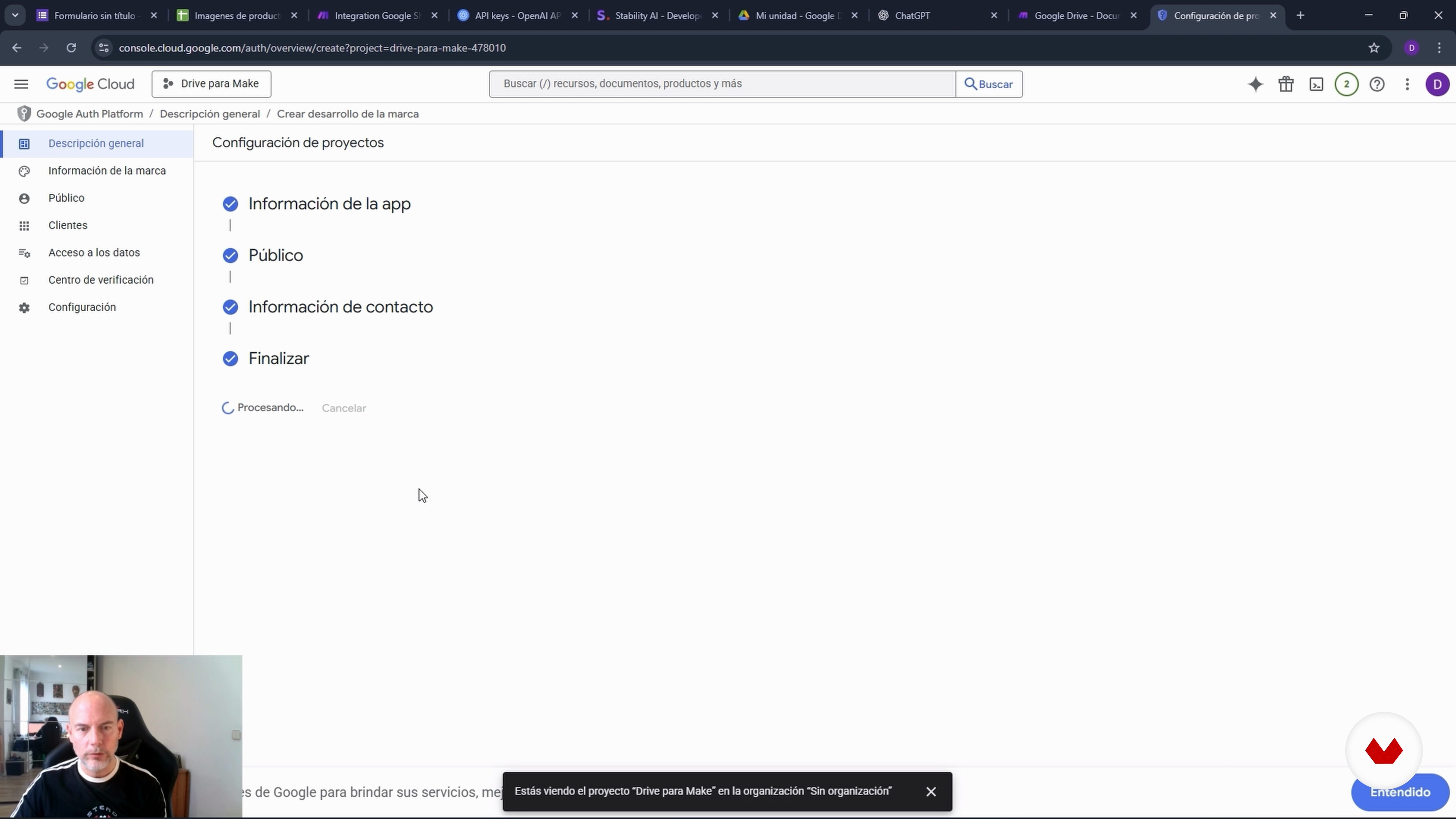
Connecting Stability AI and Google Drive in Make
22 minutes, 3 seconds
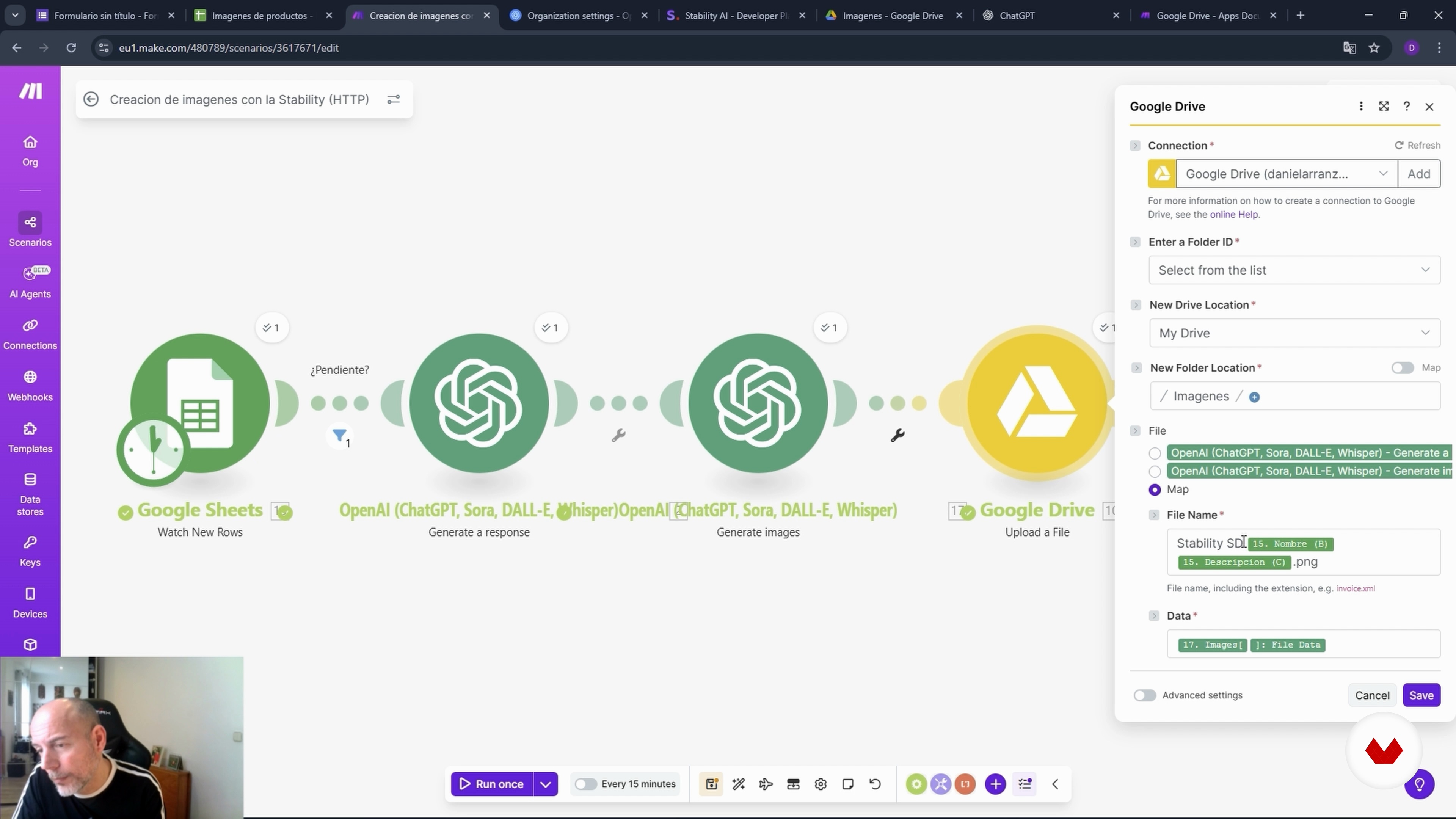
Automating Image Creation with ChatGPT in Make
7 minutes, 37 seconds
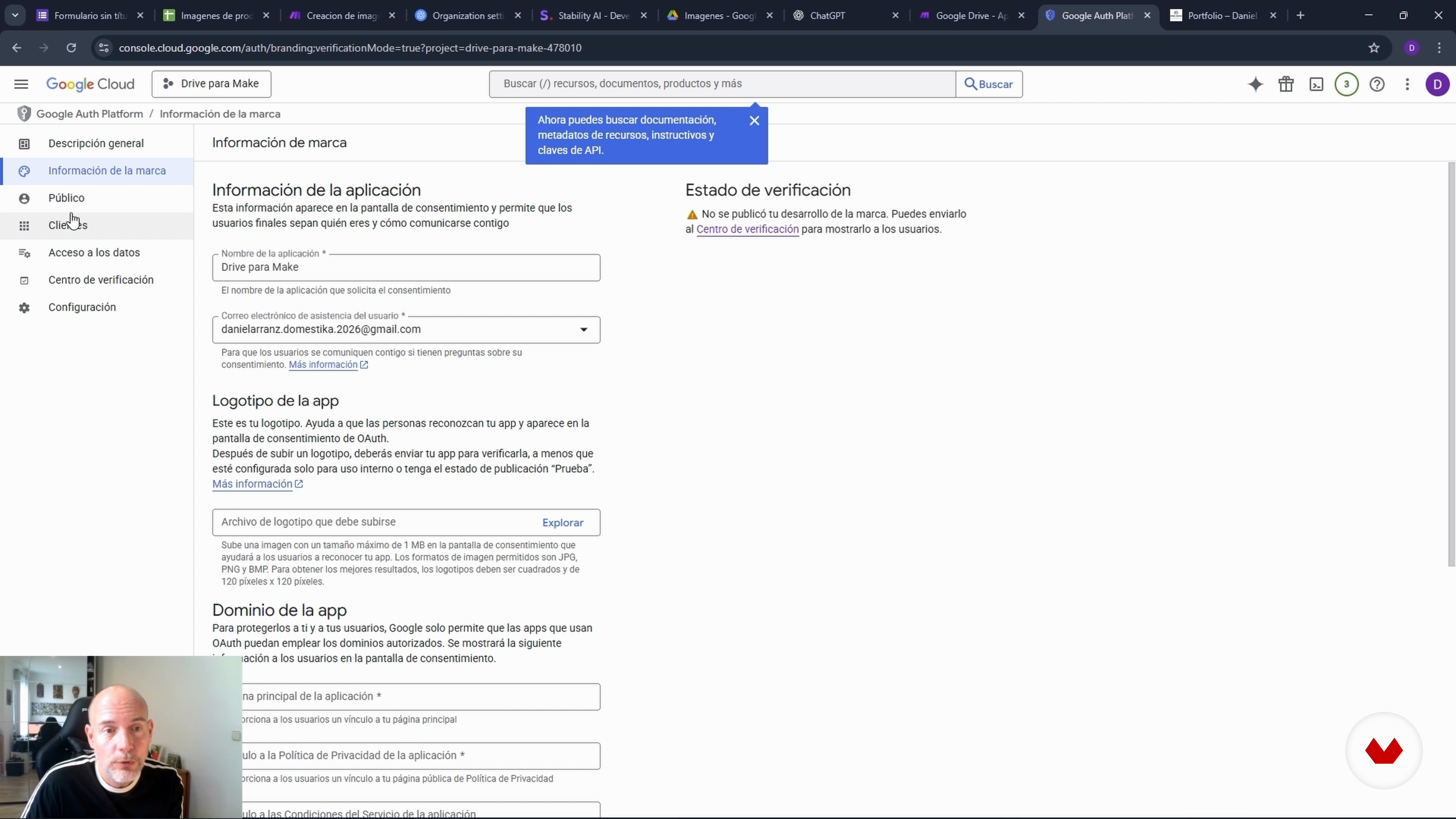
Putting Your Automation into Production
7 minutes, 23 seconds
What's included in this course?
You will learn to design a complete workflow that transforms simple spreadsheet entries into AI generated images. You will define the necessary data fields, build a Google Forms questionnaire, connect it to Google Sheets and prepare structured tables for automation. You will also set up filters based on status fields so only pending records trigger new images, keep everything organized and editable from any device.
You will configure Make scenarios step by step, linking Google Sheets with OpenAI, Stability AI and Google Drive. You will generate optimized prompts with ChatGPT, send them to different image models through native modules and HTTP requests, and store the resulting files in labeled folders. You will update prompts, URLs and statuses automatically in the spreadsheet and schedule recurring runs so new products or ideas become images with minimal manual work.
Recommended software & tools for this course
Who is this online course for?
People curious about automating image creation through spreadsheets, creatives or marketers managing many visuals, small business owners, designers, and tech enthusiasts seeking practical workflows with Google Sheets, Make, ChatGPT, and Stability AI without advanced coding.
Requirements and materials
No extensive knowledge required basic familiarity with computers web browsing curiosity about automation access to a Google account to use Forms Sheets Drive active accounts on Make OpenAI Stability AI and a stable internet connection
As a photographer, he is an expert in professional lighting, although his specialty is travel and street photography, and his works have obtained more than 40 awards in international competitions such as the Sony World Photography Awards (UK), IPA Awards (USA), Prix de la Photographie (France), International Loupe Awards (Australia), International Color Awards (USA), among others. He has also obtained national awards in El País, National Geographic Spain, Iberia, Eurostars Madrid Tower, and more.
His work has been exhibited in numerous national and international galleries, including the Somerset House in London.
Content
From Sheet to Art: Generate Images with AI from Excel and Make
- Course Overview: From Spreadsheet to AI-Generated Art
- Designing the Spreadsheet and Form for Automated Image Generation
- Connecting Google Sheets with Make and ChatGPT
- Connecting Stability AI and Google Drive in Make
- Filtering, Debugging, and Upgrading Image Generation with Stability AI
- Automating Image Creation with ChatGPT in Make
- Putting Your Automation into Production
- Final project
What to expect from a Domestika course
Learn at your own pace
Enjoy learning from home without a set schedule and with an easy-to-follow method. You set your own pace.
Learn from the best professionals
Learn valuable methods and techniques explained by top experts in the creative sector.
Meet expert teachers
Each expert teaches what they do best, with clear guidelines, true passion, and professional insight in every lesson.
Certificates
PLUSIf you're a Plus member, get a custom certificate signed by your teacher for every course. Share it on your portfolio, social media, or wherever you like.
Get front-row seats
Videos of the highest quality, so you don't miss a single detail. With unlimited access, you can watch them as many times as you need to perfect your technique.
Share knowledge and ideas
Ask questions, request feedback, or offer solutions. Share your learning experience with other students in the community who are as passionate about creativity as you are.
Connect with a global creative community
The community is home to millions of people from around the world who are curious and passionate about exploring and expressing their creativity.
Watch professionally produced courses
Domestika curates its teacher roster and produces every course in-house to ensure a high-quality online learning experience.
FAQs
You can connect Excel with Make to turn data into text prompts using ChatGPT and automatically generate images with Stability AI, all within a seamless automated workflow.
You’ll need an Excel or Google Sheets account, access to Make, API keys for OpenAI and Stability AI, plus permissions to integrate Google Drive if you want to store images in the cloud.
The course is designed for users with intermediate spreadsheet skills and a basic understanding of automation, but no advanced programming experience is required.
You’ll learn how to link spreadsheets with Make, generate automatic prompts with ChatGPT, create images using Stability AI, and save results in Google Drive—all automated.
You collect data via Google Forms, transfer it to Sheets, then Make uses it to create prompts with ChatGPT and automates image generation and saving with AI.
Yes, you can automate creating unique images for each product in your catalog using Excel data and the AI integrations taught in the course.
The course covers Excel, Google Sheets, Google Forms, Make, ChatGPT, Stability AI, DALL·E, and Google Drive, showing how to integrate these tools for automated image workflows.