A course by Catalina Estrada UribeIllustrator and Print Designer
A course by Catalina Estrada Uribe, Illustrator and Print Designer
- 5.0100% positive reviews(2)
- 180 students
- 5 lessons (36m)
- 10 additional resources (0 files)
- Online and at your own pace
- Available on the app
- Audio: Spanish, Turkish, Italian, French, Portuguese, English
- Spanish · English · Portuguese · German · French · Italian · Polish · Dutch · Turkish
Level:
Beginner- Unlimited access forever

Create unique digital prints from your illustrations, mastering color techniques and pattern design.
Discover how to transform your personal illustrations into unique digital patterns with their own distinct visual identity. Start by transferring your hand-drawn or iPad sketches to your computer, preparing them for digital use. Learn to create custom brushes that will streamline the creative process, allowing you to experiment with shapes and textures in innovative ways. Explore color palette creation and recoloring techniques that add depth and variety to your designs, making each pattern a unique work of art.
Develop your own continuous prints from your original illustrations, creating compositions full of chromatic rhythm and visual essence. Generate multiple color variations of each pattern, adding versatility to your collection. By the end, you'll have a complete series of patterns ready to apply to digital or physical products, from fabrics to stationery. As you progress, you'll discover how each choice of color and shape becomes an essential part of your personal style, adding an authentic touch to every design.
What will you learn in this online course?
5 lessons & 10 downloads
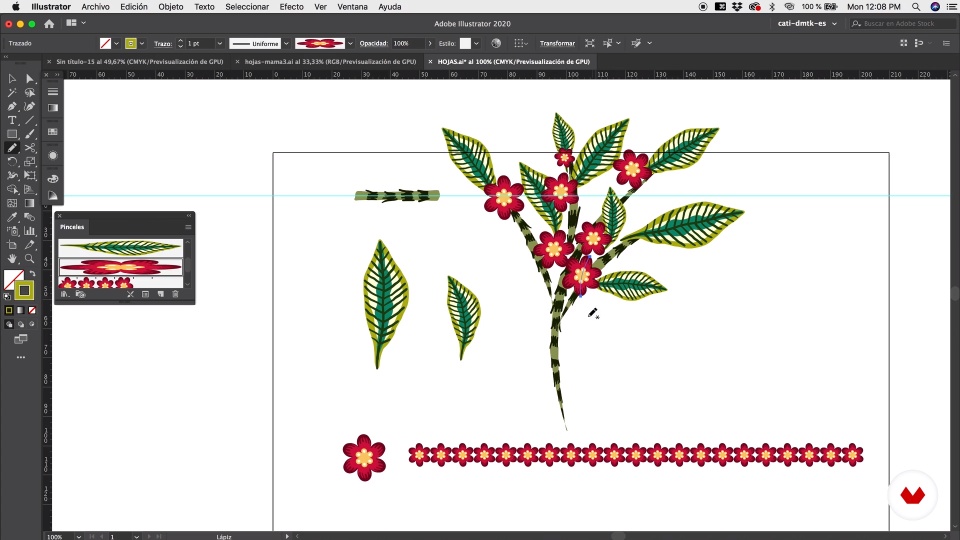
Transfer the illustrations from the iPad and the notebook to the computer and then start creating the brushes
12 minutes, 6 seconds
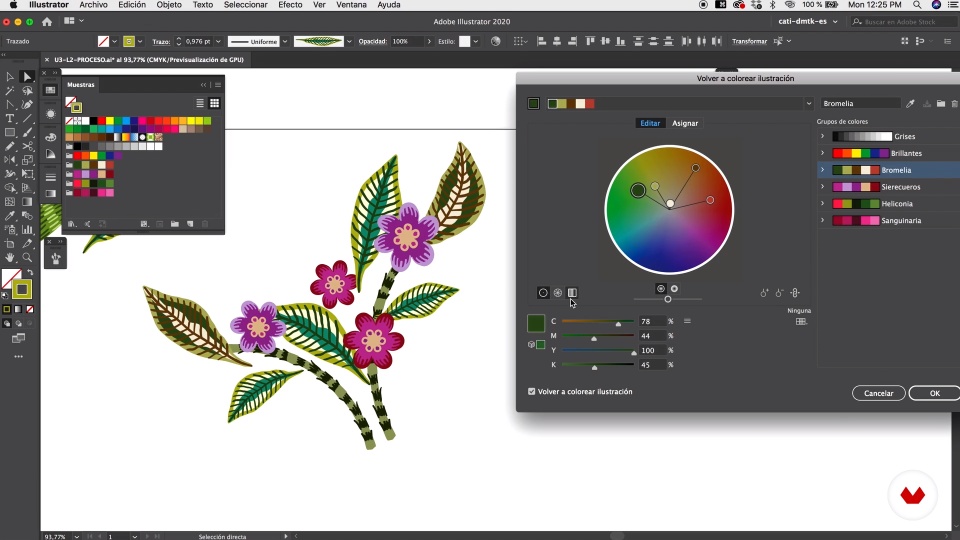
Creating color palettes and recoloring
6 minutes, 26 seconds
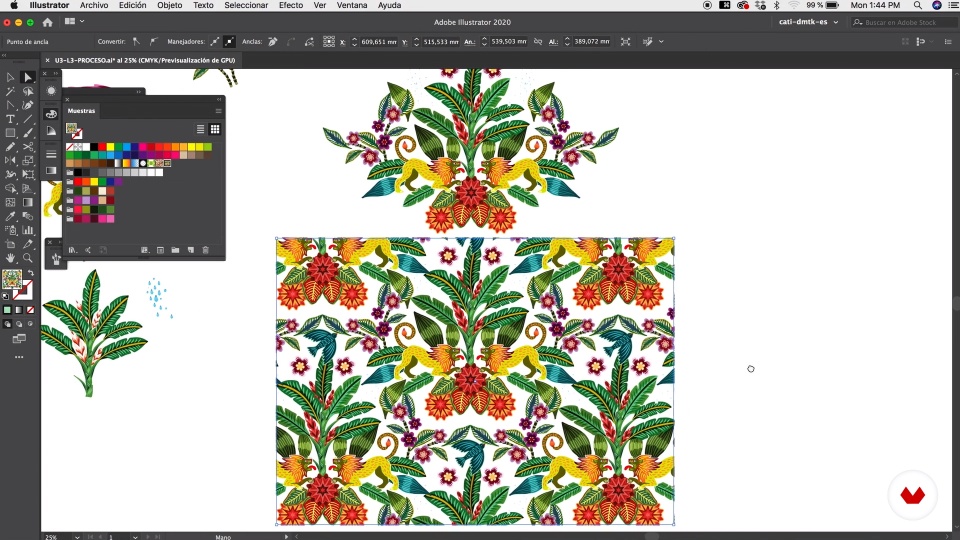
To create prints
6 minutes, 39 seconds
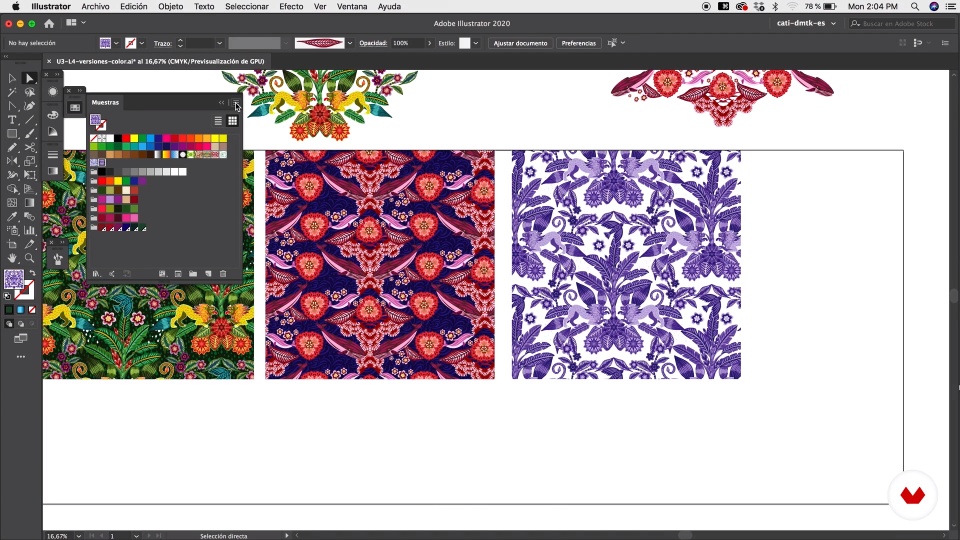
Color versions
6 minutes, 34 seconds
What's included in this course?
You'll learn to transform your personal illustrations into seamless digital patterns that reflect your visual identity. You'll begin by transferring your drawings, whether hand-drawn or created on an iPad, to your computer, preparing them for digital use. Then, you'll delve into creating custom brushes, an essential tool that will facilitate pattern development and enhance your creativity.
You'll explore color palette building, experimenting with recoloring techniques that will add variety and depth to your designs. With these elements in place, you'll be able to design unique prints and generate multiple color variations of each. By the end of the course, you'll have a complete collection of patterns ready to be applied to digital or physical products, allowing you to take your creations to the next level.
What is this course's project?
Transform your illustrations into a collection of digital patterns with a distinct visual identity. Learn how to transfer drawings to your computer, create custom brushes, build color palettes, design continuous patterns, and apply color variations to enrich your designs.
Who is this online course for?
Designed for illustrators and designers who want to transform drawings into digital patterns with a distinct visual identity. Ideal for those who wish to experiment with color palettes, create unique digital brushes, and explore recoloring techniques to enrich their creative projects with depth and variety.
Requirements and materials
To start designing original prints, you'll need a computer, an iPad, a digital stylus, and a sketchbook. Extensive prior knowledge isn't required, but basic digital drawing skills and familiarity with design software are helpful.
Reviews
- 5 months ago
Muy informativo, un par de muy buenos trucos
- 6 months ago
Very informative.

She has worked as an illustrator in advertising for major brands such as Camper, Nike, Font Vella, and Coca-Cola, among others, as well as for institutional campaigns, organizations such as UNICEF, Amnesty International, and Arrels, and other clients with a diverse range objectives.
Catalina also collaborates as a volunteer on social projects, doing her bit to improve the environment and people's lives. These projects allow her to blaze new graphic trails and expand her way of working.
Content
Guided Course: Design Unique Prints with Your Own Illustrations
- Podcast: Patterns with soul, when design tells stories
- Transfer the illustrations from the iPad and the notebook to the computer and then start creating the brushes
- Creating color palettes and recoloring
- To create prints
- Color versions
- Final project
What to expect from a Domestika course
Learn at your own pace
Enjoy learning from home without a set schedule and with an easy-to-follow method. You set your own pace.
Learn from the best professionals
Learn valuable methods and techniques explained by top experts in the creative sector.
Meet expert teachers
Each expert teaches what they do best, with clear guidelines, true passion, and professional insight in every lesson.
Certificates
PLUSIf you're a Plus member, get a custom certificate signed by your teacher for every course. Share it on your portfolio, social media, or wherever you like.
Get front-row seats
Videos of the highest quality, so you don't miss a single detail. With unlimited access, you can watch them as many times as you need to perfect your technique.
Share knowledge and ideas
Ask questions, request feedback, or offer solutions. Share your learning experience with other students in the community who are as passionate about creativity as you are.
Connect with a global creative community
The community is home to millions of people from around the world who are curious and passionate about exploring and expressing their creativity.
Watch professionally produced courses
Domestika curates its teacher roster and produces every course in-house to ensure a high-quality online learning experience.
FAQs
You’ll learn how to digitize sketches, create and edit vector illustrations, develop custom color palettes, design patterns and prints in Illustrator, and apply visual storytelling techniques and meaning to your designs.
This is an intermediate-level course; basic knowledge of Illustrator and digital design is recommended to get the most out of the content and practical exercises.
You’ll need access to Adobe Illustrator, Adobe Capture (on a mobile device or tablet), and ideally an iPad or graphics tablet for sketching and transferring your illustrations.
You can photograph your sketches with Adobe Capture, use the auto-clean feature, and export the results as vector files compatible with Illustrator for digital editing.
You can extract colors from a photo using Adobe Capture, save the palette to the cloud, import it into Illustrator, and apply it to your designs using the swatches panel and Recolor Artwork tool.
A pattern brush repeats a graphic element along a path like a decorative border, while an art brush applies a continuous shape that can adapt to curves or irregular lines.
You’ll learn how to duplicate, organize, and assemble vector elements, adjust repetition and boundaries, and use Illustrator’s pattern-making feature to create prints ready for printing or products.