Guided Course: Create fantastic portraits in Photoshop
Start with color
A guided course by Fernanda Maya

Joined April 2002

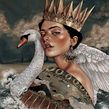
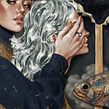
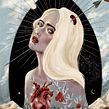
About the video: Start with color
Overview
“It's time to add color to the portrait! In this lesson, I'll separate the flat color fills from the various elements into layers, serving as a foundation for later details.”
In this video lesson Domestika addresses the topic: Start with color, which is part of the Domestika online course: Guided Course: Create fantastic portraits in Photoshop. Create digital fantasy portraits in Photoshop, explore paint techniques, dominate light and color, develop unique style.
Partial transcription of the video
“In this lesson. we'll craft various flat color fills. each on separate layers. allowing us greater flexibility to make changes without affecting other project areas. Let's get started with this approach. During this stage. you'll create the flat color layers. essential for the process. which primarily involves dividing the fills into distinct layers. One immediate action I'll take and highlight is that I will ensure each layer is clearly defined... For the background. i will use two color layers that act like rows these and these. to slightly separate it when it's time to apply the color co...”
This transcript is automatically generated, so it may contain mistakes.
Course summary for: Guided Course: Create fantastic portraits in Photoshop
-
Category
Illustration -
Areas
Digital Illustration, Digital Painting, Traditional illustration
Fernanda Maya
A guided course by Domestika
- 5.0 100% positive ratings (1)
- 165 students
- 11 lessons (2h 48m)
- 28 additional resources (16 files)
- Online and at your own pace
- Available on the app
- Audio: Spanish, English
- Spanish · English · Portuguese · German · French · Italian · Polish · Dutch · Turkish · Romanian · Indonesian
- Level: Beginner
- Unlimited access forever
Category
Areas